
Thin-and-Light vs Performance Laptops: Which Type Fits You?
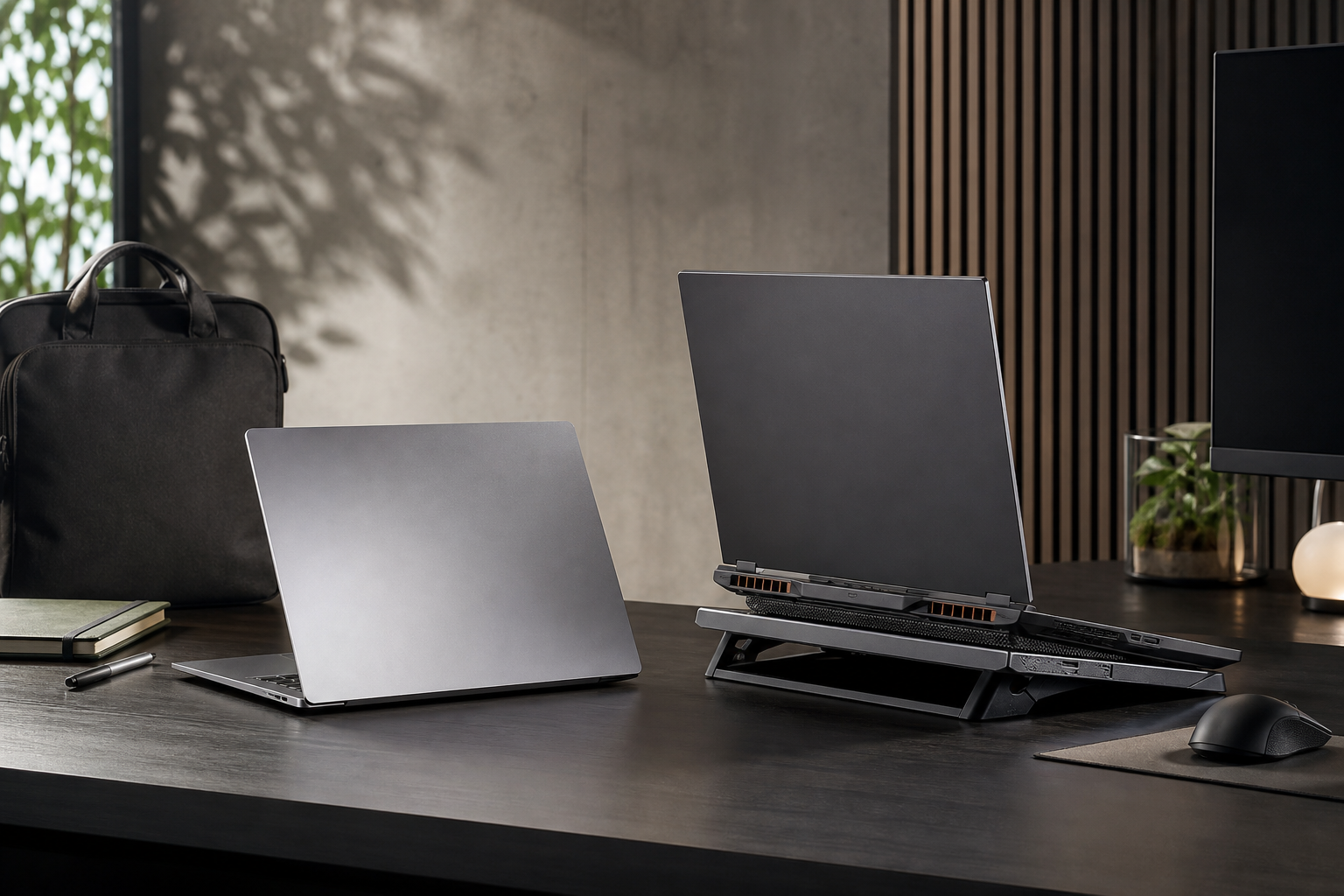
Thin-and-light vs performance laptops is worth understanding before your next technology purchase. Choosing between a thin-and-light laptop and a performance laptop is less about finding a universally better machine and more about matching the computer to your daily workload. A slim model can be easier to carry, quieter in ordinary use and more convenient for travel. A larger performance laptop can handle demanding applications for longer, with stronger cooling, more powerful graphics and greater upgrade potential.
The difference is increasingly less obvious than it once was. Efficient processors, integrated graphics and fast solid-state storage have made many compact laptops capable enough for office work, study, coding and creative projects. At the same time, performance laptops have become more refined, with better displays, improved battery management and less bulky designs. Even so, important trade-offs remain.
What defines each laptop category?
Thin-and-light laptops
Thin-and-light models typically focus on low weight, compact dimensions and long unplugged use. They are designed for people who move between home, work, classrooms, trains and meeting rooms. Many use efficient mobile processors and integrated graphics, although some include modest dedicated graphics for extra flexibility.
Common priorities in this category include:
- Low weight and a compact charger
- Good battery efficiency
- A comfortable keyboard and reliable webcam
- Fast wake times and quiet everyday operation
- A bright, high-quality display in a portable chassis
Performance laptops
Performance laptops are designed to sustain heavier workloads. They often combine higher-power processors with dedicated graphics and more substantial cooling systems. That makes them suitable for modern games, video editing, 3D work, engineering software, large code projects and other applications that can keep the processor or graphics hardware busy for long periods.
The extra capability usually comes with more weight, a larger power adapter, shorter battery life under demanding use and more audible fans. These laptops may also offer more ports, memory options and storage capacity than compact designs.
Portability versus sustained performance
The clearest decision is how often you will carry the laptop. If it spends most of its life on a desk, the disadvantages of a heavier chassis matter less. A performance model can provide a more comfortable long-term setup, especially if it has a larger screen and a strong selection of ports.
If you commute daily or work in different locations, every part of the travel load matters. A laptop that is only slightly lighter can become noticeably more convenient when combined with a smaller charger and a compact sleeve. Thin-and-light models are also easier to use on small tables, aircraft trays and crowded workspaces.
There is a middle ground. Some premium portable laptops offer strong processors and optional graphics while remaining reasonably easy to carry. However, a slim chassis may limit how long that hardware can operate at its highest power level. Check whether your workload involves short bursts or sustained rendering, compiling or gaming before assuming that a powerful component will perform like its larger-laptop equivalent.
Everyday productivity and study
For browsing, documents, video calls, streaming, research and general multitasking, a thin-and-light laptop is usually the more balanced choice. Efficient modern hardware can handle these tasks smoothly, and the lower weight is valuable for students and hybrid workers.
Pay close attention to the details rather than focusing only on processor branding. A comfortable keyboard, accurate trackpad, useful webcam, dependable wireless connectivity and a good screen can have more impact on daily satisfaction than a small difference in headline performance. At least 16GB of memory is a sensible target for buyers who keep many browser tabs and applications open, while storage requirements depend on how much local media and software you keep.
A performance laptop is worthwhile for productivity when your “office” workload includes demanding development tools, virtual machines, complex spreadsheets, data processing or professional creative software. Otherwise, its extra graphics power and cooling capacity may add cost and bulk without improving ordinary tasks.
Gaming and graphics-heavy work
Gaming is where the distinction is easiest to see. Dedicated graphics, stronger cooling and a higher-refresh-rate display can make a major difference in demanding games. Performance laptops also tend to provide more room for heat management, which helps maintain consistent output during longer sessions.
Thin-and-light laptops can still be suitable for older games, independent titles, strategy games and less demanding releases, particularly when paired with a capable integrated graphics platform. They are less suitable if you expect high settings, demanding 3D workloads or a consistently high frame rate in recent games.
The same principle applies to creative work. Photo editing, design and short video projects may run well on a capable portable laptop, especially with a colour-accurate display. Frequent high-resolution video exports, 3D rendering, animation and advanced effects favour a performance model. The key question is not whether a thin laptop can open the application, but whether it can complete repeated heavy tasks without excessive waiting, heat or fan noise.
Battery life, heat and noise
Battery claims should be treated as guidance rather than a guarantee. Screen brightness, wireless activity, browser habits, software settings and workload all affect real-world endurance. Thin-and-light laptops generally have an advantage during light use because their components are tuned for efficiency and their displays may consume less power.
Performance laptops can still provide reasonable battery life for documents and web use, but their high-power processors and dedicated graphics can draw considerably more energy when active. Some switch between integrated and dedicated graphics to reduce consumption, yet demanding work away from a power outlet remains a compromise.
Heat and noise are equally important. A compact laptop may stay quiet during light tasks but become warm or reduce performance during prolonged loads. A larger model may move more air and sustain higher output, but its fans can be more noticeable. If you record audio, work in quiet rooms or share a desk, read reviews carefully for fan behaviour rather than relying on component names alone.
Displays, ports and upgrade options
Thin-and-light designs often put a premium on display quality, with sharp screens, modern aspect ratios and strong brightness. Some use high-refresh-rate panels, but not every portable display is optimised for gaming or professional colour work. Check resolution, refresh rate, colour coverage, brightness and whether the panel has a glossy or matte finish.
Performance laptops commonly offer larger screens and more ports, including video outputs, full-size USB connections and sometimes wired networking. This can reduce the need for a docking station. Their larger chassis may also make it easier to access memory or storage, although upgradeability varies significantly by model.
Portability-focused laptops may have soldered memory or limited internal expansion. That is not automatically a problem, but it makes the initial configuration more important. Choose enough memory and storage for the laptop’s expected lifespan rather than assuming upgrades will be available later.
Which buyers should choose which?
Choose a thin-and-light laptop if you:
- Carry your laptop frequently
- Prioritise battery efficiency and quiet operation
- Mostly use browsers, office software, streaming and communications tools
- Value a compact charger and a small working footprint
- Do occasional creative work rather than sustained rendering
Choose a performance laptop if you:
- Play demanding modern games
- Regularly edit high-resolution video or create 3D content
- Use engineering, simulation, virtualisation or specialised development software
- Need sustained processor or graphics performance
- Prefer more ports, a larger screen or greater upgrade flexibility
What to watch as the categories evolve
The boundary between these laptop types is likely to keep narrowing. More efficient processors, improved integrated graphics and better power management are raising the capability of portable designs. Hardware-assisted video tools and local productivity features may also reduce the need for a large graphics processor for some users, although demanding games and professional 3D work will continue to benefit from dedicated hardware.
Buyers should watch for better cooling in slim chassis, improved battery technology, clearer power profiles and displays that balance image quality with efficiency. Connectivity is also becoming more important as laptops rely on docks, external displays and fast accessories. These developments may make a compact laptop a stronger choice for more people, but they will not remove the fundamental limits of heat, power and physical space.
The practical verdict
For most students, travellers, office workers and general home users, a well-chosen thin-and-light laptop offers the best balance of convenience and capability. Spend the budget on memory, storage, display quality, keyboard comfort and reliable connectivity before paying for performance you will rarely use.
Choose a performance laptop when demanding work is a regular part of your routine, not merely an occasional possibility. The additional size and power are easier to justify when they shorten exports, improve gaming, support specialised software or reduce frustration during sustained workloads. The right choice is the one that fits both your heaviest regular task and the way you actually move through your day.
Explore more technology reviews, comparisons and buying guides on Compare2Shop.