
Microsoft Surface Laptop Ultra vs MacBook Pro 14-inch M6: Which Pro Laptop Is Better?
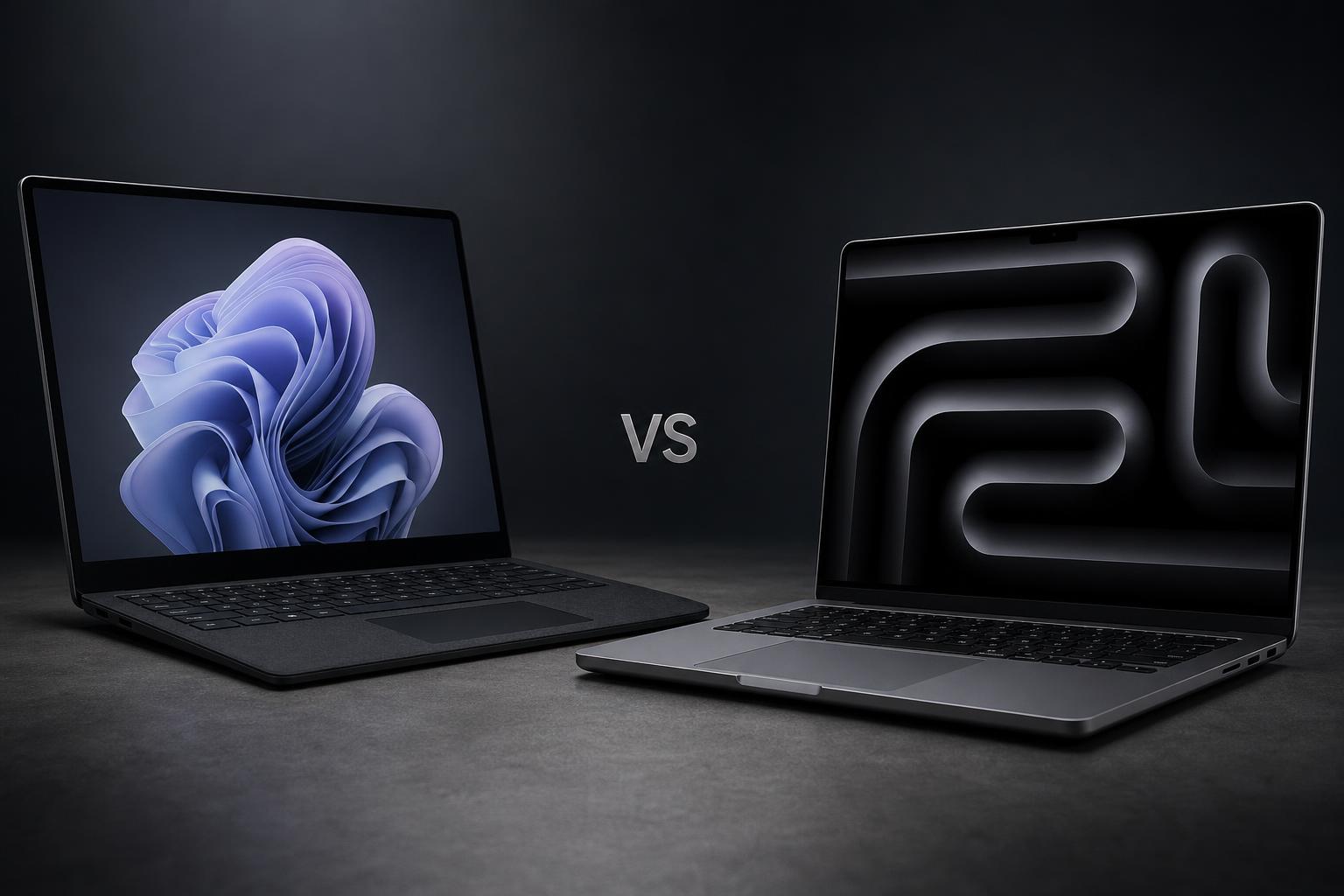
The Microsoft Surface Laptop Ultra and Apple MacBook Pro 14-inch with M6 are both professional laptops, but they take noticeably different approaches. Microsoft’s model is built around dedicated NVIDIA Blackwell RTX graphics, very high memory capacity, a large touchscreen and a generous selection of ports. Apple’s MacBook Pro is smaller and lighter, starts at a lower price, and offers stronger published battery figures, a high-quality Liquid Retina XDR display and close integration with the Apple ecosystem.
This comparison uses the manufacturers’ published specifications and pricing. It does not include direct cross-platform benchmark results or hands-on testing. The Surface Laptop Ultra was released on October 16, 2026, while the 14-inch MacBook Pro with M6 was released on November 6, 2026.
Quick verdict
For most professional laptop buyers, the Apple MacBook Pro 14-inch with M6 is the better overall choice. It starts at $1,999, which is $600 less than the Surface Laptop Ultra, weighs substantially less, and has higher published battery ratings. Its 12MP Center Stage camera, Liquid Retina XDR display and dedicated media engines also make it a compelling option for many creative and mobile professionals.
The Microsoft Surface Laptop Ultra is the more suitable choice for demanding users who specifically need NVIDIA Blackwell RTX graphics, up to 128GB of unified memory, a 15-inch 3:2 touchscreen, Windows software or a wider selection of built-in ports. Its advantages are significant for local AI models, 3D applications, engineering workloads and other memory-intensive tasks, but they come with a higher starting price, greater weight and lower published battery figures.
Key specifications comparison
| Specification | Microsoft Surface Laptop Ultra | Apple MacBook Pro 14-inch with M6 |
|---|---|---|
| Starting price | $2,599.99 | $1,999 |
| Release date | October 16, 2026 | November 6, 2026 |
| Display | 15-inch PixelSense Ultra touchscreen | 14.2-inch Liquid Retina XDR display |
| Resolution and refresh rate | 3270 × 2180; up to 120Hz dynamic refresh rate | 3024 × 1964; up to 120Hz ProMotion adaptive refresh rate |
| Processor and graphics | NVIDIA RTX Spark N1X configurations with an 18-core CPU and 5120-core GPU, or a 20-core CPU and 6144-core GPU | Apple M6 with 12-core CPU and 12-core GPU |
| Memory | 24GB, 32GB, 48GB, 64GB or 128GB unified memory | 16GB standard, configurable to 24GB or 32GB |
| Storage | Removable 512GB Gen 4 SSD or removable 1TB/2TB Gen 5 SSD | 1TB, 2TB or 4TB SSD |
| Camera | 1080p Full HD Surface Studio Camera with Windows Hello | 12MP Center Stage camera with Desk View and 1080p recording |
| Published battery rating | Up to 15 hours local video playback or 12 hours active web use | Up to 24 hours video streaming or 16 hours wireless web use |
| Weight | 4.41 pounds | 3.4 pounds |
| Operating system | Windows 11 Home or Pro; Copilot+ PC features | macOS 27; Siri AI and Apple Intelligence features |
| Ports and expansion | USB-C/USB4 ports, magnetic USB-C charging, HDMI 2.1b, USB-A, SD card reader and 3.5mm headphone jack | MagSafe 3, three Thunderbolt 4/USB4 ports, HDMI, SDXC card slot and 3.5mm headphone jack |
Design and build
The Surface Laptop Ultra is the larger machine. It measures 12.95 by 9.40 inches and is 0.71 inches high without feet, or 0.75 inches with feet. Its weight is 4.41 pounds. The larger chassis accommodates a 15-inch display, a 3:2 aspect ratio and a broader collection of physical connections, but it also makes the laptop less convenient to carry than Apple’s model.
The MacBook Pro 14-inch with M6 measures 12.31 by 8.71 inches, is 0.61 inches high and weighs 3.4 pounds. That makes it substantially lighter than the Surface Laptop Ultra. For commuters, students and professionals who regularly move between offices or workspaces, the MacBook’s smaller footprint and lower weight are important practical advantages.
Microsoft’s design is differentiated by its touchscreen. The Surface uses a 15-inch PixelSense Ultra panel, but pen input and Surface Pen compatibility are not supported. Buyers who want touch interaction therefore get that capability, but should not assume the device doubles as a pen-focused creative tablet.
Apple’s model uses an aluminum enclosure and includes MagSafe 3 charging. Both laptops support Wi-Fi 7, while the MacBook also lists Bluetooth 6. The Surface has a magnetic USB-C/USB4 charging port alongside two other USB-C/USB4 ports, whereas the MacBook uses MagSafe 3 and three Thunderbolt 4/USB4 ports.
Display
The Surface Laptop Ultra provides more physical screen area and a taller workspace. Its 15-inch PixelSense Ultra touchscreen has a 3270 × 2180 resolution, 262 pixels per inch and a 3:2 aspect ratio. That shape is useful for documents, code and other vertical content because it provides more height than a conventional widescreen panel. Microsoft rates it for a dynamic refresh rate of up to 120Hz, 100% DCI-P3 colour coverage, 1000 nits SDR typical maximum brightness and 2000 nits HDR peak brightness. Dolby Vision IQ and anti-reflective glass are also supported.
The MacBook Pro has a smaller 14.2-inch Liquid Retina XDR display with a 3024 × 1964 resolution and 254 pixels per inch. Its 120Hz ProMotion adaptive refresh rate is comparable to the Surface’s maximum refresh rate. Apple lists up to 1000 nits sustained full-screen XDR brightness and 1600 nits peak HDR brightness, together with a 1,000,000:1 contrast ratio, P3 wide colour and True Tone. An optional nano-texture display is available.
There is no single winner for every use. The Surface offers the larger, taller touchscreen and the higher stated HDR peak brightness. The MacBook offers Liquid Retina XDR technology, a very high stated contrast ratio and an optional nano-texture finish. Buyers who want touch interaction or a 3:2 working area should favour the Surface. Those who prioritise Apple’s XDR display system and optional nano-texture option should consider the MacBook Pro.
Performance and graphics
Performance is the clearest reason to consider the Surface Laptop Ultra over the MacBook Pro M6. Microsoft offers NVIDIA RTX Spark N1X configurations with either an 18-core CPU and 5120-core Blackwell GPU or a 20-core CPU and 6144-core Blackwell GPU. The system also includes an NVIDIA NPU. This is a dedicated NVIDIA Blackwell RTX graphics platform rather than an integrated GPU arrangement.
Memory capacity is another major difference. The Surface can be configured with 24GB, 32GB, 48GB, 64GB or 128GB of LPDDR5x unified memory. Its SSD options are removable and include a 512GB Gen 4 drive or removable 1TB and 2TB Gen 5 drives. The combination of high memory capacity, discrete RTX graphics and removable storage is aimed at users with unusually demanding local workloads.
The MacBook Pro M6 uses a 12-core CPU, a 12-core GPU, Neural Accelerators, hardware-accelerated ray tracing and a dual 16-core Neural Engine. Apple lists memory bandwidth of up to 170GB/s. Memory options are 16GB as standard, with 24GB and 32GB configurations available. Storage starts at 1TB and can be configured to 2TB or 4TB.
Apple’s system also includes dedicated media engines for H.264, HEVC, ProRes, ProRes RAW and AV1 decoding. That makes the MacBook particularly relevant to video workflows built around those formats. However, its maximum unified memory is 32GB, considerably below the Surface’s 128GB ceiling.
No direct cross-platform benchmark result is asserted here, so it would be inappropriate to declare one processor universally faster. The more useful distinction is platform fit. The Surface is the more configurable option for local AI models, 3D applications, engineering work and memory-intensive software that benefits from NVIDIA RTX graphics. The MacBook combines Apple silicon, media engines and macOS optimisation in a lighter computer, but is less suitable when a workflow requires NVIDIA-specific software or more than 32GB of memory.
Camera and graphics for creators
The Surface Laptop Ultra includes a 1080p Full HD Surface Studio Camera with Windows Hello facial recognition. Its main creative advantage is not the camera specification but the NVIDIA Blackwell RTX graphics, which provide either 5120 or 6144 GPU cores depending on configuration. It can drive up to three external 4K monitors at 60Hz. The built-in SD card reader is also useful for photographers and video professionals who transfer media from compatible cards.
The MacBook Pro’s camera specifications are stronger on paper. It has a 12MP Center Stage camera with Desk View support and 1080p video recording. Center Stage is designed to keep the subject in view, while Desk View supports an additional view of the workspace. The MacBook also has a 12-core GPU with hardware-accelerated ray tracing and the dedicated media engines described above.
For a creator, the decision depends on the type of work. The MacBook is the more attractive option for video users who value ProRes and ProRes RAW media capabilities, a 12MP camera and the macOS creative-software ecosystem. The Surface is better suited to creators who need NVIDIA RTX acceleration, touch interaction, a larger 3:2 screen, an SD card reader or more than 32GB of memory.
Battery and charging
Apple has the stronger published battery figures. The MacBook Pro is rated for up to 24 hours of video streaming or up to 16 hours of wireless web use, and includes a 72.4-watt-hour lithium-polymer battery. It charges through MagSafe 3, while its Thunderbolt 4/USB4 ports provide additional connectivity.
Microsoft rates the Surface Laptop Ultra for up to 15 hours of local video playback or up to 12 hours of active web usage. Microsoft’s figures come from September 2026 preproduction testing, so they should be treated as manufacturer estimates rather than a guarantee of real-world runtime. The Surface includes a 140W USB-C power adapter.
The manufacturers used different test procedures, so these figures are not directly equivalent. Even with that qualification, the MacBook has the stronger published rating in both categories. It is therefore the better choice for buyers who place a high priority on long unplugged sessions.
Software and features
The Surface Laptop Ultra runs Windows 11 Home on 24GB configurations and Windows 11 Pro on configurations with 32GB or more memory. It is a Copilot+ PC and supports Windows AI experiences. Windows also provides broad application compatibility, which may be decisive for business software, specialist engineering tools or workflows built around Windows-only applications.
Microsoft does not include Microsoft Office with the Surface Laptop Ultra, so buyers should account for that separately if they need the desktop Office applications.
The MacBook Pro runs macOS 27 with Siri AI and Apple Intelligence features. Apple also highlights iPhone Mirroring, window tiling, Sidecar and wider Apple ecosystem integration. These features are particularly relevant to people who already use an iPhone or other Apple devices and want continuity between them.
Neither operating system is automatically better for every buyer. Windows is the safer choice when application compatibility, Windows-specific software or NVIDIA support is central to the job. macOS is compelling for users who value Apple device integration and a tightly coordinated set of features across Mac, iPhone and iPad-related workflows.
Ports and connectivity
The Surface Laptop Ultra offers a particularly broad built-in port selection: two USB-C/USB4 ports, one USB-C/USB4 magnetic charging port, HDMI 2.1b, USB-A 3.1, a full-size SD card reader and a 3.5mm headphone jack. It supports up to three external 4K monitors at 60Hz.
The MacBook Pro provides MagSafe 3, three Thunderbolt 4/USB4 ports, HDMI, an SDXC card slot and a 3.5mm headphone jack. It supports up to two external displays. It does not include USB-A, so users with older accessories may need an adapter or hub.
The Surface is the more flexible option for users who regularly connect USB-A accessories, HDMI displays or full-size SD cards without a dongle. The MacBook still has a useful selection of professional connections, but its lack of USB-A and lower external-display support may matter in a desk-based setup.
Price and value
The Surface Laptop Ultra starts at $2,599.99 in the United States. The MacBook Pro 14-inch with M6 starts at $1,999, making it $600 less expensive at entry level.
The base specifications explain part of that difference. The Surface starts with 24GB of unified memory and a 512GB SSD, alongside its NVIDIA RTX platform and 15-inch touchscreen. The MacBook starts with 16GB of unified memory and a 1TB SSD, plus its M6 processor, Liquid Retina XDR display and dedicated media engines.
There is no universal value winner because the premium is buying different capabilities. The MacBook offers stronger published battery figures, lower weight, a 1TB starting SSD and a lower purchase price. The Surface’s higher cost is primarily associated with its dedicated NVIDIA Blackwell graphics, larger memory options, touchscreen design, broader ports and removable SSD choices.
For general professional use, mobile work and many creative workflows, the MacBook Pro provides the more accessible value proposition. For specialist users who can take advantage of RTX graphics, 48GB or more memory, Windows software or three external 4K displays, the Surface may justify its higher starting price.
Microsoft Surface Laptop Ultra: pros and cons
Pros
- Up to 128GB of unified memory, far more than the MacBook Pro M6’s 32GB maximum.
- Dedicated NVIDIA Blackwell RTX graphics with configurations offering 5120 or 6144 GPU cores.
- Large 15-inch 3:2 touchscreen with up to 120Hz refresh rate.
- Broad port selection including USB-A, HDMI and a full-size SD card reader.
- Removable SSD options.
Cons
- Higher $2,599.99 starting price.
- Heavier and larger than the MacBook Pro 14-inch with M6.
- Lower published battery figures than Apple’s model.
- No pen input or Surface Pen compatibility.
- Battery testing cited preproduction hardware and software.
Apple MacBook Pro 14-inch with M6: pros and cons
Pros
- Lower $1,999 starting price.
- Substantially lighter and more compact than the Surface Laptop Ultra.
- Higher published battery ratings of up to 24 hours of video streaming and 16 hours of wireless web use.
- Liquid Retina XDR display with up to 120Hz ProMotion and an optional nano-texture finish.
- 12MP Center Stage camera with Desk View and dedicated media engines for ProRes and ProRes RAW.
- Strong integration with iPhone and other Apple devices.
Cons
- Maximum unified memory is 32GB.
- Uses a 12-core integrated GPU rather than the Surface’s dedicated NVIDIA Blackwell GPU configurations.
- Smaller 14.2-inch display.
- No USB-A port and support for up to two external displays.
- Base configuration has 16GB of memory, less than the Surface’s 24GB starting configuration.
Which laptop is better for different buyers?
Best for most professional buyers
The MacBook Pro 14-inch with M6 is the stronger general recommendation. Its lower price, lighter design, longer published battery rating and high-end display make it easier to recommend for a broad range of office, creative and mobile work.
Best for local AI, 3D and engineering workloads
The Surface Laptop Ultra is the better fit when the workload benefits from NVIDIA Blackwell RTX graphics or very large memory configurations. The ability to choose up to 128GB of unified memory gives it a clear capacity advantage for large local AI models and other memory-intensive applications.
Best for battery life
Choose the MacBook Pro based on the manufacturers’ published figures. Apple rates it for up to 24 hours of video streaming and 16 hours of wireless web use, compared with Microsoft’s rating of up to 15 hours of local video playback and 12 hours of active web use for the Surface.
Best for creators
The MacBook is the stronger choice for creators who prioritise its 12MP Center Stage camera, Liquid Retina XDR display, ProRes media engines and macOS creative-software ecosystem. Choose the Surface instead when the workflow specifically requires NVIDIA RTX graphics, touch input, an SD card reader or more than 32GB of memory.
Best for Windows users and connectivity
The Surface Laptop Ultra is the obvious choice for people who need Windows 11, Windows-specific software, USB-A, HDMI 2.1b, a full-size SD card reader or support for up to three external 4K monitors. Its selection of built-in ports reduces the need for adapters.
Best for Apple ecosystem users
The MacBook Pro is better for buyers already invested in Apple devices. Features such as iPhone Mirroring, Sidecar and broader Apple ecosystem integration can make it a more coherent choice than switching platforms.
Final verdict
The Surface Laptop Ultra and MacBook Pro 14-inch with M6 are aimed at different interpretations of professional computing. Microsoft’s laptop is the specialist powerhouse: it offers dedicated NVIDIA Blackwell RTX graphics, up to 128GB of memory, a larger 3:2 touchscreen, removable SSD options and more built-in ports. It is the better option for demanding Windows users and professionals whose workloads require discrete NVIDIA graphics or unusually high memory capacity.
Apple’s MacBook Pro is the better all-round purchase for most people. It costs $600 less to start, weighs 3.4 pounds rather than 4.41 pounds, offers stronger published battery figures and combines a high-quality XDR display with a 12MP camera and dedicated media engines. Its 32GB maximum memory and integrated 12-core GPU make it less suitable for some specialist workloads, but those limits will not affect every buyer.
Choose the MacBook Pro 14-inch with M6 for the best overall balance of price, portability, battery and creative features. Choose the Surface Laptop Ultra when NVIDIA RTX graphics, Windows compatibility, touchscreen input, extensive ports or more than 32GB of memory are essential.
Frequently asked questions
Is the Surface Laptop Ultra cheaper than the MacBook Pro M6?
No. The Surface Laptop Ultra starts at $2,599.99 in the United States, while the MacBook Pro 14-inch with M6 starts at $1,999. The MacBook is therefore $600 cheaper at entry level.
Which laptop has the longer battery life?
The MacBook Pro has the higher published ratings: up to 24 hours of video streaming and 16 hours of wireless web use. The Surface is rated for up to 15 hours of local video playback or 12 hours of active web use. Because Apple and Microsoft used different test procedures, the figures are not directly equivalent.
Which laptop has more memory?
The Surface Laptop Ultra has substantially more memory headroom. It is available with up to 128GB of LPDDR5x unified memory, while the MacBook Pro M6 can be configured with up to 32GB.
Does the Surface Laptop Ultra support a Surface Pen?
No. The research specifies that pen input and Surface Pen compatibility are not supported, even though the Surface has a touchscreen.
Which laptop is better for video editing?
The MacBook Pro is attractive for workflows that use its dedicated H.264, HEVC, ProRes, ProRes RAW and AV1 media capabilities, as well as its 12MP camera and macOS creative-software ecosystem. The Surface is the better fit when video or 3D work specifically benefits from NVIDIA Blackwell RTX graphics, higher memory configurations or its built-in SD card reader.
How many external monitors can each laptop support?
The Surface Laptop Ultra supports up to three external 4K monitors at 60Hz. The MacBook Pro supports up to two external displays.
Sources
- Surface Laptop Ultra: The new high-performance Surface Laptop — Microsoft
- Buy Surface Laptop Ultra: price and specifications — Microsoft Store
- Tech specs: Surface Laptop Ultra — Microsoft Learn
- Apple introduces the new 14-inch MacBook Pro with M6 — Apple
- MacBook Pro 14-inch M6 technical specifications — Apple Support
- Buy MacBook Pro 14-inch with M6 — Apple