
MacBook Pro 14-inch M6 vs MacBook Air 13-inch M5: Which Apple Laptop Should You Buy?
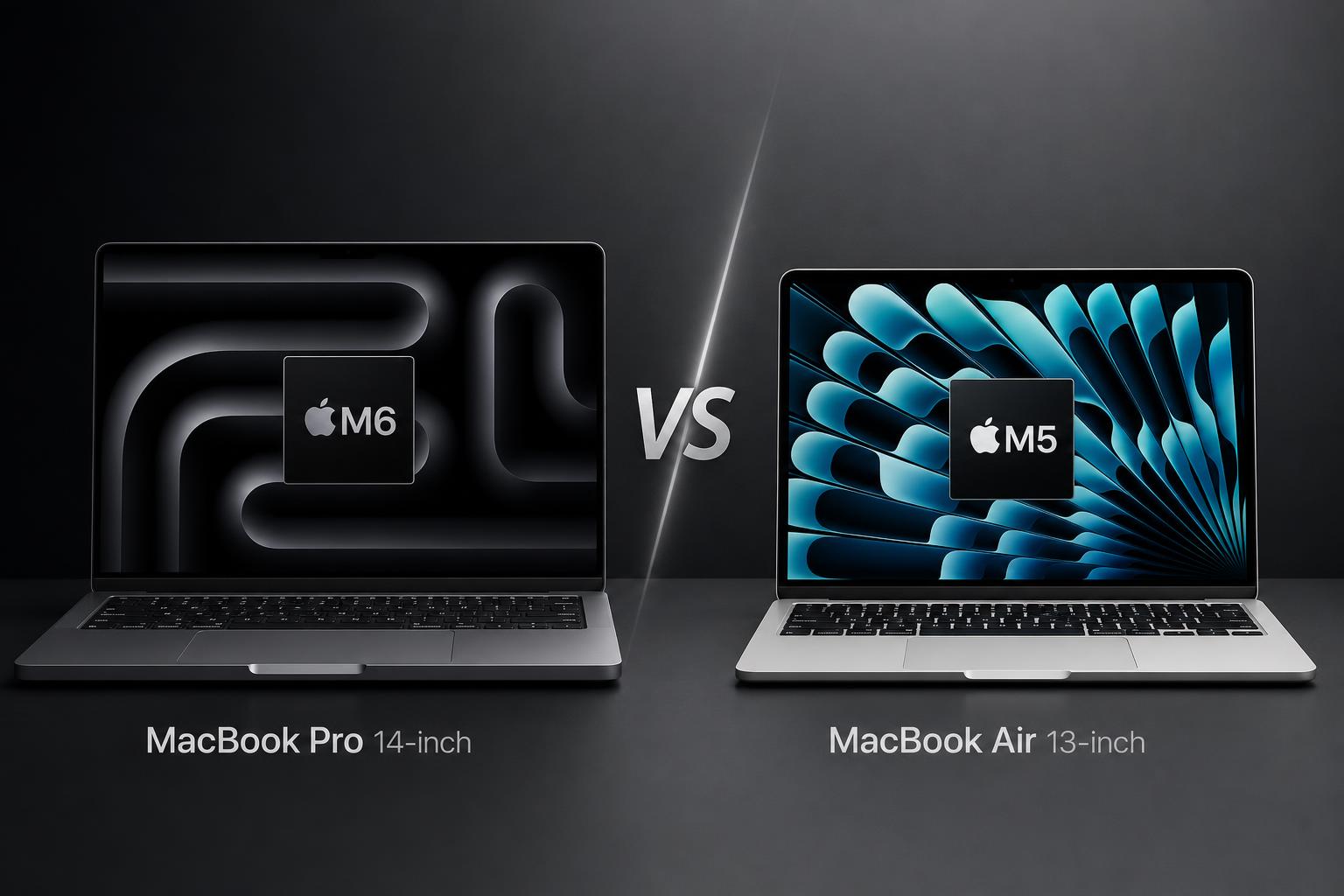
Apple’s 14-inch MacBook Pro with M6 and 13-inch MacBook Air with M5 are aimed at different types of laptop buyer. The MacBook Air is the thinner, lighter and considerably cheaper option, while the MacBook Pro is designed for people who will benefit from a better display, additional ports, more performance headroom and stronger audio hardware.
The MacBook Pro with M6 was announced on November 1, 2026 and is scheduled to ship on November 6, 2026. The MacBook Air with M5 was released on March 11, 2026. This comparison is based on Apple’s published specifications and verified research for both models rather than hands-on testing or independent benchmark results.
Quick verdict
The MacBook Air 13-inch with M5 is the best choice for most buyers. At a starting price of $1,099, it provides a 16GB unified memory and 512GB SSD configuration, a 13.6-inch Liquid Retina display, long rated battery life and enough performance for general productivity and many creative workloads. Its 2.7-pound weight also makes it the more convenient laptop for students, commuters and frequent travellers.
The MacBook Pro 14-inch with M6 is the better specialist machine. Its $1,999 starting price is $900 higher, but it adds a 14.2-inch Liquid Retina XDR display with ProMotion up to 120Hz, a 12-core CPU, a 12-core GPU, HDMI and SDXC card connectivity, six-speaker audio and a longer rated video-streaming battery life. Those upgrades make it more suitable for video editing, photography, audio work, demanding multitasking and users who need a more capable built-in screen.
Key specifications comparison
| Specification | MacBook Pro 14-inch with M6 | MacBook Air 13-inch with M5 |
|---|---|---|
| Release status | Announced; scheduled to ship November 6, 2026 | Released March 11, 2026 |
| Starting price | $1,999 USD | $1,099 USD |
| Display | 14.2-inch Liquid Retina XDR, 3024-by-1964, ProMotion up to 120Hz | 13.6-inch Liquid Retina, 2560-by-1664, 224 pixels per inch |
| Brightness | Up to 1,000 nits sustained and 1,600 nits peak HDR | 500 nits |
| Processor | Apple M6, 12-core CPU and 12-core GPU | Apple M5, 10-core CPU and configurable 8-core or 10-core GPU |
| Standard memory and storage | 16GB unified memory, 1TB SSD | 16GB unified memory, 512GB SSD |
| Maximum memory and storage | 32GB unified memory, 4TB SSD | 32GB unified memory, 4TB SSD |
| Camera | 12MP Center Stage, Desk View, 1080p video | 12MP Center Stage, Desk View, 1080p video |
| Audio | Six-speaker sound system with Spatial Audio | Four-speaker sound system |
| Rated video-streaming battery life | Up to 24 hours | Up to 18 hours |
| Weight | 3.4 pounds (1.55kg) | 2.7 pounds (1.23kg) |
| Ports | Three Thunderbolt 4, HDMI, SDXC, MagSafe 3 and 3.5mm headphone jack | Two Thunderbolt 4, MagSafe 3 and 3.5mm headphone jack |
Design and build
The MacBook Air is the clear choice if portability is the main priority. It measures 0.44 inches high and weighs 2.7 pounds, compared with the MacBook Pro’s 0.61-inch height and 3.4-pound weight. The difference is noticeable on paper and gives the Air a more travel-friendly profile for carrying between home, school, work or meetings.
The Air is available in sky blue, silver, starlight and midnight. That gives it a broader selection of finishes than the Pro, which is offered in space black or silver. Finish choice is subjective, but the Air’s four colours may appeal to buyers who want something other than a traditional silver or dark laptop.
The Pro is thicker and heavier, but that extra size supports a more substantial hardware package. It has a broader selection of built-in connections, a larger speaker system and higher-performance components. The comparison research also identifies a more substantial cooling and speaker system as part of the Pro’s design advantage. For users who regularly connect accessories or work with demanding applications, the trade-off may be worthwhile.
Ports and external displays
Connectivity is one of the most practical differences between these two laptops. The MacBook Pro includes three Thunderbolt 4 ports, HDMI, an SDXC card slot, MagSafe 3 and a 3.5mm headphone jack. The MacBook Air has two Thunderbolt 4 ports, MagSafe 3 and a 3.5mm headphone jack, but no built-in HDMI or SDXC slot.
The Pro is therefore more convenient for photographers, videographers and anyone who frequently transfers files from an SD card or connects a display directly over HDMI. Both models support up to two external displays, so neither is limited to working only from its built-in screen.
Display
The display is the biggest reason to choose the MacBook Pro over the MacBook Air. The Pro has a 14.2-inch Liquid Retina XDR panel with a 3024-by-1964 resolution, P3 wide colour, True Tone and optional nano-texture glass. It also supports ProMotion adaptive refresh rates up to 120Hz.
Brightness is another major advantage. Apple rates the Pro display at up to 1,000 nits sustained brightness and 1,600 nits peak HDR brightness. That makes it much better suited to HDR content, video editing, colour-critical creative work and situations where a brighter screen is useful.
The MacBook Air has a 13.6-inch Liquid Retina display with a 2560-by-1664 resolution at 224 pixels per inch. It supports P3 wide colour and True Tone, and Apple rates it at 500 nits. That is a good specification for everyday work, web browsing, documents, video and general creative tasks, but it lacks the Pro’s XDR, HDR and ProMotion capabilities.
In practical buying terms, the Air’s display should be sufficient for most office, education and home users. The Pro’s panel is a meaningful upgrade rather than a minor specification difference, particularly for buyers who edit video or images, work with HDR material or simply want a brighter, smoother screen.
Performance
The MacBook Pro has the stronger processor configuration. Its M6 chip includes a 12-core CPU, a 12-core GPU, Neural Accelerators, hardware-accelerated ray tracing, a dual 16-core Neural Engine and up to 170GB/s memory bandwidth.
The MacBook Air uses an M5 chip with a 10-core CPU, a configurable 8-core or 10-core GPU, Neural Accelerators, hardware-accelerated ray tracing, a 16-core Neural Engine and 153GB/s memory bandwidth. The Air is not a low-performance laptop: the verified comparison describes its M5 performance as strong for general productivity and many creative workloads.
Apple claims that M6 delivers up to 30% faster graphics and up to 25% faster AI workloads compared with M5. However, no independent benchmark comparison for these exact models was verified, so those figures should be treated as Apple’s claims rather than independently confirmed results.
The practical difference is that the Pro offers more performance headroom. Its higher CPU and GPU core counts make it the better fit for users who regularly work with demanding creative applications, sustained graphics tasks, video, audio or heavier multitasking. For email, documents, browser tabs, video calls and typical productivity software, the Air should provide better value because the Pro’s additional performance may not be used regularly.
Memory and storage
Both models can be configured with up to 32GB of unified memory and up to a 4TB SSD, so the Air is not automatically limited to basic configurations. The MacBook Pro starts with 16GB of memory and a 1TB SSD, while the Air starts with 16GB and a 512GB SSD.
The Pro therefore offers twice the standard storage capacity, which may matter to buyers working with large media libraries or applications. The Air offers more configuration flexibility at the storage level because its listed options include 1TB, 2TB and 4TB SSD upgrades, while the Pro is configurable to 2TB or 4TB from its 1TB starting point. Neither model exceeds 32GB of unified memory.
Camera, audio and graphics
Both laptops have a 12MP Center Stage camera with Desk View and 1080p video. This means the camera specification does not separate the two models on paper. Both also include a three-mic array, making them similarly equipped for video calls based on the verified specifications.
The MacBook Pro has the stronger audio system. It includes six speakers with Spatial Audio, compared with the MacBook Air’s four-speaker system. That difference makes the Pro more appealing for buyers who listen to music, watch video or work with audio directly from the laptop without external speakers or headphones.
The Pro’s graphics hardware is also better specified, with a 12-core GPU compared with the Air’s configurable 8-core or 10-core GPU. Both chips include hardware-accelerated ray tracing, but the M6’s higher GPU core count and claimed graphics advantage make the Pro the more suitable choice for graphics-intensive work.
Battery and charging
Apple rates the MacBook Pro’s 72.4-watt-hour battery for up to 24 hours of video streaming and up to 16 hours of wireless web use. It also supports fast charging to 50% in 30 minutes when used with a compatible 96W or higher USB-C power adapter.
The MacBook Air has a 53.8-watt-hour battery and is rated for up to 18 hours of video streaming and up to 15 hours of wireless web use. The Pro therefore has the longer rated video-streaming figure by six hours, while the difference for wireless web use is one hour.
These are Apple’s stated battery estimates, not independently measured results. Actual endurance will depend on brightness, applications, wireless activity and workload. The Air remains attractive for mobile users because its lighter weight may matter more than the Pro’s higher rated video-streaming figure. For buyers prioritising Apple’s published maximum battery rating, however, the Pro has the advantage.
Software and features
Both laptops support Apple’s current software and ecosystem features. The MacBook Pro ships with macOS 27 Golden Gate, including Siri AI and Apple Intelligence features. The MacBook Air ships with macOS and supports Siri AI and Apple Intelligence features.
The verified comparison also lists iPhone Mirroring and related Apple ecosystem features for both models. As a result, software is not the main reason to choose one over the other. The experience is broadly similar, with hardware capability, screen quality, ports and physical size creating the more important differences.
Both models include Wi-Fi 7, Bluetooth 6 and Touch ID. Both also have MagSafe 3 charging and a 3.5mm headphone jack. The MacBook Pro adds HDMI and an SDXC card slot, which can reduce the need for adapters in a desk or creative-work setup.
Price and value
The MacBook Air 13-inch with M5 starts at $1,099 in the US, with an education price of $999. The standard configuration includes 16GB of unified memory and a 512GB SSD.
The MacBook Pro 14-inch with M6 starts at $1,999, with an education price of $1,899. It starts with 16GB of unified memory and a 1TB SSD. That makes the Pro $900 more expensive at standard starting prices.
The Air offers substantially better price-to-portability value. It delivers a modern Apple silicon platform, a good Liquid Retina display, long rated battery life, 16GB of memory and a lightweight design at a much lower entry price. It is the more sensible purchase when the laptop will mainly be used for productivity, study, communication, browsing and everyday media.
The Pro’s higher price is easier to justify when its specific advantages will be used regularly. The XDR display, 120Hz ProMotion, higher brightness, additional ports, stronger audio, higher M6 core counts, larger standard SSD and longer rated video-streaming battery life all have practical value. If those features are central to the workload, buying the Pro may avoid the need for external displays, adapters or a later upgrade.
MacBook Pro 14-inch with M6: pros and cons
Pros
- 12-core CPU and 12-core GPU provide more performance headroom than the M5 Air.
- 14.2-inch Liquid Retina XDR display supports ProMotion up to 120Hz.
- Much higher stated brightness, including up to 1,600 nits peak HDR brightness.
- Three Thunderbolt 4 ports, HDMI and SDXC card slot offer stronger connectivity.
- Six-speaker system with Spatial Audio is more capable than the Air’s four-speaker system.
- Longer rated video-streaming battery life of up to 24 hours.
- Starts with a 1TB SSD rather than the Air’s 512GB SSD.
Cons
- Starting price is $900 higher than the MacBook Air.
- Heavier and thicker than the Air.
- The M6 model was announced before its scheduled November 6, 2026 shipping date.
- Maximum unified memory is 32GB.
MacBook Air 13-inch with M5: pros and cons
Pros
- Much lower $1,099 starting price and $999 education price.
- Thinner and lighter at 0.44 inches and 2.7 pounds.
- M5 performance is specified for general productivity and many creative workloads.
- Up to 18 hours of rated video-streaming battery life.
- Can be configured with up to 32GB of memory and a 4TB SSD.
- Available in sky blue, silver, starlight and midnight.
- Supports up to two external displays.
Cons
- Display lacks XDR, HDR and ProMotion.
- 500-nit brightness is substantially lower than the Pro’s stated brightness.
- Only two Thunderbolt 4 ports and no built-in HDMI or SDXC card slot.
- Lower CPU and GPU core counts than the M6 MacBook Pro.
- Shorter rated video-streaming battery life.
- Four-speaker system rather than the Pro’s six-speaker system.
Which MacBook is better for different buyers?
For students
The MacBook Air is the better choice for most students. Its lower price, lighter body and long rated battery life make it easier to carry between classes and more affordable for a broad range of budgets. The Pro is worth considering for students working specifically with demanding video, graphics, audio or other creator applications.
For office and home users
The Air offers the better balance for documents, web browsing, email, video calls and general home computing. The Pro’s display and performance are stronger, but many office users will not need its additional capabilities enough to justify the extra $900.
For travellers and commuters
The Air is the more portable option because it is thinner and 0.7 pounds lighter. The Pro has the longer Apple-rated video-streaming battery life, but the Air’s lower weight may be more valuable for users who carry the laptop frequently.
For photographers and videographers
The MacBook Pro is the stronger choice. Its XDR display, higher brightness, ProMotion, SDXC card slot, HDMI connection, higher M6 core counts and six-speaker system are all relevant to creative workflows. The Air can still support many creative workloads, but it has a less capable display and fewer built-in connections.
For audio and media users
The Pro’s six-speaker system with Spatial Audio gives it the advantage for users who regularly watch video, listen to music or work with audio without external equipment. The Air’s four-speaker system remains a built-in audio solution, but it is less ambitious on paper.
For buyers who want maximum value
Choose the MacBook Air. Its lower price and portable design make it the strongest value option, particularly if the laptop will be used for general-purpose tasks. Choose the Pro only when its specific display, port, performance, audio or battery advantages match your regular needs.
Final verdict
The MacBook Air 13-inch with M5 is the best overall buy for most people. It combines a low starting price with 16GB of memory, a capable M5 platform, a good 13.6-inch display, long rated battery life and a genuinely portable 2.7-pound design. Its main compromises are the lack of HDR, ProMotion, XDR, HDMI and SDXC connectivity.
The MacBook Pro 14-inch with M6 is the better laptop in absolute hardware terms. Its 12-core CPU and GPU, brighter 120Hz XDR display, stronger speaker system, broader connectivity and longer rated video-streaming battery life make it the right tool for demanding users and creators. However, the $1,999 starting price means it is not the default recommendation for everyone.
In short, buy the MacBook Air for value, portability and everyday productivity. Buy the MacBook Pro when you will regularly use its superior display, sustained performance, ports, audio hardware or creator-focused features.
Frequently asked questions
Is the MacBook Pro M6 faster than the MacBook Air M5?
The MacBook Pro has higher specified CPU and GPU core counts: 12 CPU cores and 12 GPU cores, compared with the Air’s 10-core CPU and configurable 8-core or 10-core GPU. Apple claims up to 30% faster graphics and up to 25% faster AI workloads for M6 compared with M5, but no independent benchmark comparison for these exact models was verified.
Which has the better display?
The MacBook Pro has the better display by a wide margin. It has a Liquid Retina XDR panel with ProMotion up to 120Hz, up to 1,000 nits sustained brightness and up to 1,600 nits peak HDR brightness. The Air has a 500-nit Liquid Retina display without XDR, HDR or ProMotion.
Is the MacBook Air lighter than the MacBook Pro?
Yes. The MacBook Air weighs 2.7 pounds and is 0.44 inches high. The MacBook Pro weighs 3.4 pounds and is 0.61 inches high.
Which MacBook has better battery life?
Apple rates the MacBook Pro for up to 24 hours of video streaming and 16 hours of wireless web use. The MacBook Air is rated for up to 18 hours of video streaming and 15 hours of wireless web use. These are Apple’s estimates rather than independent measurements.
Does the MacBook Air have HDMI or an SD card slot?
No. The MacBook Air has two Thunderbolt 4 ports, MagSafe 3 and a 3.5mm headphone jack. The MacBook Pro adds HDMI, an SDXC card slot and a third Thunderbolt 4 port.
Which MacBook is better value?
The MacBook Air offers better value for most buyers because it starts at $1,099 rather than $1,999 and remains capable for general productivity and many creative workloads. The MacBook Pro offers better value for specialist users who will regularly benefit from its XDR 120Hz display, M6 performance, extra ports, stronger audio and longer rated video-streaming battery life.