
Apple MacBook Air M5 vs Microsoft Surface Laptop 8th Edition: Which 13-inch Laptop Is Better?
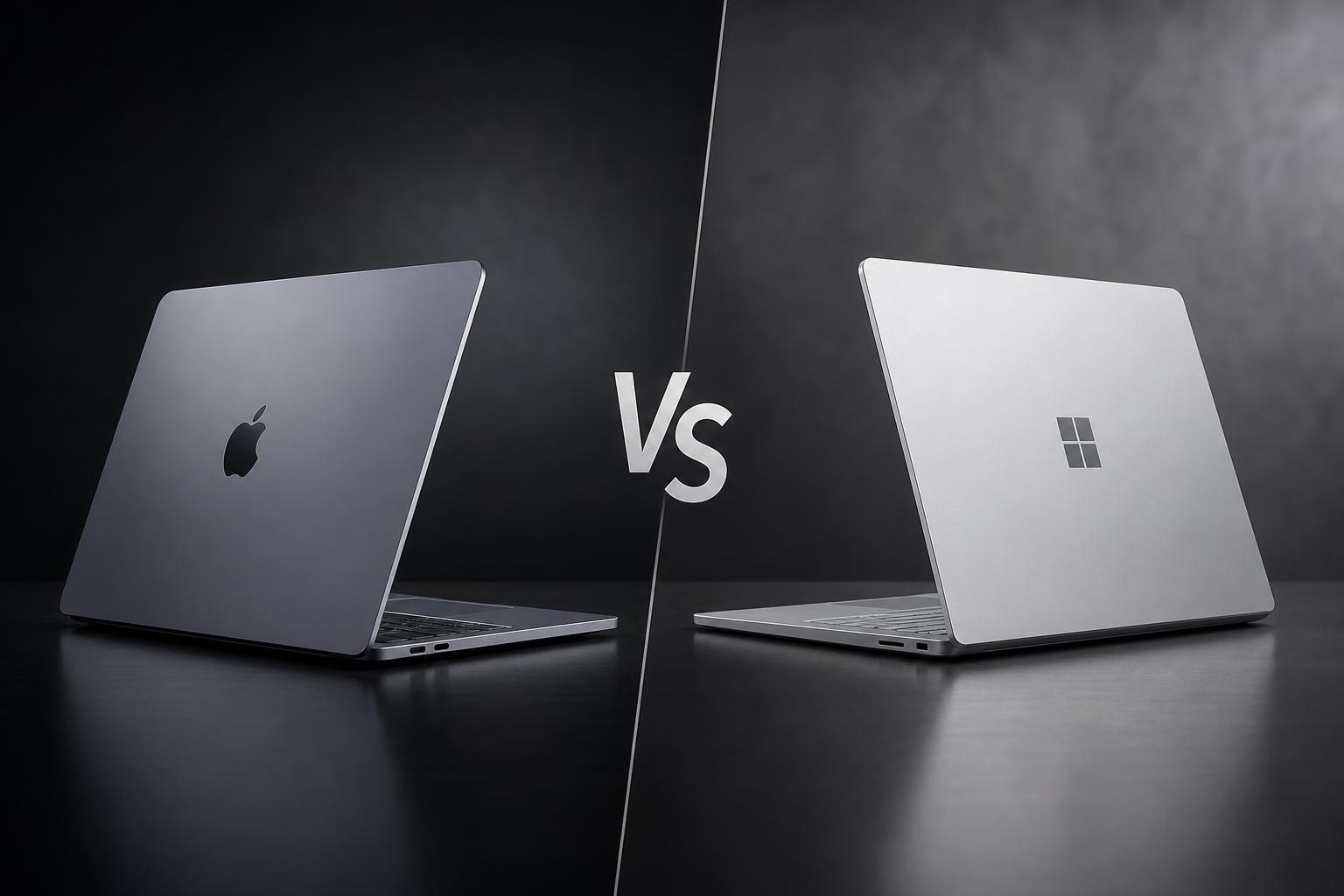
The Apple MacBook Air with M5 and Microsoft Surface Laptop 8th Edition are closely matched premium laptops, but they take different approaches. Apple focuses on a lightweight, silent design, strong integrated performance and macOS ecosystem features. Microsoft offers a touchscreen, a taller 3:2 display, a 120Hz refresh rate, Windows 11 and a wider selection of built-in ports.
Both are designed for everyday productivity, study, video calls and general creative work. The more suitable choice depends on whether you value macOS and Apple-silicon performance or Windows flexibility and touchscreen interaction. The Surface also uses Qualcomm Snapdragon X2 processors, so application and peripheral compatibility should be checked if you rely on specialist Windows software.
Quick verdict
The Apple MacBook Air with M5 is the better all-round choice for most buyers. It is lighter, starts at a slightly lower official price than the Surface Laptop's currently listed 13.8-inch price, and offers a strong combination of processor performance, media capabilities, camera quality and software consistency. It also supports up to two external displays while keeping its built-in screen active.
The Microsoft Surface Laptop 8th Edition is the better fit for buyers who specifically want Windows, a touchscreen, a 120Hz display, facial recognition, USB-A or a removable SSD. Its manufacturer-rated battery figures are also higher, although Microsoft's testing methods and Apple's testing methods are not directly comparable. The key qualification is Windows on ARM compatibility: applications, games, drivers and peripherals can vary in support.
Key specifications comparison
| Feature | Apple MacBook Air with M5, 13-inch | Microsoft Surface Laptop, 8th Edition, 13.8-inch |
|---|---|---|
| Release date | March 11, 2026 | June 16, 2026 |
| Starting price | From $1,299 in the U.S. | $1,299.99 on the Microsoft Store; Microsoft's overview page lists $1,399.99 |
| Processor | Apple M5, 10-core CPU; configurable 8-core or 10-core GPU | Qualcomm Snapdragon X2 Plus with 10 cores or Snapdragon X2 Elite with 12 cores |
| Memory and storage | 16GB unified memory and 512GB SSD as the base configuration; up to 32GB memory and 4TB SSD | Up to 64GB LPDDR5x RAM and up to 1TB removable Gen 4 SSD |
| Display | 13.6-inch Liquid Retina IPS, 2560×1664, 224 ppi, 500 nits, P3, True Tone, 60Hz | 13.8-inch HDR PixelSense LCD touchscreen, 2304×1536, 3:2 aspect ratio, 120Hz |
| Camera | 12MP Center Stage camera, Desk View and 1080p video recording | 1080p Full HD camera with Windows Hello facial recognition |
| Battery rating | Up to 18 hours of video streaming or 15 hours of wireless web use | Up to 20 hours of local video playback or 16 hours of active web browsing |
| Ports | Two Thunderbolt 4/USB4 ports, MagSafe 3 and 3.5mm headphone jack | Two USB-C/USB4 ports, USB-A 3.2, 3.5mm audio jack and Surface Connect |
| Weight | 2.7 pounds | Approximately 2.96 to 3.00 pounds |
| Operating system | macOS | Windows 11 Home |
Microsoft's official pages currently show two different starting prices for the 13.8-inch Surface Laptop: $1,299.99 on the Microsoft Store and $1,399.99 on its Surface overview page. Buyers should confirm the price and exact configuration before ordering.
Design and build
Both laptops use premium aluminum clamshell designs, so neither is positioned as a budget machine. The MacBook Air is the lighter of the two at 2.7 pounds, compared with approximately 2.96 to 3.00 pounds for the 13.8-inch Surface Laptop. That difference is not dramatic, but it may matter to students, commuters and anyone who carries a laptop throughout the day.
Apple's defining design choice is its fanless construction. The MacBook Air is intended to provide strong everyday performance without a fan, which makes it an appealing option for quiet offices, libraries and shared spaces. The research also identifies the fanless design as a potential limitation for sustained professional workloads where a MacBook Pro may be more suitable.
Microsoft's design is more flexible in use. The Surface Laptop has a touchscreen, a taller 3:2 display and a haptic touchpad on supported configurations. The 3:2 shape provides more vertical room than a conventional widescreen laptop, which can be useful for documents, web pages and productivity applications. The touchscreen also gives Windows users another way to interact with applications beyond the keyboard and trackpad.
Port selection is an important distinction. The MacBook Air has two Thunderbolt 4/USB4 ports, MagSafe 3 and a 3.5mm headphone jack. MagSafe allows charging without occupying either USB-C port, but the total selection remains limited. The Surface includes two USB-C/USB4 ports, a USB-A 3.2 port, a 3.5mm audio jack and a Surface Connect port. That makes the Microsoft laptop more convenient for older USB accessories and users who do not want to carry as many adapters.
The Surface is not automatically better for every buyer, however. The MacBook Air's lighter body and silent operation may be more important than port variety. The right choice depends on whether portability and a quiet fanless design or built-in connectivity are higher priorities.
Display
The Surface Laptop has the more versatile display. Its 13.8-inch HDR PixelSense LCD has a 2304×1536 resolution, a 3:2 aspect ratio and a 120Hz refresh rate. It is also a touchscreen. The combination should appeal to users who value smooth scrolling, touch interaction and a taller workspace for documents and websites.
The MacBook Air uses a 13.6-inch Liquid Retina LED-backlit IPS display with a 2560×1664 resolution and 224 pixels per inch. It supports P3 wide color, True Tone and up to 500 nits of brightness. These features make it a strong panel for general work, media consumption and color-conscious creative tasks within the limits of its class.
There are two clear trade-offs. The MacBook Air display is limited to 60Hz and does not support touch input. The Surface therefore has the advantage for users who notice higher refresh rates or regularly use touch controls. Microsoft also notes that the Surface's glossy touchscreen can produce distracting reflections, so viewing conditions may affect the experience.
The MacBook Air has the higher listed pixel count and P3 wide color, while the Surface offers the more flexible physical format. Buyers who prefer a traditional laptop display and Apple’s color features may favor the MacBook. Buyers who want a taller screen, touch input and 120Hz motion should choose the Surface.
Performance
The MacBook Air is powered by Apple’s M5 chip with a 10-core CPU, a configurable 8-core or 10-core GPU, a 16-core Neural Engine and 153GB/s memory bandwidth. It also includes hardware-accelerated ray tracing and support for H.264, HEVC, ProRes, ProRes RAW and AV1 media formats.
The Surface Laptop uses either a 10-core Qualcomm Snapdragon X2 Plus or a 12-core Snapdragon X2 Elite processor. These chips are designed for Windows productivity and are paired with Qualcomm’s integrated Adreno graphics. The Surface should be well suited to everyday tasks such as web browsing, office work, video calls and general multitasking, but its Windows on ARM platform deserves attention before purchase.
The research identifies the MacBook Air as the safer choice for consistently strong CPU and creative-application performance, based on independent testing and Apple’s integrated media and graphics features. The Surface is capable for everyday Windows work, but compatibility can vary across applications, games, drivers and peripherals. This is especially relevant to specialist business tools, older software, certain accessories and applications that depend on particular Windows drivers.
Memory and storage configurations also differ. The MacBook Air starts with 16GB of unified memory and a 512GB SSD. It can be configured with 24GB or 32GB of memory and up to a 4TB SSD. These upgrades must be selected at purchase, and the unified memory is not a user-replaceable upgrade.
The Surface offers up to 64GB of LPDDR5x RAM and up to a 1TB removable Gen 4 SSD, although exact configurations vary by processor, size, market and retailer. The removable SSD provides more flexibility than Apple’s storage approach, but the Surface RAM is soldered and cannot be upgraded after purchase. Buyers should choose a suitable memory configuration at checkout.
Camera and graphics
Apple has the stronger camera specification. The MacBook Air includes a 12MP Center Stage camera with Desk View and 1080p video recording. Center Stage is designed to keep the user framed during calls, while Desk View supports showing the area in front of the laptop. These features make the MacBook Air particularly attractive for video conferencing and demonstrations.
The Surface Laptop has a 1080p Full HD camera with Windows Hello facial recognition. Windows Hello is a practical advantage for buyers who want facial sign-in, while the 1080p specification supports clear video calls. The comparison research gives Apple the advantage for camera resolution, while Microsoft provides useful facial-recognition functionality.
Graphics are also important. The M5 includes integrated graphics with hardware-accelerated ray tracing and broad media support, including ProRes, ProRes RAW and AV1. That gives the MacBook Air a stronger stated foundation for compatible creative and media workflows.
The Surface’s integrated Qualcomm Adreno GPU is suitable for everyday graphics, but it is not intended for demanding professional 3D work or high-end gaming. Neither laptop should be selected as a dedicated performance-gaming system based on the verified specifications. For creative applications on Windows, buyers should confirm both ARM compatibility and the specific software’s graphics requirements.
Battery and charging
Both laptops promise all-day battery life, although their official figures use different test methods and are not directly comparable. Apple rates the MacBook Air for up to 18 hours of video streaming or up to 15 hours of wireless web use. It has a built-in 53.8-watt-hour lithium-polymer battery.
The MacBook Air includes a 40W Dynamic Power Adapter with 60W maximum output. It supports fast charging when used with a 70W-or-higher USB-PD source. MagSafe 3 provides a dedicated charging connection, leaving the two Thunderbolt 4/USB4 ports available for accessories.
Microsoft rates the 13.8-inch Surface Laptop for up to 20 hours of local video playback and up to 16 hours of active web browsing. It includes a 39W power supply. On the manufacturer's figures, the Surface has the battery-life advantage, but local video playback and active web browsing are not the same tests as Apple’s video-streaming and wireless-web measurements.
For most buyers, both are credible all-day options. The Surface is the better choice if its quoted figures are the priority, while the MacBook Air offers a dedicated charging port and a strong official rating in a lighter design.
Software and features
The MacBook Air runs macOS and includes Apple Intelligence, Siri, iPhone Mirroring, window tiling, Sidecar and other Apple ecosystem Continuity features. These capabilities are especially useful for people who already use an iPhone or other Apple devices. Apple-silicon application support also contributes to the MacBook Air’s software consistency.
The Surface Laptop runs Windows 11 Home and supports Copilot+ PC features and Windows AI functions through its Snapdragon X2 NPU. Windows remains the more natural choice for software that is built specifically around Microsoft’s operating system, as well as users who need USB-A compatibility or facial sign-in.
However, the Surface’s ARM architecture should be part of the buying decision. Windows on ARM compatibility varies across applications, games, drivers and peripherals. This does not make the Surface unsuitable, but it does mean that buyers should check the software and hardware they depend on before committing.
The MacBook Air supports up to two external displays while retaining its built-in display, which is a useful advantage for desk-based productivity. The Surface’s verified information confirms its port selection but does not provide an equivalent external-display claim in the supplied research.
Price and value
The 13-inch MacBook Air with M5 starts at $1,299 in the U.S. The base configuration includes a 10-core CPU, 8-core GPU, 16GB of unified memory and a 512GB SSD.
The Microsoft Store lists the 13.8-inch Surface Laptop 8th Edition from $1,299.99. However, Microsoft's Surface overview page lists the 13.8-inch model at $1,399.99. Because these official pages are inconsistent, prospective buyers should confirm the current price and exact specification on the purchasing page.
At the lower listed Surface price, the difference from the MacBook Air is approximately one dollar. This makes the decision less about headline price and more about what each laptop provides. The MacBook Air offers stronger all-around value when performance, camera quality, media capabilities and software consistency matter most.
The Surface can justify its price for buyers who specifically need Windows, a 120Hz touchscreen, facial recognition, USB-A, Surface Connect or a removable SSD. Its maximum memory capacity is also higher, although configurations and pricing vary. Buyers should compare like-for-like memory and storage options rather than relying only on the starting prices.
Apple MacBook Air with M5: pros and cons
Pros
- Strong overall performance in a thin, light and silent fanless design.
- Lighter than the 13.8-inch Surface Laptop at 2.7 pounds.
- 12MP Center Stage camera with Desk View and 1080p video recording.
- Hardware-accelerated ray tracing and broad media-format support.
- Supports up to two external displays while retaining the built-in screen.
- Broad Apple ecosystem integration through macOS features such as iPhone Mirroring and Sidecar.
- Starts at $1,299 in the U.S., slightly below the Surface's lower currently listed price.
Cons
- The built-in display is limited to 60Hz and does not support touch input.
- Only two USB-C/Thunderbolt ports, in addition to MagSafe and the headphone jack.
- Memory and storage upgrades must be selected at purchase.
- The fanless design may be less suitable than a MacBook Pro for sustained professional workloads.
Microsoft Surface Laptop 8th Edition: pros and cons
Pros
- 120Hz touchscreen with a taller 3:2 workspace.
- More flexible port selection, including USB-A and Surface Connect.
- 1080p camera with Windows Hello facial recognition.
- Higher manufacturer-rated battery figures, subject to different test methods.
- Removable Gen 4 SSD and configurations with up to 64GB of RAM.
- Good fit for users who specifically need Windows 11 and Copilot+ features.
Cons
- Windows on ARM compatibility varies across applications, games, drivers and peripherals.
- The glossy touchscreen can produce distracting reflections.
- Integrated graphics are not intended for demanding professional 3D work or high-end gaming.
- RAM is soldered and cannot be upgraded after purchase.
- Microsoft's official pages currently show inconsistent starting prices for the 13.8-inch model.
Which laptop is better for different buyers?
Best for most people: MacBook Air with M5
The MacBook Air is the safer general recommendation because it combines a lower starting price than the Surface's lower listed price, strong performance, a lighter body, a higher-resolution camera and broad macOS ecosystem features. It is particularly suitable for office work, study, video calls, general creative tasks and users who already own Apple devices.
Best for Windows users: Surface Laptop 8th Edition
Choose the Surface if Windows 11 is essential to your work or personal software. It is also the more natural choice for users who need USB-A, Surface Connect, Windows Hello facial recognition or Copilot+ features. Check ARM compatibility for every important application and peripheral first.
Best for a touchscreen and smooth scrolling: Surface Laptop
The Surface wins clearly for touch interaction and refresh rate. Its 120Hz 3:2 display provides a taller workspace and smoother motion than the MacBook Air's 60Hz non-touch panel.
Best for performance and creative media workflows: MacBook Air
The M5 MacBook Air is the stronger choice when CPU performance, integrated media features and camera quality are priorities. Its hardware-accelerated ray tracing and support for several professional media formats add to its appeal, although sustained professional workloads may still call for a MacBook Pro.
Best for battery-life claims: Surface Laptop
Microsoft's manufacturer-rated figures are higher, at up to 20 hours of local video playback and 16 hours of active web browsing. Because Apple uses different video-streaming and wireless-web tests, the figures should not be treated as a direct laboratory comparison.
Final verdict
The Apple MacBook Air with M5 is the better overall laptop in this comparison. It is lighter, offers a stronger all-round performance and media package, has the higher-resolution camera, supports two external displays while retaining its built-in panel, and benefits from a consistent macOS and Apple-silicon software experience.
The Microsoft Surface Laptop 8th Edition is a compelling alternative rather than a poor second choice. Its 120Hz touchscreen, 3:2 display, USB-A port, Surface Connect, Windows Hello and removable SSD give it practical advantages that the MacBook Air does not match. It is the better purchase for buyers who specifically want those features or require Windows software.
In short, buy the MacBook Air for the strongest balance of performance, portability, camera quality and value. Buy the Surface Laptop for touch, Windows flexibility, broader built-in connectivity and its taller 120Hz display—and confirm ARM software compatibility before ordering.
FAQs
Is the MacBook Air M5 cheaper than the Surface Laptop 8th Edition?
The MacBook Air with M5 starts at $1,299 in the U.S. The Microsoft Store lists the 13.8-inch Surface Laptop from $1,299.99, while Microsoft's overview page lists $1,399.99. The MacBook Air therefore has the lower starting price based on the currently supplied official listings, but Surface pricing is inconsistent across Microsoft pages.
Which has the better display?
The Surface has the more versatile display because it is a 120Hz touchscreen with a 3:2 aspect ratio. The MacBook Air has a 2560×1664 Liquid Retina panel with P3 wide color, True Tone and 500 nits of brightness, but it is limited to 60Hz and has no touch input.
Which laptop has better battery life?
Microsoft quotes up to 20 hours of local video playback and 16 hours of active web browsing for the 13.8-inch Surface Laptop. Apple quotes up to 18 hours of video streaming and 15 hours of wireless web use for the MacBook Air. The test methods differ, so the figures are not directly comparable.
Which has the better webcam?
The MacBook Air has the higher-resolution camera, with a 12MP Center Stage camera, Desk View and 1080p video recording. The Surface has a 1080p Full HD camera and adds Windows Hello facial recognition. Choose Apple for the camera specification and Microsoft if facial sign-in is especially important.
Is the Surface Laptop suitable for specialist software?
It may be, but buyers should check first. The Surface uses Windows on ARM, and compatibility varies across applications, games, drivers and peripherals. This is particularly important for specialist software and accessories that require specific Windows support.
Which is better for gaming or demanding 3D work?
Neither is positioned as a high-end gaming laptop in the supplied research. The MacBook Air has M5 graphics with hardware-accelerated ray tracing and broad media support, while the Surface uses integrated Qualcomm Adreno graphics that are not intended for demanding professional 3D work or high-end gaming.
Sources
- MacBook Air (13-inch, M5) - Tech Specs — Apple Support
- Apple introduces the new MacBook Air with M5 — Apple
- Buy MacBook Air — Apple Store
- Surface Laptop 8th Edition touchscreen laptop — Microsoft
- Buy Surface Laptop, 13.8-inch (8th Edition) — Microsoft Store
- Microsoft Surface Laptop 8th Edition (2026) Review — RTINGS
- Apple MacBook Air (M5, 2026) Review — WIRED