Apple iPad Pro M5 vs Microsoft Surface Pro 12-inch (2nd Edition): Which Should You Buy?
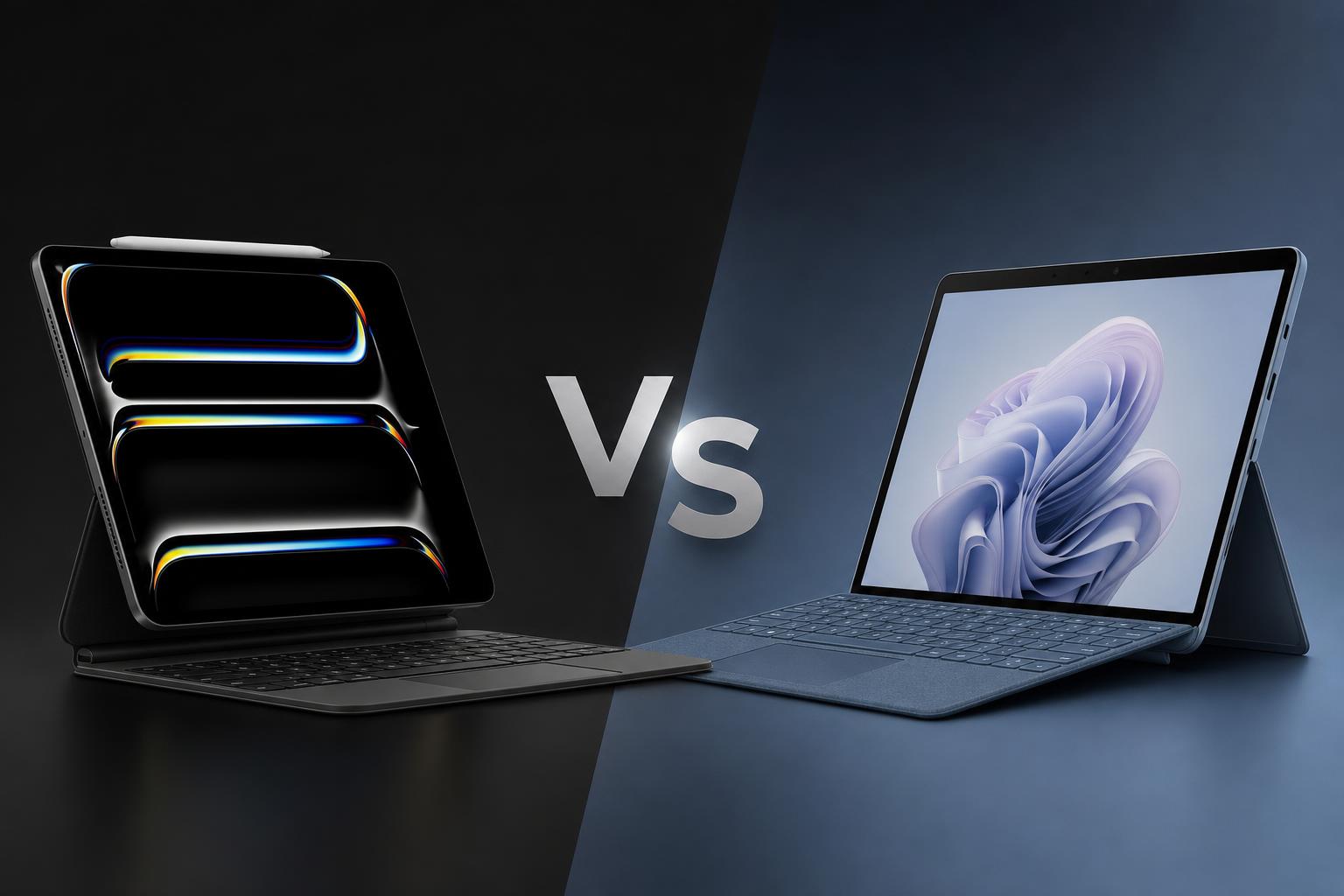
The Apple iPad Pro with M5 and Microsoft Surface Pro 12-inch (2nd Edition) approach the premium tablet market from different directions. Apple focuses on a thin, light tablet with a high-end OLED display, powerful M5 hardware and a strong creative-app ecosystem. Microsoft builds a more conventional 2-in-1 PC around Windows 11, a built-in kickstand and support for desktop software.
Both products can be paired with a detachable keyboard and an active pen, but neither includes all of those accessories in the base package. The choice therefore depends less on a simple specification contest and more on how you plan to work: tablet-first creativity and portability, or a Windows-based laptop replacement.
Quick verdict
The Apple iPad Pro M5 is the stronger choice for buyers who prioritise display quality, portability, creative applications, camera capability and premium tablet hardware. Its Ultra Retina XDR tandem OLED panel, 10Hz to 120Hz ProMotion refresh rate, M5 platform, Apple Pencil Pro support and creator-focused features give it a clear advantage for visual work and tablet use.
The Microsoft Surface Pro 12-inch (2nd Edition) is the better fit for buyers who need Windows 11, conventional desktop applications, a built-in kickstand and a more familiar PC workflow. It also has the lower listed starting price and higher manufacturer-rated battery figures, although its keyboard, pen and power supply are sold separately.
For most creative professionals and users seeking the best tablet experience, the iPad Pro M5 is the more capable product. For office users, students and professionals who specifically require Windows software, the Surface Pro is the more practical choice.
Key specifications comparison
| Feature | Apple iPad Pro with M5 | Microsoft Surface Pro, 12-inch (2nd Edition) |
|---|---|---|
| Release information | Released October 22, 2025 | Released October 13, 2026, in select markets |
| Starting price | 11-inch Wi-Fi from $999; 13-inch Wi-Fi from $1,299 | From $1,149.99 for Snapdragon X2 Plus, 16GB RAM and 256GB UFS storage |
| Display | 11-inch or 13-inch Ultra Retina XDR tandem OLED; 264 ppi; 10–120Hz ProMotion | 12-inch PixelSense LCD; 2,196 x 1,464; 220 ppi; 500 nits |
| Processor | Apple M5; 9-core or 10-core CPU depending on storage; 10-core GPU | Qualcomm Snapdragon X2 Plus, 6-core processor |
| Memory and storage | 12GB unified memory with 256GB/512GB; 16GB with 1TB/2TB; up to 2TB | 16GB RAM with 256GB/512GB, or 24GB RAM with 512GB UFS storage |
| Rear camera | 12MP Wide with adaptive True Tone flash, 4K video, ProRes and LiDAR | 10MP Ultra HD rear-facing camera |
| Front camera | 12MP landscape Center Stage camera | 1080p Full HD front-facing camera |
| Battery rating | Up to 10 hours of Wi-Fi web browsing or video playback | Up to 15.5 hours of local video playback or 13 hours of active web use |
| Operating system | iPadOS 26, Apple Intelligence and professional iPad apps | Windows 11 Home and Copilot+ PC features |
| Weight | 0.98lb for 11-inch; 1.28lb for 13-inch | 1.5lb, excluding accessories |
| Ports and connectivity | Thunderbolt/USB 4, Wi-Fi 7, Bluetooth 6; optional 5G cellular | Two USB-C/USB 3.2 ports, Wi-Fi 7; optional 5G for business customers |
Design and build
The iPad Pro M5 is the more portable device in this comparison. The 11-inch model measures 9.83 x 6.99 x 0.21 inches and weighs 0.98lb, while the 13-inch model measures 11.09 x 8.48 x 0.20 inches and weighs 1.28lb. Wi-Fi and Wi-Fi + Cellular versions have the same listed weight for each size.
That makes the iPad Pro particularly appealing for carrying between meetings, classrooms, studios or travel locations. Buyers can choose between the compact 11-inch model and the larger 13-inch version, depending on whether portability or working space matters more. The tablet is available in Silver or Space Black.
The Surface Pro weighs 1.5lb, or 686 grams, excluding accessories. It is therefore heavier than both iPad Pro sizes, but the extra weight accompanies a more laptop-like design. Microsoft includes an integrated kickstand, allowing the display to be positioned without relying on a separate case or stand. That is useful for desk work, watching video or using the Surface with its detachable keyboard.
Both products support detachable keyboards and pen input. The iPad Pro works with the Magic Keyboard for iPad Pro, Apple Pencil Pro and Apple Pencil USB-C. The Surface Pro supports the Surface Pro 12-inch Keyboard and Surface Slim Pen. These accessories are sold separately for both products, so buyers should include them when calculating the cost of a complete laptop-style setup.
Port selection is another practical difference. The iPad Pro has one Thunderbolt/USB 4 port. The Surface Pro has two USB-C/USB 3.2 ports, which gives it more flexibility for connecting compatible peripherals without immediately adding a hub. The iPad Pro counters with a thinner and lighter design, while the Surface prioritises the integrated stand and PC-style usability.
Display
The iPad Pro has the clear advantage on the verified display specifications. Both the 11-inch and 13-inch models use an Ultra Retina XDR tandem OLED display with 264 pixels per inch, P3 wide colour, True Tone and ProMotion adaptive refresh from 10Hz to 120Hz.
Apple rates the panel at 1,000 nits full-screen brightness and up to 1,600 nits peak HDR brightness, with a 2,000,000:1 contrast ratio. Those specifications are especially relevant for HDR video, photography, illustration and other work where contrast, colour and highlight detail matter. A nano-texture glass option is available on 1TB and 2TB models.
The Surface Pro uses a 12-inch PixelSense touchscreen LCD with a 2,196 x 1,464 resolution, 220 ppi and 500-nit brightness. Microsoft describes it as 25% brighter than the prior generation. Those figures position it as a capable general-purpose touch display, but it does not match the iPad Pro's verified OLED, HDR brightness or contrast specifications.
Refresh-rate behaviour is also different. Apple specifies adaptive ProMotion from 10Hz to 120Hz on the iPad Pro. Microsoft’s listed consumer specifications do not provide a directly equivalent adaptive-refresh specification for the Surface Pro. On paper, the iPad is therefore the stronger choice for smooth scrolling, responsive pen work and premium media viewing.
The Surface display still has an important advantage for its target audience: it is attached to a Windows 11 2-in-1 design with a built-in kickstand. For desktop-style work, the screen can be placed at a suitable angle without purchasing a separate stand or case.
Performance
The iPad Pro M5 uses Apple’s M5 platform. Models with 256GB or 512GB storage have a 9-core CPU, 10-core GPU, 16-core Neural Engine and 12GB of unified memory. The 1TB and 2TB versions increase the CPU to 10 cores and the unified memory to 16GB, while retaining the 10-core GPU and 16-core Neural Engine.
The M5 specification also includes hardware-accelerated ray tracing and Neural Accelerators. Its media engine supports H.264, HEVC, ProRes, ProRes RAW and AV1 decode. These features make the iPad Pro particularly interesting for video work, 3D content and demanding creative applications that can make use of the available hardware.
The Surface Pro uses a six-core Qualcomm Snapdragon X2 Plus processor. Configurations include 16GB of RAM with either 256GB or 512GB of UFS storage, or 24GB of RAM with 512GB of UFS storage. Microsoft’s current consumer product information does not identify the graphics processor.
There are clear differences in the published specifications, but they should not be treated as a direct benchmark result. Apple’s M5 and Qualcomm’s Snapdragon X2 Plus use different architectures, operating systems and software environments, and no directly comparable benchmark result was verified for this comparison. Core counts alone cannot establish how every application will perform.
In practical buying terms, the iPad Pro is the more compelling option for users choosing demanding tablet-optimised creative software, especially when combined with Final Cut Pro for iPad, Logic Pro for iPad, Procreate or Adobe applications. The Surface Pro is more appropriate when performance needs are tied to Windows applications, familiar file-management tools and desktop software compatibility.
Camera and graphics
The iPad Pro has the more extensively documented camera and media system. Its rear camera is a 12MP Wide camera with adaptive True Tone flash, 4K video recording and ProRes recording. It also includes a LiDAR Scanner. The front camera is a 12MP landscape Center Stage camera, designed for video calls and other front-facing use in the tablet’s landscape orientation.
For creators, the combination of 4K ProRes support, LiDAR and the M5 media engine gives the iPad Pro a broader set of documented production features. The hardware media engine supports H.264, HEVC, ProRes, ProRes RAW and AV1 decode.
The Surface Pro has a 10MP Ultra HD rear-facing camera and a 1080p Full HD front-facing camera. That is suitable for standard photography and video calls, but Microsoft’s current consumer product page does not specify a graphics processor. Buyers who need a documented camera and graphics feature set for content production therefore have more information to work with on the iPad Pro.
The iPad is also the stronger choice for pen-based graphics work. Apple Pencil Pro support combines with the tandem OLED display and apps such as Procreate and Adobe applications. The Surface supports the Surface Slim Pen and comes with Microsoft Ink Canvas pre-installed, making it a credible option for Windows-based note-taking, sketching and ink workflows.
Battery and charging
Apple rates both iPad Pro sizes for up to 10 hours of web browsing over Wi-Fi or video playback. Cellular models are rated for up to 9 hours of web browsing. The 11-inch model has a 31.29-watt-hour battery, while the 13-inch model has a 38.99-watt-hour battery.
Microsoft gives the Surface Pro higher published figures: up to 15.5 hours of local video playback or up to 13 hours of active web usage. Microsoft states that its testing used a preproduction configuration with 16GB of memory and 256GB of storage.
These figures point to an advantage for the Surface Pro based on the manufacturers’ published ratings. They are not a laboratory comparison, however. Apple and Microsoft use different test methods, operating systems and hardware configurations, so the numbers should not be interpreted as a guarantee of real-world battery life or as a direct head-to-head result.
Charging accessories also affect the ownership calculation. The iPad Pro comparison information identifies a 20W USB-C power adapter as included. The Surface Pro’s power supply is sold separately, although Microsoft states that a compatible 27W or higher USB-C power supply is supported. Buyers who already own a suitable USB-C charger may be less affected, while new buyers should account for the additional purchase.
Software and features
The iPad Pro launched with iPadOS 26 and supports Apple Intelligence, a redesigned windowing system, Background Tasks and Live Activities. It also supports professional applications including Final Cut Pro for iPad and Logic Pro for iPad. This software environment is designed around touch interaction, tablet mobility and Apple’s accessory ecosystem.
That tablet-first approach is both an advantage and a limitation. It gives the iPad access to a strong collection of touch-optimised creative apps, but iPadOS remains different from a full desktop operating system. Users who rely on specific Windows programs or traditional PC workflows should check software compatibility before choosing it as a laptop replacement.
The Surface Pro runs Windows 11 Home and includes Copilot+ PC features. Microsoft Ink Canvas is pre-installed, and Windows 11 Pro is available through the business model. Windows provides access to a broad desktop software environment and conventional file-management workflows, making the Surface the more natural fit for users whose work is built around Windows applications.
The Surface also provides a more traditional 2-in-1 experience. Its integrated kickstand and detachable keyboard support make it easier to use as a compact PC, although the keyboard and Slim Pen are optional purchases. The iPad Pro can take on a laptop-like role with its Magic Keyboard, but that accessory is also sold separately and the underlying operating system remains iPadOS.
Price and value
The 11-inch Wi-Fi iPad Pro M5 starts at $999 in the United States, while the 13-inch Wi-Fi model starts at $1,299. Wi-Fi + Cellular versions start at $1,199 for the 11-inch model and $1,499 for the 13-inch model. Storage options extend from 256GB to 2TB, and memory increases from 12GB on the 256GB and 512GB models to 16GB on the 1TB and 2TB models.
The Surface Pro 12-inch (2nd Edition) starts at $1,149.99 in the United States for the Snapdragon X2 Plus configuration with 16GB of RAM and 256GB of UFS storage. Models with 512GB start at $1,249.99, while the 24GB RAM and 512GB UFS configuration starts at $1,449.99.
On base list price, the Surface Pro is cheaper than the iPad Pro 11-inch by $150, although the comparison is not identical because the devices use different operating systems, storage technology and accessory ecosystems. The Surface’s lower entry price is most valuable to someone who already owns a compatible USB-C power supply and does not need the optional keyboard or pen.
The iPad Pro costs more than the Surface Pro at its comparable entry point, but it offers a substantially more advanced display, a lighter design, a more extensively documented camera system and a high-end M5 platform. Its included 20W USB-C power adapter also means the base package is not identical to the Surface package, whose power supply is sold separately.
For a complete laptop-style setup, both products become more expensive once a keyboard and pen are added. The supplied research confirms that these accessories are sold separately, but it does not provide accessory prices, so they should not be estimated here.
Apple iPad Pro M5: pros and cons
Pros
- Ultra Retina XDR tandem OLED display with 10Hz to 120Hz ProMotion.
- Higher-end M5 platform with up to a 10-core CPU, 10-core GPU and 16GB unified memory.
- Much thinner and lighter than the Surface Pro, particularly in the 11-inch version.
- More capable documented camera system with 4K ProRes recording and LiDAR.
- Strong creative-app ecosystem including Final Cut Pro for iPad, Logic Pro for iPad, Procreate and Adobe applications.
- Apple Pencil Pro and Magic Keyboard support.
Cons
- Higher starting price than the Surface Pro 12-inch (2nd Edition).
- Magic Keyboard and Apple Pencil are sold separately.
- iPadOS is tablet-focused rather than a full desktop Windows environment.
- Only one physical Thunderbolt/USB 4 port.
Microsoft Surface Pro 12-inch (2nd Edition): pros and cons
Pros
- Full Windows 11 environment with broad desktop software compatibility.
- Lower listed starting price than the iPad Pro M5.
- Higher manufacturer-rated battery figures than the iPad Pro.
- Integrated kickstand and two USB-C/USB 3.2 ports.
- Support for a detachable keyboard and Surface Slim Pen.
- Microsoft Ink Canvas is pre-installed for pen-focused use.
Cons
- LCD display does not match the iPad Pro’s tandem OLED, HDR brightness or contrast specifications.
- Uses a six-core Snapdragon X2 Plus, and no directly comparable benchmark was verified.
- Microsoft’s consumer specifications do not identify the graphics processor.
- Keyboard, pen and power supply are sold separately.
- Heavier than both iPad Pro sizes.
Which is better for different buyers?
Best for creative professionals and artists: Apple iPad Pro M5
The iPad Pro is the better fit for photographers, illustrators, video creators and other visual professionals. Its tandem OLED display, high HDR brightness, 120Hz ProMotion, Apple Pencil Pro support, 4K ProRes recording, LiDAR and creative iPadOS applications provide the more complete creator-focused package.
Best for Windows software: Microsoft Surface Pro
Choose the Surface Pro if your work depends on Windows 11, conventional desktop applications or familiar PC file-management workflows. The integrated kickstand and optional detachable keyboard make it easier to use as a small 2-in-1 computer.
Best for portability: Apple iPad Pro M5
The 11-inch iPad Pro weighs 0.98lb and is only 0.21 inches thick. The 13-inch version remains lighter than the 1.5lb Surface Pro. If the device will spend much of its life in a bag or be used handheld, the iPad Pro has the clearer advantage.
Best for battery ratings: Microsoft Surface Pro
Microsoft’s published ratings are higher, at up to 15.5 hours of local video playback and 13 hours of active web usage. Apple rates the iPad Pro for up to 10 hours of Wi-Fi web browsing or video playback. Because the test methods differ, this is a manufacturer-rating advantage rather than a directly measured comparison.
Best base-price value: Microsoft Surface Pro
The Surface Pro starts at $1,149.99, below the $1,299 starting price of the 13-inch iPad Pro and above the $999 starting price of the 11-inch iPad Pro. Its value is strongest for buyers who already have a compatible USB-C charger and do not need the optional keyboard or pen. The iPad Pro may justify its higher price for buyers who value its display, portability and creative hardware.
Final verdict
The Apple iPad Pro M5 and Microsoft Surface Pro 12-inch (2nd Edition) are premium portable computers, but they are not interchangeable versions of the same product. The iPad Pro is a tablet-first device with a superior display, lighter construction, powerful M5 hardware and a more extensively documented camera and media system. It is the better overall choice for creative work, visual media, pen input and premium tablet use.
The Surface Pro is a PC-first 2-in-1. Its biggest advantages are Windows 11, desktop software compatibility, the integrated kickstand, two USB-C ports and higher published battery ratings. It is the more sensible option for buyers who need a compact Windows computer and do not want to adapt their existing workflow to iPadOS.
Choose the iPad Pro M5 if display quality, portability, creative apps and camera features are your priorities. Choose the Surface Pro 12-inch (2nd Edition) if Windows compatibility, a laptop-style setup and base-price value matter more.
FAQs
Is the iPad Pro M5 more powerful than the Surface Pro 12-inch?
The iPad Pro has an M5 platform with up to a 10-core CPU, a 10-core GPU, hardware-accelerated ray tracing and a dedicated media engine. The Surface Pro uses a six-core Snapdragon X2 Plus. However, no directly comparable benchmark result was verified, so a precise cross-platform performance ranking should not be inferred from specifications alone.
Which has the better display?
The iPad Pro has the better verified display specification. It uses a tandem OLED panel with 264 ppi, 10Hz to 120Hz ProMotion, up to 1,600 nits peak HDR brightness and a 2,000,000:1 contrast ratio. The Surface Pro uses a 12-inch LCD with 220 ppi and 500-nit brightness.
Which has longer battery life?
Microsoft rates the Surface Pro for up to 15.5 hours of local video playback or 13 hours of active web usage. Apple rates the iPad Pro for up to 10 hours of Wi-Fi web browsing or video playback. The testing methods differ, so these are not directly comparable laboratory results.
Can both products replace a laptop?
Both can be paired with a detachable keyboard, but their software experiences differ. The Surface Pro runs Windows 11 Home and is better suited to conventional desktop software. The iPad Pro supports a Magic Keyboard and professional iPad applications, but iPadOS remains a tablet-focused operating system.
Do the keyboards and pens come included?
No. The iPad Pro’s Magic Keyboard and Apple Pencil options are sold separately. The Surface Pro’s keyboard, Surface Slim Pen and power supply are also sold separately.
Which is better for video creators?
The iPad Pro is the stronger choice based on its documented features. It has a 12MP rear camera, 4K video and ProRes recording, LiDAR, a 12MP Center Stage front camera and an M5 media engine supporting several professional video formats.