Apple iPad Air (M4) vs iPad Pro (M5): Which iPad Should You Buy?
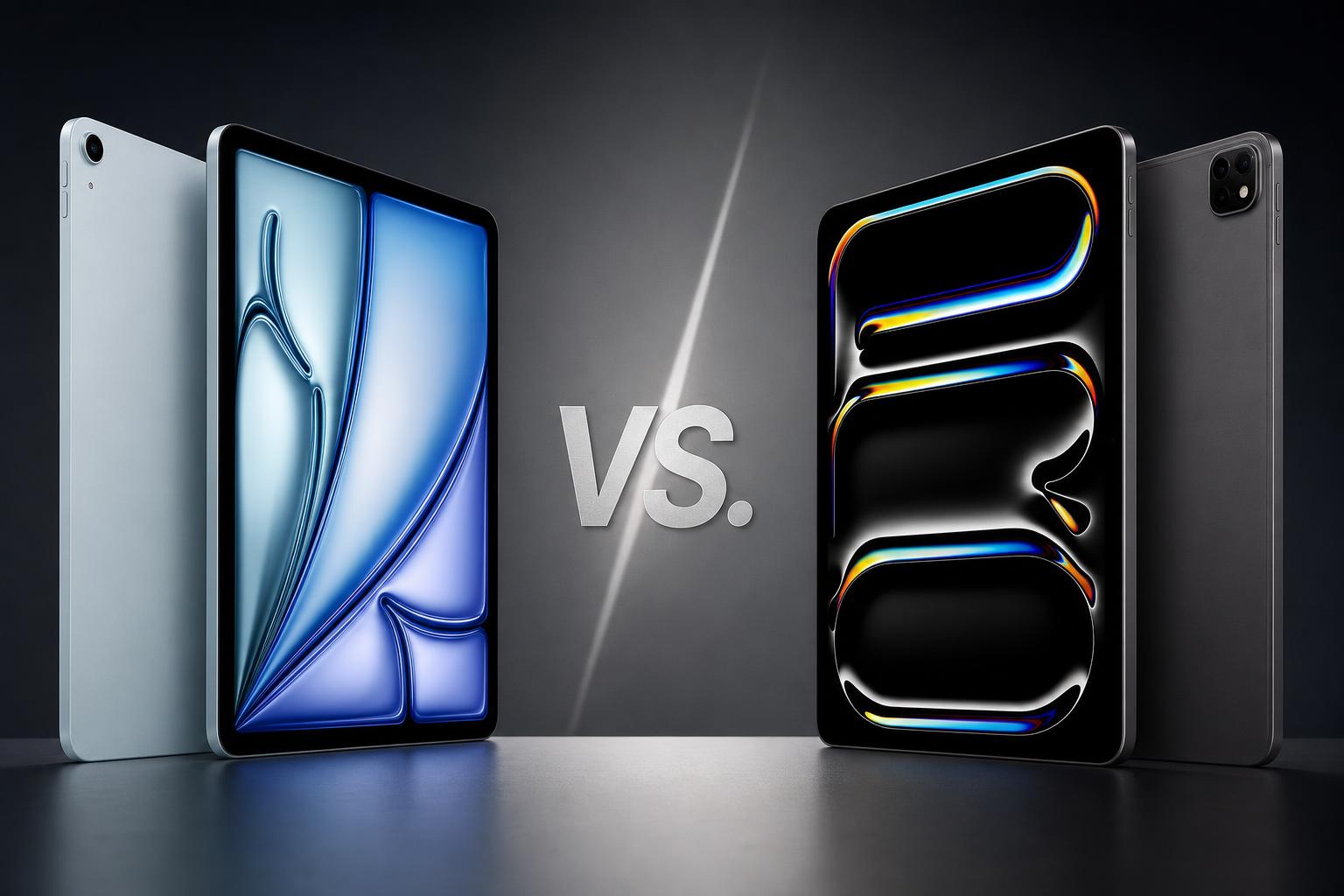
The Apple iPad Air (M4) and iPad Pro (M5) are high-performance tablets built around Apple silicon, iPadOS and the Apple Pencil Pro ecosystem. Both are available with 11-inch or 13-inch displays, support Apple Intelligence and offer landscape-oriented Center Stage cameras for video calls. However, they are aimed at different buyers.
The iPad Air is the more affordable option and includes a powerful M4 chip, 12GB of unified memory and storage up to 1TB. The iPad Pro costs considerably more, but adds a tandem OLED display with ProMotion, a faster M5 chip, Thunderbolt or USB 4, Face ID, LiDAR, ProRes recording and a higher performance ceiling.
This comparison uses the verified specifications and current U.S. prices supplied for both models. Accessories, including Apple Pencil Pro and the relevant Magic Keyboard, are sold separately.
Quick verdict
The iPad Air (M4) is the better choice for most people. It delivers high-end performance, a choice of compact or spacious screen sizes, Apple Intelligence, Apple Pencil Pro support and a lower starting price of $749. For studying, office work, drawing, general photo editing, gaming, video calls and most video editing, it offers a more balanced package.
The iPad Pro (M5) is the better specialist device. Its tandem OLED display is a major upgrade for HDR video, photography, animation and gaming, while ProMotion, Face ID, LiDAR, ProRes, four-speaker audio and Thunderbolt or USB 4 make it more suitable for demanding creative and professional workflows. Its starting price of $1,199 is substantially higher, so the extra cost is easiest to justify when those features matter.
Key specifications comparison
| Specification | Apple iPad Air (M4) | Apple iPad Pro (M5) |
|---|---|---|
| Starting U.S. price | From $749 | From $1,199 |
| Screen sizes | 11-inch or 13-inch | 11-inch or 13-inch |
| Display | Liquid Retina LED-backlit IPS, 264 ppi, 500 nits on 11-inch or 600 nits on 13-inch | Ultra Retina XDR tandem OLED, 264 ppi, up to 1,000 nits full-screen and 1,600 nits HDR peak |
| Refresh rate | No ProMotion | ProMotion adaptive refresh rates from 10Hz to 120Hz |
| Processor | M4, 8-core CPU, 9-core GPU | M5, 9-core CPU and 10-core GPU on 256GB/512GB models; 10-core CPU on 1TB/2TB models |
| Memory | 12GB unified memory | 12GB on 256GB/512GB; 16GB on 1TB/2TB |
| Storage | 128GB, 256GB, 512GB or 1TB | 256GB, 512GB, 1TB or 2TB |
| Rear camera | 12MP Wide, 4K video, up to 5x digital zoom | 12MP Wide, flash, 4K video, ProRes, up to 5x digital zoom |
| Front camera | Landscape 12MP Center Stage | Landscape 12MP Center Stage TrueDepth |
| Biometrics and sensors | Touch ID in the top button; no LiDAR or TrueDepth | Face ID, TrueDepth and LiDAR |
| Battery rating | Up to 10 hours Wi-Fi; up to 9 hours cellular | Up to 10 hours Wi-Fi; up to 9 hours cellular |
| Connectivity | USB-C with USB 3 up to 10Gb/s and DisplayPort; Wi-Fi 7; optional 5G | Thunderbolt or USB 4; Wi-Fi 7; optional 5G |
| Weight, Wi-Fi | 464g for 11-inch; 616g for 13-inch | 444g for 11-inch; 579g for 13-inch |
Design and build
Both tablets use thin aluminium designs and are available in 11-inch and 13-inch sizes. That gives buyers a similar choice between portability and a larger workspace, although the physical dimensions and weights differ between the ranges.
The 11-inch iPad Air Wi-Fi measures 247.6 x 178.5 x 6.1mm and weighs 464g. The 13-inch Wi-Fi model measures 280.6 x 214.9 x 6.1mm and weighs 616g. Cellular versions are slightly heavier. The Air is available in blue, purple, starlight and space grey, giving it a broader colour selection than the Pro.
The 11-inch iPad Pro Wi-Fi measures 249.7 x 177.5 x 5.3mm and weighs 444g. The 13-inch Wi-Fi version measures 281.6 x 215.5 x 5.1mm and weighs 579g. Cellular models are slightly heavier. The Pro is available in silver and space black.
On the numbers supplied, the iPad Pro is thinner and lighter in both Wi-Fi sizes despite offering more hardware. It also has four-speaker audio and Face ID. The iPad Air uses Touch ID in the top button. Both models have a landscape-oriented Center Stage camera and support the Apple Pencil Pro and Apple Pencil USB-C.
The design difference is therefore less about basic construction and more about the features built around the chassis. The Pro offers a thinner body, four-speaker audio and Face ID, while the Air provides more colour choices and a lower entry price. If Touch ID is sufficient and the additional Pro hardware is not needed, the Air remains the simpler value-focused option.
Display
The display is the clearest reason to choose the iPad Pro (M5) over the iPad Air (M4). The Pro uses an Ultra Retina XDR tandem OLED panel with a 2,000,000:1 contrast ratio, 1,000 nits full-screen SDR/XDR brightness and up to 1,600 nits HDR peak brightness. It also supports ProMotion adaptive refresh rates from 10Hz to 120Hz.
That specification makes the Pro the stronger choice for HDR video, photography, animation, gaming and work where smooth scrolling or high contrast is important. The OLED panel can provide deeper blacks than the Air's IPS display, while ProMotion supports a broader range of refresh rates.
The iPad Air uses a Liquid Retina LED-backlit IPS display. It has 264 pixels per inch, P3 wide colour, True Tone, full lamination, an antireflective coating and Apple Pencil hover. Brightness is rated at 500 nits on the 11-inch model and 600 nits on the 13-inch version. It does not have OLED, ProMotion or the Pro's HDR brightness specification.
The Air's screen is still well equipped for notes, documents, illustration, streaming, video calls and everyday tablet use. Its fully laminated construction, P3 wide colour and antireflective coating support a more capable experience than a basic tablet display. However, buyers who care about HDR presentation, black levels or fluid 120Hz scrolling should choose the Pro.
Performance
The iPad Air is powered by Apple's M4 chip with an 8-core CPU, 9-core GPU, hardware-accelerated ray tracing, a 16-core Neural Engine and 120GB/s memory bandwidth. Every model has 12GB of unified memory, and storage ranges from 128GB to 1TB.
This is substantial hardware for a tablet. The supplied comparison identifies the M4 Air as suitable for general productivity, drawing, gaming, photo editing and most video editing. It also supports Apple Intelligence, giving it access to Apple's supported AI features within iPadOS.
The iPad Pro moves to the M5 chip. The 256GB and 512GB models have a 9-core CPU, 10-core GPU, 16-core Neural Engine, Neural Accelerators, hardware-accelerated ray tracing and 153GB/s memory bandwidth. The 1TB and 2TB models have a 10-core CPU and 16GB of unified memory, compared with 12GB on the lower-capacity versions.
In practical terms, the Pro offers the higher performance ceiling. Its faster chip, higher memory bandwidth, Neural Accelerators and optional 16GB memory are better suited to demanding AI, 3D, video and multitasking workloads. The difference is most relevant to professionals who regularly push an iPad's hardware rather than buyers using mainstream iPadOS applications.
For many people, the M4 Air will already provide more performance than their day-to-day workload requires. The M5 Pro is faster, but the extra capability should be treated as a reason to buy the Pro only when the display, connectivity or professional features are also valuable.
Camera, graphics and creative features
Both tablets have a 12MP ƒ/1.8 Wide rear camera with up to 5x digital zoom and 4K video recording. Both also have a landscape 12MP Center Stage front camera, making either model suitable for supported video-call features that keep the user framed during calls.
The iPad Air does not include LiDAR, a TrueDepth camera system, a rear-camera flash or ProRes video recording. It remains a capable option for scanning documents, taking reference images, making video calls and recording everyday 4K footage, but it is not the more specialised camera tool.
The iPad Pro adds a rear flash, a TrueDepth Center Stage camera, Face ID, LiDAR and ProRes recording. It also supports ProRes encode and decode. These additions make it the more appropriate choice for professional video workflows, 3D scanning, augmented-reality work and projects that benefit from advanced graphics hardware.
Both chips support hardware-accelerated ray tracing, but the Pro combines that capability with its faster M5 platform, 10-core GPU options and higher memory bandwidth. For demanding graphics work, the Pro has the stronger specification. For drawing, notes, casual editing and general creative work, the Air offers the more economical route into the same Apple Pencil Pro ecosystem.
Battery and charging
Apple rates both product families for up to 10 hours of web surfing over Wi-Fi or video playback, and up to 9 hours over cellular data. This makes battery endurance a tie on the published rating rather than a clear win for either model.
The 11-inch iPad Air has a 28.93-watt-hour battery, while the 13-inch Air has a 36.59-watt-hour battery. The 11-inch iPad Pro has a 31.29-watt-hour battery and the 13-inch Pro has a 38.99-watt-hour battery. Actual runtime will depend on configuration, brightness, network conditions and workload.
The iPad Pro has the more clearly specified charging advantage. With a compatible 60W-or-higher USB-C power adapter, it supports fast charging to approximately 50 percent in around 30 minutes. The research supplied does not provide an equivalent fast-charging specification for the iPad Air, so it should not be assumed to offer the same charging performance.
Software and features
Both models ship with iPadOS 26 and support iPadOS 27.2 as of October 29, 2026. Both support Apple Intelligence, Siri AI, Apple Pencil Pro, Apple Pencil USB-C and their respective Magic Keyboard accessories.
This shared software platform means the Air and Pro offer the same broad iPadOS foundation, including productivity, creative and multitasking features supported by the operating system. The main differences come from the hardware each device can make available to those features.
The Air supports a USB-C connection with USB 3 speeds of up to 10Gb/s and DisplayPort. It also supports Wi-Fi 7 and optional 5G cellular connectivity. The Pro upgrades the physical connection to Thunderbolt or USB 4 and adds Wi-Fi 7, Bluetooth 6, Thread networking and optional 5G.
Thunderbolt or USB 4 is important for buyers planning more demanding external-display or external-storage setups. The Air's USB-C port remains useful, but its lower specified speed makes it less suitable for workflows that regularly move large files or rely on higher-bandwidth accessories.
Price and value
Apple's U.S. Store currently lists the iPad Air from $749. The exact price varies according to whether you choose the 11-inch or 13-inch size, storage capacity and Wi-Fi or cellular connectivity. Storage options are 128GB, 256GB, 512GB and 1TB.
The iPad Pro starts at $1,199 in the U.S. The final price depends on screen size, storage, connectivity and whether standard or nano-texture glass is selected. The Pro is available with 256GB, 512GB, 1TB or 2TB of storage. Nano-texture glass is an option on 1TB and 2TB models.
The $450 starting-price difference is significant before adding accessories. Both ranges require a separate purchase for Apple Pencil Pro and Magic Keyboard accessories. The Pro's higher price is easier to justify if you need its tandem OLED display, ProMotion, Face ID, LiDAR, ProRes, Thunderbolt or USB 4, four-speaker audio or higher performance ceiling.
For buyers who want a powerful iPad for work, study, drawing, general editing, games and video calls, the Air provides the stronger value. It includes M4 performance, 12GB memory, Apple Intelligence and compatibility with the same Apple Pencil Pro ecosystem at a substantially lower starting price.
Apple iPad Air (M4): pros and cons
Pros
- Strong M4 performance with 12GB of unified memory.
- Lower starting price than the iPad Pro.
- Choice of 11-inch and 13-inch sizes.
- Supports Apple Intelligence and Apple Pencil Pro.
- Good 12MP camera and landscape Center Stage video-call experience.
- Available in four colours.
- Supports Wi-Fi 7 and optional 5G cellular connectivity.
Cons
- Liquid Retina IPS display lacks OLED, ProMotion and the Pro's HDR brightness.
- No Face ID, LiDAR, TrueDepth camera system or rear-camera flash.
- USB-C is slower than the Pro's Thunderbolt or USB 4 connection.
- No ProRes video recording.
- Apple Pencil Pro and Magic Keyboard cost extra.
Apple iPad Pro (M5): pros and cons
Pros
- Best display in this comparison, with tandem OLED, ProMotion, HDR brightness and very high contrast.
- Faster M5 performance, higher memory bandwidth and Neural Accelerators.
- Up to 16GB of unified memory on 1TB and 2TB versions.
- Thunderbolt or USB 4 connectivity.
- Face ID, LiDAR, TrueDepth, rear flash and ProRes recording.
- Four-speaker audio and a thinner, lighter design than the corresponding Air Wi-Fi sizes.
- Better suited to professional video, 3D, AI, graphics and external-display workflows.
Cons
- Substantially more expensive than the iPad Air.
- Higher storage tiers and nano-texture glass can increase the price considerably.
- Most everyday iPadOS tasks do not require the additional M5 performance.
- Apple Pencil Pro and Magic Keyboard are sold separately.
- The 13-inch model is larger than the 11-inch version and less portable.
Which iPad is better for different buyers?
Best for most users: iPad Air (M4)
The iPad Air is the sensible choice for most buyers. It combines a high-end M4 processor, 12GB of memory, two display sizes, Apple Intelligence and Apple Pencil Pro support with a lower starting price. It is well suited to everyday productivity, study, notes, drawing, video calls, gaming, photo editing and most video editing.
Best for display-focused buyers: iPad Pro (M5)
Choose the iPad Pro if the display is a priority. Its tandem OLED panel, ProMotion, higher brightness and 2,000,000:1 contrast ratio make it the stronger option for HDR video, photography, animation, gaming and smooth scrolling.
Best for professional creatives: iPad Pro (M5)
The Pro is the better fit for professional creators who need ProRes, LiDAR, Face ID, TrueDepth, a rear flash, Thunderbolt or USB 4, four-speaker audio or the M5 performance ceiling. The 1TB and 2TB versions also provide 16GB of unified memory and a 10-core CPU.
Best for students and mobile workers: iPad Air (M4)
The Air is the stronger value for students and mobile workers who want a portable tablet with a large-screen option but do not need ProMotion, ProRes or Thunderbolt. The 11-inch version prioritises portability, while the 13-inch version provides more physical screen space.
Best for battery expectations: Tie
Apple gives both families the same rated endurance: up to 10 hours over Wi-Fi and up to 9 hours over cellular data. The Pro has the clearer fast-charging specification, supporting approximately 50 percent in around 30 minutes with a compatible 60W-or-higher USB-C power adapter.
Final verdict
The iPad Air (M4) is the better overall buy because it covers the needs of most tablet users without the iPad Pro's substantial price premium. Its M4 chip, 12GB unified memory, Apple Intelligence support, Pencil Pro compatibility and choice of two sizes make it a capable long-term option for productivity and creative work.
The iPad Pro (M5) is not simply a faster version of the Air. Its main advantages are the tandem OLED display, ProMotion, HDR capability, Face ID, LiDAR, TrueDepth, ProRes, Thunderbolt or USB 4, four-speaker audio and higher performance ceiling. Those features matter for professional creators, demanding graphics and video work, and buyers who want the best available iPad display.
Choose the iPad Air when value and broad capability are the priorities. Choose the iPad Pro when its specialised display, camera, sensor, connectivity and performance features directly support the way you work.
Frequently asked questions
Is the iPad Air (M4) faster than the iPad Pro (M5)?
No. The iPad Pro has the faster M5 chip, higher 153GB/s memory bandwidth, a 10-core GPU and Neural Accelerators. The M4 iPad Air remains a high-end performer with a 9-core GPU and 12GB of unified memory, but the Pro has the higher performance ceiling.
Does the iPad Air have an OLED display?
No. The iPad Air uses a Liquid Retina LED-backlit IPS display. It has 264 ppi, P3 wide colour, True Tone, full lamination and an antireflective coating, but it does not have OLED or ProMotion. The iPad Pro uses a tandem OLED display with ProMotion from 10Hz to 120Hz.
Do both models support Apple Pencil Pro?
Yes. Both the iPad Air (M4) and iPad Pro (M5) support Apple Pencil Pro and Apple Pencil USB-C. The Pencil accessories are sold separately.
Which iPad has the better camera system?
The iPad Pro has the more advanced camera system. Both models have a 12MP Wide rear camera and a landscape 12MP Center Stage front camera, but the Pro adds TrueDepth, Face ID, LiDAR, a rear flash and ProRes recording.
Do both iPads have the same battery life?
Apple rates both for up to 10 hours of Wi-Fi web surfing or video playback and up to 9 hours over cellular data. Actual battery life depends on configuration, brightness, network and workload. The Pro additionally supports fast charging to approximately 50 percent in around 30 minutes with a compatible 60W-or-higher USB-C power adapter.
Sources
- Apple: Apple introduces the new iPad Air, powered by M4
- Apple Support: iPad Air 11-inch (M4) technical specifications
- Apple Support: iPad Air 13-inch (M4) technical specifications
- Apple: Shop iPad Air
- Apple: Apple introduces the powerful new iPad Pro with the M5 chip
- Apple Support: iPad Pro 11-inch (M5) technical specifications
- Apple Support: iPad Pro 13-inch (M5) technical specifications
- Apple: Shop iPad Pro
- Apple Support: iPad models compatible with iPadOS 27