Apple iPad Pro 13-inch M5 vs Microsoft Surface Pro 13-inch (12th Edition)
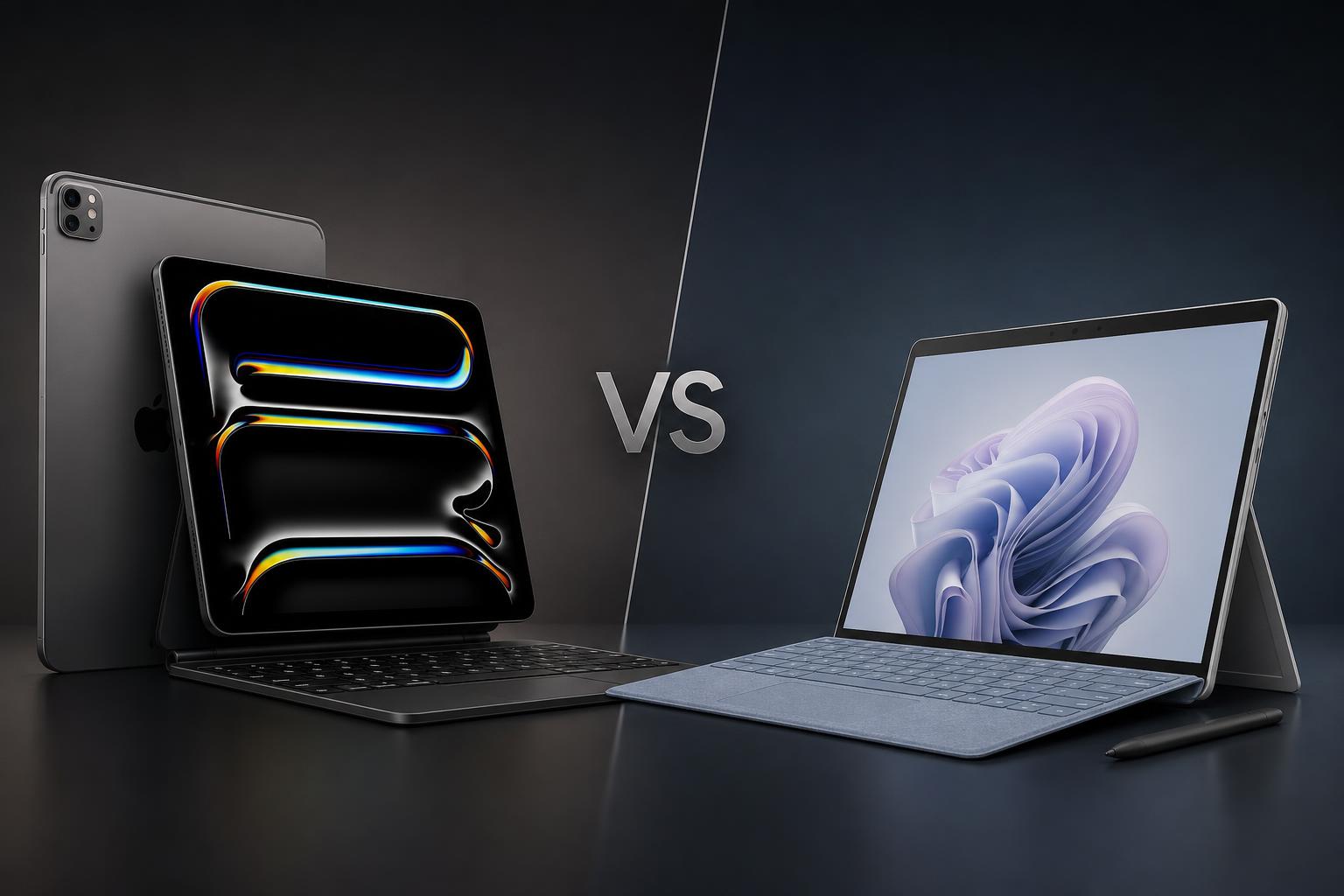
The Apple iPad Pro 13-inch with M5 and Microsoft Surface Pro 13-inch (12th Edition) are both premium large-screen tablets that can be equipped for serious productivity. They take different approaches, however. Apple focuses on an exceptionally thin tablet with a high-end OLED display, M5 performance and Pencil-based creative features. Microsoft builds a more laptop-oriented 2-in-1 around Windows 11, a built-in kickstand, detachable keyboard support and a wider range of PC-style connections.
Neither is automatically the better choice for every buyer. The iPad Pro is the more compelling tablet and creative canvas, while the Surface Pro is the more natural replacement for a conventional Windows laptop. This comparison uses the manufacturers' published specifications and stated prices, with battery figures treated cautiously because Apple and Microsoft use different testing methods.
Quick verdict
Choose the iPad Pro 13-inch with M5 if you want the thinnest and lightest design, the strongest published display specification, Apple Pencil Pro support, Face ID, LiDAR and advanced camera recording features. Its M5 hardware is also well suited to iPadOS-optimised creative work, particularly where the media engine and hardware-accelerated ray tracing are useful.
Choose the Microsoft Surface Pro 13-inch (12th Edition) if the device needs to function primarily as a Windows laptop. Windows 11, a built-in kickstand, two USB-C/USB4 ports, removable SSD options, support for up to 64GB of RAM and multi-monitor support make it the more flexible PC-style workstation. Its Snapdragon X2 platform does mean that buyers of specialist Windows software should check application compatibility before purchasing.
On starting price alone, the iPad Pro has the lower official 13-inch Wi-Fi entry price. Once accessories are added, and once the Surface's Windows functionality is considered, the value calculation becomes more dependent on how each device will be used.
Key specifications comparison
| Specification | Apple iPad Pro 13-inch with M5 | Microsoft Surface Pro 13-inch (12th Edition) |
|---|---|---|
| Release date | October 22, 2025 | June 16, 2026 |
| Starting price | $1,299 Wi-Fi; $1,499 Wi-Fi + Cellular | $1,499.99 on Microsoft's Surface product page; Microsoft Store configurator displayed a different lower starting price when retrieved |
| Display | 13-inch tandem OLED, 2752 × 2064, 264 ppi, up to 120Hz | 13-inch OLED or LCD, 2880 × 1920, 267 ppi, up to 120Hz |
| HDR/display brightness | 1,000 nits SDR and 1,600 nits peak HDR | OLED up to 900 nits HDR peak; LCD up to 600 nits HDR peak |
| Processor | Apple M5; 9-core or 10-core CPU, 10-core GPU | Snapdragon X2 Plus with 10 cores or X2 Elite with 12 cores |
| Memory and storage | 12GB unified memory with 256GB/512GB; 16GB with 1TB/2TB; up to 2TB | 16GB, 32GB or 64GB LPDDR5x; removable 256GB, 512GB or 1TB Gen 4 SSD |
| Rear camera | 12MP Wide, 4K video and ProRes recording | 10MP rear-facing camera |
| Front camera | Landscape 12MP Center Stage camera | 1440p ultrawide Surface Studio Camera with Windows Studio Effects |
| Battery estimate | Up to 10 hours Wi-Fi web browsing or video playback; up to 9 hours cellular data | Up to 15.5 hours local video playback or 11.5 hours active web use |
| Ports and expansion | One Thunderbolt/USB 4 port; one external display up to 6K at 60Hz or 5K at 120Hz | Two USB-C/USB4 ports, Surface Connect and Surface Pro keyboard port; up to three 4K monitors at 60Hz |
| Weight | 1.28 pounds | 1.97 pounds excluding keyboard |
| Operating system | iPadOS 26 with Apple Intelligence | Windows 11 Home with Copilot+ PC features |
Design and build
The iPad Pro has the clear advantage in portability. It measures 11.09 by 8.48 by 0.20 inches and weighs 1.28 pounds in either Wi-Fi or Wi-Fi + Cellular form. That 0.20-inch thickness is a major part of the product's appeal: it is a large 13-inch device, but it remains much closer to a traditional tablet in physical form than to a conventional laptop.
The Surface Pro measures 11.3 by 8.2 by 0.37 inches and weighs 1.97 pounds before adding its keyboard. It is therefore thicker and heavier than the iPad Pro. That difference matters when the device is held for reading, drawing or general tablet use, although the Surface's design brings practical advantages for desk-based work.
Microsoft includes a built-in adjustable kickstand, allowing the screen to stand independently. The Surface Pro also supports detachable Surface Pro keyboards and the Surface Slim Pen 2nd Edition, although both accessories are sold separately. This makes the Surface a more complete 2-in-1 concept: it can be used as a tablet, propped up for viewing, or paired with a keyboard for a Windows laptop-style setup.
The iPad Pro can also become a productivity system with Apple's Magic Keyboard, but that keyboard is sold separately. The iPad supports Apple Pencil Pro and Apple Pencil USB-C, again with the relevant accessory purchased separately. Apple's design is the better fit for buyers who prioritise minimum weight and a touch-first tablet experience. Microsoft's is better suited to buyers who expect the device to spend much of its life on a desk or in laptop mode.
Port selection is another important distinction. The iPad Pro has one Thunderbolt/USB 4 port. The Surface Pro provides two USB-C/USB4 ports, a Surface Connect port and a Surface Pro keyboard port. That gives Microsoft's device more flexibility for accessories, charging arrangements and peripherals without relying as heavily on adapters.
Display
The iPad Pro has the more advanced published display specification. Every model uses a 13-inch Ultra Retina XDR tandem OLED panel with a 2752 by 2064 resolution, 264 pixels per inch and an adaptive ProMotion refresh rate of up to 120Hz. Apple lists 1,000 nits for SDR brightness and up to 1,600 nits peak HDR brightness, along with P3 wide colour.
That combination should appeal to users who care about contrast, HDR content, colour-sensitive creative work and smooth scrolling. The tandem OLED design is particularly significant because it gives the iPad Pro a high-contrast panel rather than making OLED an option reserved for a premium configuration. Apple also offers optional nano-texture glass on 1TB and 2TB models.
The Surface Pro uses a 13-inch PixelSense Flow touchscreen with a 3:2 aspect ratio, 2880 by 1920 resolution, 267 pixels per inch and a refresh rate of up to 120Hz. Buyers can select an OLED or LCD panel. Microsoft's published figures give the OLED version a 1M:1 contrast ratio and up to 900 nits HDR peak brightness. The LCD version has 1300:1 contrast and up to 600 nits HDR peak brightness.
The Surface's 3:2 shape provides a taller working area than a conventional 16:9 laptop screen and can be useful for documents, web pages and coding. It also offers buyers a choice between OLED and LCD configurations. However, based on the published specifications, the iPad Pro remains the stronger display choice for HDR brightness and universal OLED availability.
Performance
The iPad Pro is powered by Apple's M5 chip. The 256GB and 512GB versions use a 9-core CPU, while the 1TB and 2TB models use a 10-core CPU. All configurations have a 10-core GPU, hardware-accelerated ray tracing, a 16-core Neural Engine and 153GB/s memory bandwidth.
Memory depends on storage. The 256GB and 512GB models have 12GB of unified memory, while the 1TB and 2TB versions have 16GB. The dedicated media capabilities and ray tracing support make the iPad Pro particularly interesting for demanding creative applications and graphics work that are optimised for Apple's hardware and iPadOS.
The Surface Pro offers a choice of Qualcomm Snapdragon X2 Plus with 10 cores or Snapdragon X2 Elite with 12 cores. Both are paired with Qualcomm's Hexagon NPU, rated at 80 TOPS, and Qualcomm Adreno graphics. Memory options are broader than Apple's: buyers can configure 16GB, 32GB or 64GB of LPDDR5x RAM. Storage options are 256GB, 512GB and 1TB removable Gen 4 SSDs.
On specifications alone, the Surface is the more configurable machine for buyers who value large memory capacity or a removable SSD. The iPad Pro has the more clearly defined graphics and media feature set, including hardware ray tracing and its dedicated media engine.
In practice, operating system and software compatibility are at least as important as chip specifications. The iPad Pro is a strong choice for iPadOS-optimised creative applications and touch-based workflows. The Surface Pro is the safer choice when the workload depends on Windows desktop software, but the Snapdragon ARM platform means specialised applications should be checked for compatibility before purchase.
Camera and graphics features
The iPad Pro has the stronger published rear-camera and video specification. Its 12MP ƒ/1.8 Wide camera supports 4K video and ProRes recording. It also has a landscape 12MP Center Stage front camera, four-speaker audio, Face ID and a LiDAR Scanner. These features make it the more capable option for a buyer who wants to capture, edit or review video on the tablet, or who expects to use augmented-reality and depth-aware applications.
The Surface Pro takes a different approach. Its 1440p ultrawide front-facing Surface Studio Camera is aimed at video calls and supports Windows Studio Effects. The device also has a 10MP rear-facing camera. Microsoft puts more emphasis on the front camera and Windows conferencing features than on advanced rear-camera recording.
For creators, the choice depends on the application as much as the camera hardware. The iPad Pro is the better fit for Apple Pencil Pro workflows, 4K and ProRes capture, LiDAR-enabled applications and Apple's tablet-optimised creative software. The Surface Pro is more appropriate when the creator needs Windows desktop applications or a Windows-compatible drawing and editing setup.
Battery and charging
Apple rates the iPad Pro's 38.99-watt-hour battery for up to 10 hours of web browsing on Wi-Fi or video playback, and up to 9 hours when using cellular data. The device is fast-charge capable to approximately 50% in around 30 minutes with a compatible 60W-or-higher USB-C power source.
Microsoft's estimates are higher. The Surface Pro is rated for up to 15.5 hours of local video playback and up to 11.5 hours of active web usage. Fast charging is supported with a minimum 60W USB-C Power Delivery charger or a compatible Surface power supply.
These figures should not be read as a direct laboratory comparison. Apple and Microsoft specify different test methods, and local video playback, web browsing and active web use are not identical workloads. Nevertheless, Microsoft's published figures give the Surface Pro the advantage on paper for the stated scenarios. The iPad Pro remains the more portable device, which may be more valuable than a higher quoted runtime for some buyers.
Software and features
The iPad Pro runs iPadOS 26 with Apple Intelligence. It supports Face ID, Apple Pencil Pro and Apple Pencil USB-C. Apple also offers optional 5G cellular connectivity with eSIM, Wi-Fi 7 and Bluetooth 6. The tablet can drive one external display up to 6K at 60Hz or 5K at 120Hz.
iPadOS is designed around touch, tablet applications and accessories such as the Apple Pencil and Magic Keyboard. That can produce a focused tablet experience, but it is not a desktop operating system and may not offer the same application flexibility as Windows for some professional workloads.
The Surface Pro runs Windows 11 Home and includes Copilot+ PC features and Windows Hello facial recognition. It supports Surface Slim Pen 2nd Edition and detachable Surface Pro keyboards. Connectivity includes Wi-Fi 7, Bluetooth 5.4 and Dolby Vision IQ support, while Dolby Atmos speakers are designed for compatible audio content.
For external displays, the Surface supports up to three 4K monitors at 60Hz through DisplayPort 1.4a. This is a significant advantage for a desk-based setup or a user who wants the tablet to act as a compact workstation. Windows 11 also gives the Surface the more familiar environment for users who depend on desktop utilities, file-management tools and established Windows applications.
Price and value
The iPad Pro 13-inch starts at $1,299 for Wi-Fi and $1,499 for Wi-Fi + Cellular. Storage options range from 256GB to 2TB. The Magic Keyboard costs an additional $349 and the Apple Pencil Pro costs an additional $129, so a complete laptop-style or creative setup costs more than the tablet's headline price.
Microsoft lists the Surface Pro 13-inch (12th Edition) at $1,499.99 starting on its main Surface product page. However, the Microsoft Store configurator displayed a different, lower starting price when retrieved. Because the two Microsoft pages did not show the same starting figure, buyers should verify the current price and exact configuration before ordering.
Surface keyboards and the Surface Slim Pen 2nd Edition are also sold separately. The Surface's higher starting price can nevertheless be easier to justify for buyers who would otherwise need both a tablet and a Windows laptop. Its built-in kickstand, Windows 11 environment, two USB-C/USB4 ports, removable SSD options and support for up to three external monitors add practical value beyond the core tablet.
The iPad Pro offers the clearer value if the priority is a premium tablet, high-end display, thin construction and Apple creative features at the lowest official starting price. The Surface Pro can represent better overall value when its Windows functionality replaces a separate computer, particularly for buyers who need desktop applications and laptop-style multitasking.
Apple iPad Pro 13-inch with M5: pros and cons
Pros
- Very thin and light for a 13-inch device.
- Tandem OLED display with up to 120Hz, P3 wide colour and up to 1,600 nits peak HDR brightness.
- M5 includes hardware-accelerated ray tracing, a dedicated media engine and high memory bandwidth.
- Strong published rear-camera specification with 4K and ProRes recording.
- Supports Apple Pencil Pro, Face ID, LiDAR and Apple Intelligence.
- Lower official starting price for the 13-inch Wi-Fi model.
Cons
- Magic Keyboard and Apple Pencil accessories cost extra.
- iPadOS may not provide the same application flexibility as Windows for some professional workflows.
- Only one built-in USB-C/Thunderbolt port.
- Apple's stated battery figure is lower than Microsoft's official local-video estimate, although the test methods differ.
Microsoft Surface Pro 13-inch (12th Edition): pros and cons
Pros
- Full Windows 11 environment with laptop-oriented software support.
- Built-in adjustable kickstand and detachable keyboard design.
- Higher official battery estimates for local video playback and active web use.
- Up to 64GB of RAM and removable SSD options up to 1TB.
- Two USB-C/USB4 ports, Surface Connect and support for up to three external 4K monitors.
- 1440p ultrawide front camera with Windows Studio Effects.
Cons
- Heavier and thicker than the iPad Pro, before adding a keyboard.
- Keyboard and Surface Slim Pen are sold separately.
- Snapdragon ARM may require compatibility checking for specialised Windows software.
- Rear-camera video specifications are less detailed and less advanced than the iPad Pro's published 4K and ProRes features.
- Microsoft's main product page and Store configurator displayed different starting prices when retrieved.
Which is better for different buyers?
Best for tablet-first users: iPad Pro
The iPad Pro is the better choice if the device will mainly be used as a tablet for browsing, drawing, media, reading and touch-first creative work. Its lower weight, 0.20-inch thickness, tandem OLED display and Apple Pencil Pro support give it a stronger tablet identity than the Surface Pro.
Best for a Windows laptop replacement: Surface Pro
The Surface Pro is better for buyers who want one device to serve primarily as a Windows laptop and secondarily as a tablet. Windows 11, the built-in kickstand, detachable keyboard support, multiple ports and support for up to three external monitors make it more practical for PC-style work.
Best for creators and camera work: iPad Pro
The iPad Pro is the stronger choice for creators who value display quality, Apple Pencil Pro, LiDAR, M5 media capabilities, 4K recording and ProRes. Buyers who specifically need Windows desktop creative applications should choose the Surface Pro instead, provided their software is compatible with its Snapdragon ARM platform.
Best for battery life on published figures: Surface Pro
Microsoft's claimed figures are higher, at up to 15.5 hours of local video playback and 11.5 hours of active web usage. Apple quotes up to 10 hours for Wi-Fi web browsing or video playback. Because the test methods differ, this is a specification-based advantage rather than a direct real-world measurement.
Best for display quality and portability: iPad Pro
The iPad Pro combines the lighter body with the more advanced published display specification. Its tandem OLED panel reaches up to 1,600 nits peak HDR brightness, compared with up to 900 nits for the Surface's OLED model. The Surface counters with a useful 3:2 workspace and an OLED-or-LCD choice.
Final verdict
The Apple iPad Pro 13-inch with M5 is the better premium tablet. It is thinner and lighter, has the stronger published display, offers more advanced rear-camera video features and supports an attractive set of creative tools including Apple Pencil Pro, LiDAR and M5 graphics features. It is the natural choice for tablet-first users, visual creators and buyers who place a high value on portability.
The Microsoft Surface Pro 13-inch (12th Edition) is the better convertible PC. Its Windows 11 software environment, built-in kickstand, broader port selection, removable SSD, higher memory ceiling and multi-monitor support make it more useful when one device must handle laptop-style work. It is also the stronger choice on Microsoft's published battery estimates.
In short, buy the iPad Pro for the best high-end tablet experience and the Surface Pro for the more adaptable Windows computer. Remember to budget for the keyboard and pen with either product, and check the current Surface configuration price and application compatibility before making a final decision.
FAQs
Is the iPad Pro 13-inch M5 more powerful than the Surface Pro 13-inch?
There is no universal winner based only on the published specifications. The iPad Pro has an M5 chip with a 10-core GPU, hardware-accelerated ray tracing, a dedicated media engine and 153GB/s memory bandwidth. The Surface Pro offers Snapdragon X2 Plus or X2 Elite processors, up to 64GB of RAM and an 80-TOPS NPU. The better option depends on whether the workload is optimised for iPadOS and Apple's media stack or requires Windows desktop software.
Which has the better display?
The iPad Pro has the stronger published display specification. Every model uses tandem OLED and supports up to 1,600 nits peak HDR brightness. The Surface Pro offers a 3:2 display with a choice of OLED or LCD, both at up to 120Hz, but its stated HDR peak brightness is up to 900 nits for OLED and up to 600 nits for LCD.
Which device is better for drawing?
The iPad Pro is the better fit for buyers who want Apple Pencil Pro support and a thin, light tablet for touch-first creative work. The Surface Pro supports the Surface Slim Pen 2nd Edition and may be preferable when drawing must be combined with Windows desktop applications. Both pens are sold separately.
Does the Surface Pro have better battery life?
Microsoft's official estimates are higher: up to 15.5 hours of local video playback and 11.5 hours of active web use. Apple rates the iPad Pro for up to 10 hours of Wi-Fi web browsing or video playback, or up to 9 hours using cellular data. The manufacturers use different test methods, so the figures are not directly equivalent.
Which has better connectivity?
The Surface Pro has the more flexible physical connectivity, with two USB-C/USB4 ports, Surface Connect and a Surface Pro keyboard port. It can support up to three 4K external monitors at 60Hz. The iPad Pro has one Thunderbolt/USB 4 port and supports one external display up to 6K at 60Hz or 5K at 120Hz.
Are the keyboards included?
No. Apple's Magic Keyboard and Apple Pencil Pro are sold separately. Microsoft's detachable Surface Pro keyboards and Surface Slim Pen 2nd Edition are also sold separately. The Surface does include a built-in kickstand, while the iPad Pro requires an accessory or separate stand for a similar hands-free setup.
Sources
- Apple iPad Pro with M5 technical specifications — Apple
- Apple introduces the powerful new iPad Pro with the M5 chip — Apple
- Surface Pro 12th Edition product page — Microsoft
- Surface Pro, 13-inch (12th Edition) Microsoft Store configurator — Microsoft
- Surface Pro for Business, 13-inch Snapdragon technical fact sheet — Microsoft
- Surface Pro 13 12th Edition review — RTINGS
- Apple iPad Pro M5 review — WIRED