Apple iPad Air M4 vs Microsoft Surface Pro 12-inch (2nd Edition): Which Should You Buy?
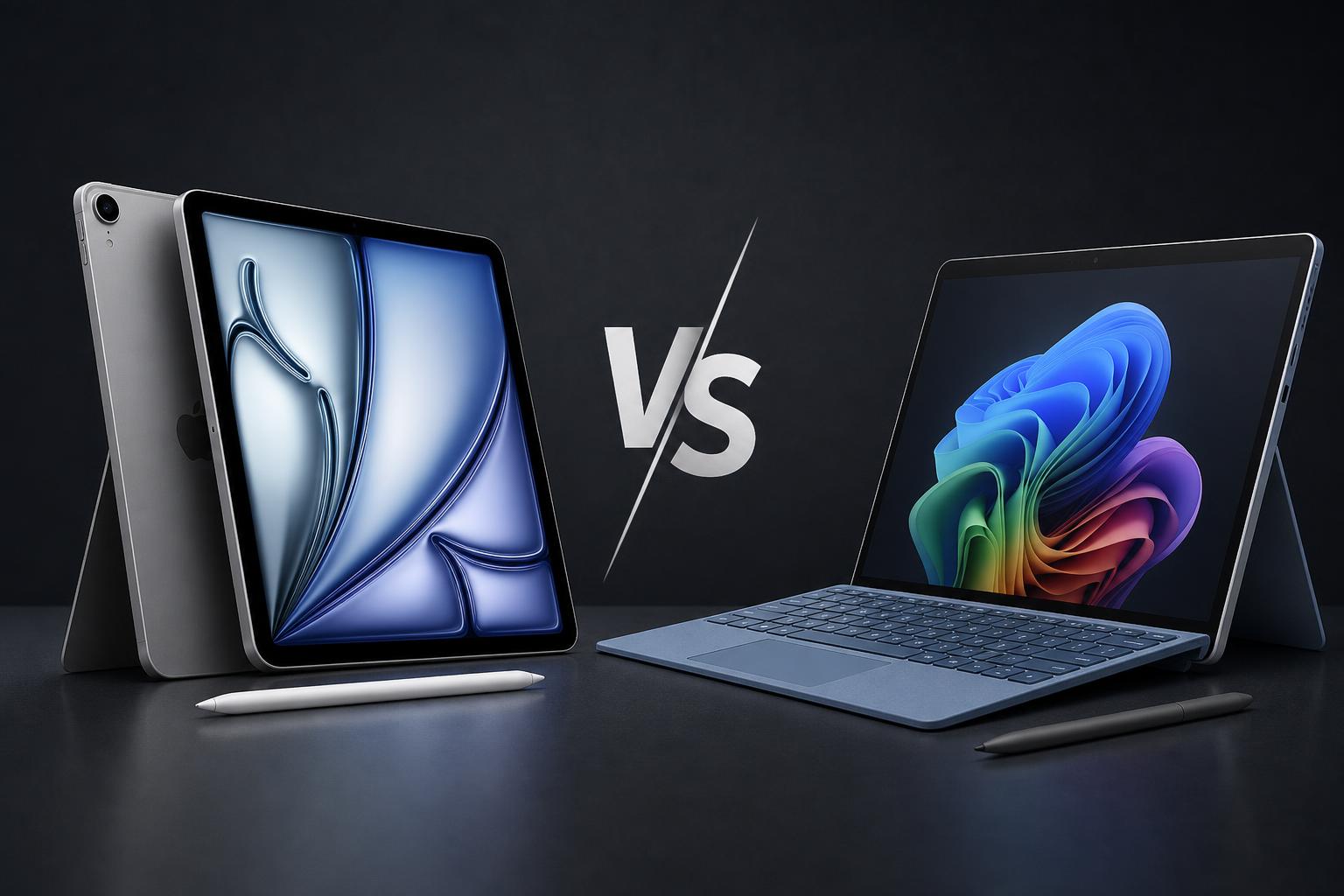
The Apple iPad Air (M4) and Microsoft Surface Pro 12-inch (2nd Edition) are both positioned as flexible devices for work, entertainment and creative tasks, but they take very different approaches. Apple offers a thin, light tablet running iPadOS, while Microsoft combines a detachable-tablet design with Windows 11 and a built-in kickstand.
The iPad Air starts at a considerably lower price, includes a 20W USB-C power adapter and has Apple's M4 processor, strong camera specifications and support for Apple Pencil Pro. The Surface Pro costs more and requires separate purchases for its keyboard, pen and power supply, but it is the more natural choice for buyers who need conventional Windows desktop software, multiple external displays or laptop-style working.
Quick verdict
The iPad Air M4 is the better choice for most tablet buyers. It is thinner and lighter than the Surface Pro, starts at $749 for the 11-inch Wi-Fi version, offers a larger 13-inch option, and combines an M4 chip with 12GB of unified memory. It is also better specified for rear-camera photography and 4K video.
The Surface Pro 12-inch (2nd Edition) is better for Windows users. Its Snapdragon X2 Plus platform, Windows 11, built-in 165-degree kickstand, two USB-C ports and support for up to two 4K monitors make it more suitable when a tablet must also function as a compact Windows PC. Microsoft also claims longer battery life in its own testing, although Apple's and Microsoft's battery figures use different test methods.
Key specifications comparison
| Specification | Apple iPad Air (M4) | Microsoft Surface Pro 12-inch (2nd Edition) |
|---|---|---|
| Starting price in the U.S. | From $749 for 11-inch Wi-Fi; from $949 for 13-inch Wi-Fi | From $1,149.99 for Snapdragon X2 Plus, 16GB RAM and 256GB UFS storage |
| Operating system | iPadOS with Apple Intelligence | Windows 11 Home with Copilot+ PC features |
| Processor | Apple M4, 8-core CPU, 9-core GPU, 16-core Neural Engine | Qualcomm Snapdragon X2 Plus, 6 CPU cores, Adreno GPU and Hexagon NPU with up to 80 TOPS |
| Memory and storage | 12GB unified memory; 128GB, 256GB, 512GB or 1TB | 16GB or 24GB LPDDR5x RAM; 256GB or 512GB UFS in consumer models |
| Display | 11-inch or 13-inch Liquid Retina IPS; 264ppi; up to 500 or 600 nits | 12-inch PixelSense LCD; 220ppi; up to 90Hz; 500 nits typical maximum |
| Rear camera | 12MP wide camera with 4K video up to 60fps | 10MP Ultra HD rear camera |
| Front camera | 12MP landscape Center Stage camera with 1080p video | 1080p Surface Studio Camera with Windows Studio Effects and Windows Hello |
| Battery claim | Up to 10 hours of Wi-Fi web surfing or video playback | Up to 15.5 hours of local video playback or 13 hours of active web usage for Wi-Fi models |
| Ports and displays | One USB-C port; USB 3 up to 10Gb/s; one external display up to 6K at 60Hz | Two USB-C/USB 3.2 ports; up to two 4K monitors at 60Hz |
| Weight | 1.02lb for 11-inch Wi-Fi; 1.36lb for 13-inch Wi-Fi | 1.5lb for Wi-Fi models; 1.6lb for Wi-Fi plus 5G |
| Keyboard and pen | Magic Keyboard and Apple Pencil Pro supported, sold separately | Surface Pro Keyboard and Surface Slim Pen supported, sold separately |
Design and build
The iPad Air is the more traditional tablet. It is available with an 11-inch or 13-inch display and measures 0.24 inches thick in both sizes. The 11-inch Wi-Fi model weighs 1.02lb, while the 13-inch Wi-Fi model weighs 1.36lb. Cellular versions are slightly heavier. Apple offers four finishes: blue, purple, starlight and space gray.
The larger 13-inch iPad Air gives you more working area without becoming especially heavy for its screen size, while the 11-inch model is the easier option to carry and hold for reading, travel and casual use. Both support the optional Magic Keyboard for iPad Air, allowing the tablet to serve as a laptop-style device when required. However, the keyboard is an additional purchase rather than an included part of the standard configuration.
The Surface Pro takes a more PC-oriented approach. It measures 10.8 x 7.47 x 0.30 inches and weighs 1.5lb in its Wi-Fi configuration. The optional 5G version weighs 1.6lb. It is therefore heavier and thicker than either iPad Air size, but its integrated 165-degree full-friction kickstand is a significant practical difference.
That kickstand lets the Surface Pro stand independently for typing with its detachable keyboard, watching video or presenting content. The iPad Air can provide similar flexibility with a separate keyboard case or stand, but its conventional tablet body does not include an integrated support mechanism.
Microsoft also lists replaceable components for authorized servicing, giving the Surface Pro a more repairable design than a typical sealed tablet. The device has magnetic storage and wireless charging for the Surface Slim Pen on its rear panel. Optional 5G is available on select configurations.
Display
The iPad Air offers a choice between two display sizes. The 11-inch model has a 2360 x 1640 Liquid Retina LED-backlit IPS touchscreen, while the 13-inch model has a 2732 x 2048 resolution. Both have 264 pixels per inch, P3 wide color, True Tone, a laminated screen and an antireflective coating.
Brightness differs between the sizes. The 11-inch model is rated at 500 nits, while the 13-inch version reaches 600 nits. The 13-inch display is the better choice for users who value a larger canvas for documents, illustration, video editing or split-screen work. The 11-inch version is more compact and still retains the same pixel density and core display features.
The Surface Pro has a 12-inch PixelSense LCD touchscreen with a 2196 x 1464 resolution and 220ppi. Its 3:2 aspect ratio is more productivity-oriented than the iPad Air's 4:3-style display. The Surface screen supports a refresh rate of up to 90Hz, although 60Hz is the default, and has a specified maximum typical brightness of 500 nits. It also includes antireflective coating, adaptive color, adaptive contrast and 10-point multitouch.
The choice depends on priorities. The Surface's 3:2 ratio provides a useful shape for documents and conventional desktop applications, while the iPad Air offers P3 wide color, True Tone and a higher pixel density. The 13-inch iPad Air also provides more physical screen area and a higher specified brightness than the Surface Pro.
Performance
The iPad Air is powered by Apple's M4 chip. Its specification includes an 8-core CPU, 9-core GPU, hardware-accelerated ray tracing, a 16-core Neural Engine and 120GB/s memory bandwidth. Every model has 12GB of unified memory, with storage options ranging from 128GB to 1TB.
This combination makes the iPad Air a strong fit for demanding iPadOS applications, graphics work, gaming and media processing. Hardware media support includes accelerated H.264, HEVC, ProRes, ProRes RAW and AV1 decoding. The M4 also gives the iPad Air substantial headroom for applications that support Apple's tablet platform.
The Surface Pro uses Qualcomm's Snapdragon X2 Plus. It has six CPU cores, an integrated Qualcomm Adreno GPU and a Hexagon NPU rated at up to 80 TOPS. Consumer configurations offer 16GB or 24GB of LPDDR5x RAM and 256GB or 512GB of UFS storage. Microsoft also lists 1TB UFS storage for select business configurations.
The Surface's performance advantage is not necessarily about raw tablet specifications. Its key benefit is the ability to run Windows 11 desktop applications and support established PC workflows. This makes it the better fit for buyers whose work depends on Windows software, desktop utilities, PC-oriented accessories or conventional file management.
No directly comparable benchmark result is available in the supplied research, so it would be misleading to declare one device universally faster. The iPad Air is the stronger fit for demanding iPadOS creative and media applications, while the Surface Pro is the more suitable option when the required software is designed for Windows.
Camera and graphics
The iPad Air has a 12MP f/1.8 wide rear camera with up to 5x digital zoom. It can record 4K video at up to 60 frames per second. Its 12MP front camera is positioned for landscape use and supports Center Stage, with 1080p video recording.
Those specifications make the iPad Air the more capable device for rear-camera photography and video capture. The landscape front camera is also well suited to video calls when the tablet is used with a keyboard or placed on a desk.
The Surface Pro has a 10MP Ultra HD rear camera and a 1080p front-facing Surface Studio Camera. The front camera supports Windows Studio Effects and Windows Hello facial recognition. In other words, Microsoft's emphasis is on video conferencing, automatic camera effects and secure sign-in rather than high-resolution rear-camera video.
For creative users, the iPad Air has the more camera-focused specification and supports Apple Pencil Pro workflows. The Surface Pro is better for people whose creative work requires full Windows applications, Windows-specific peripherals or several external displays. Both devices use integrated graphics rather than a separately specified discrete GPU.
Battery and charging
Apple rates both iPad Air sizes for up to 10 hours of web surfing on Wi-Fi or video playback. The rating falls to up to nine hours when using cellular data. The 11-inch model has a 28.93-watt-hour battery, while the 13-inch version has a 36.59-watt-hour battery. A 20W USB-C power adapter is included.
Microsoft claims up to 15.5 hours of local video playback and up to 13 hours of active web usage for Wi-Fi Surface Pro models. The Wi-Fi plus 5G models are rated for up to 13 hours of local video playback and up to 10 hours of active web usage. Fast charging requires a 45W or higher USB-C Power Delivery charger, and the consumer configuration does not include a power supply.
On the manufacturers' published figures, the Surface Pro has the battery advantage. However, these results should not be treated as a controlled comparison because Apple and Microsoft use different test procedures and usage conditions. Real-world endurance will also vary with brightness, applications, network connections and workload.
Software and features
The most important difference is the operating system. The iPad Air runs iPadOS with Apple Intelligence, Apple Pencil support and access to Apple's tablet-focused app ecosystem. It supports the Apple Pencil Pro and Apple Pencil USB-C, as well as the Magic Keyboard for iPad Air.
Its single USB-C port supports USB 3 transfer speeds of up to 10Gb/s and DisplayPort. The iPad Air can drive one external display at up to 6K resolution and 60Hz. Wireless connectivity includes Wi-Fi 7 and Bluetooth 6, while Wi-Fi plus Cellular models support 5G and eSIM. Touch ID is integrated into the top button.
The Surface Pro runs Windows 11 Home and includes Copilot+ PC features, Microsoft Ink Canvas and Windows Hello facial recognition. Windows provides a conventional desktop environment, making it more familiar to users who work with desktop applications, traditional folders and PC accessories.
Connectivity is also more flexible. The Surface Pro has two USB-C/USB 3.2 ports supporting charging, data and DisplayPort 1.4a. It can support up to two external 4K monitors at 60Hz. It is compatible with the Surface Pro 12-inch Keyboard and Surface Slim Pen, both sold separately.
For tablet-first use, iPadOS offers the more focused experience. For laptop replacement use, the Surface Pro has the clearer advantage because Windows 11 supports desktop software and the hardware is designed around its kickstand and detachable keyboard.
Price and value
The 11-inch iPad Air starts at $749 for Wi-Fi in the U.S. The 13-inch Wi-Fi model starts at $949. Cellular models and higher storage capacities cost more. The entry-level price includes a 20W USB-C power adapter, but Apple Pencil and Magic Keyboard accessories are sold separately.
The Surface Pro starts at $1,149.99 for a configuration with Snapdragon X2 Plus, 16GB of RAM and 256GB of UFS storage. A 512GB model starts at $1,249.99, while 24GB/512GB configurations start at $1,449.99. The keyboard, Surface Slim Pen and power supply are separate purchases.
That makes the iPad Air the clear value winner at the starting price, particularly for buyers who want a lightweight tablet and do not need Windows. The 11-inch 128GB Wi-Fi version offers the lowest entry point in this comparison and includes a charger.
The Surface Pro's higher price is easier to justify for someone who would otherwise need to buy a Windows laptop and a separate tablet. Its value comes from combining Windows 11, a kickstand, detachable-keyboard support, two USB-C ports and multi-monitor support in one device. However, the complete setup becomes more expensive once the keyboard, pen and power supply are added.
Apple iPad Air M4: pros and cons
Pros
- M4 processor with 12GB of unified memory and dedicated media engines.
- Lower starting price than the Surface Pro 12-inch (2nd Edition).
- Much thinner and lighter than the Surface Pro.
- Choice of 11-inch and 13-inch displays.
- 12MP rear camera with 4K video recording up to 60fps.
- Landscape 12MP Center Stage front camera.
- Support for Apple Pencil Pro and Magic Keyboard for iPad Air.
- Includes a 20W USB-C power adapter.
Cons
- Runs iPadOS rather than a desktop operating system such as Windows 11.
- Only one USB-C port.
- Keyboard and Pencil accessories cost extra.
- Apple's official battery rating is lower than Microsoft's claimed local-video figure, although the testing methods differ.
- The 11-inch model has a smaller display and lower brightness than the 13-inch model.
Microsoft Surface Pro 12-inch (2nd Edition): pros and cons
Pros
- Runs full Windows 11 with desktop applications and laptop-oriented workflows.
- Built-in 165-degree kickstand supports laptop, tablet and presentation modes.
- Microsoft claims up to 15.5 hours of local video playback and 13 hours of active web usage for Wi-Fi models.
- Two USB-C ports and support for up to two external 4K displays.
- Integrated Windows Hello facial recognition.
- Optional 5G is available on select configurations.
- Multiple replaceable components support authorized servicing.
Cons
- Higher starting price than the iPad Air.
- Keyboard, Surface Slim Pen and power supply are sold separately.
- Heavier and thicker than both iPad Air sizes.
- Uses a 500-nit LCD rather than the 600-nit display available on the 13-inch iPad Air.
- The rear camera is specified at 10MP and the front camera at 1080p, while the iPad Air supports 4K rear-camera video.
- Consumer models use UFS storage rather than a removable SSD.
Which is better for different buyer types?
Choose the iPad Air for most tablet users
The iPad Air is the stronger all-round choice if you want a tablet for browsing, streaming, reading, note-taking, creative apps and occasional keyboard work. It costs less, weighs less and offers a choice of two screen sizes. The M4 processor also gives it strong performance for supported iPadOS applications.
Choose the Surface Pro for Windows professionals
The Surface Pro is the better choice when your work depends on Windows 11 desktop applications or PC-style workflows. Its kickstand, detachable keyboard compatibility, two USB-C ports and support for two external 4K monitors make it more practical as a compact laptop replacement.
Choose the iPad Air for creators and camera use
The iPad Air is better specified for camera capture, 4K video, Apple Pencil Pro use and iPadOS creative apps. The 13-inch model is particularly attractive if you want more workspace without moving to a heavier conventional laptop.
Choose the Surface Pro for Windows-based creative work
Creators should choose the Surface Pro when their workflow requires full Windows software, Windows-specific peripherals or multiple external displays. Its camera is less capable for rear-camera video than the iPad Air, but its front camera includes Windows Studio Effects and Windows Hello.
Choose the Surface Pro for claimed battery endurance
Based on the manufacturers' official published figures, the Surface Pro has the battery advantage. Microsoft claims up to 15.5 hours of local video playback for Wi-Fi models, compared with Apple's rating of up to 10 hours of Wi-Fi web surfing or video playback. The different test methods mean this is an indicative rather than directly comparable result.
Final verdict
The Apple iPad Air M4 is the better buy for most people comparing these two devices. It starts at a lower price, is thinner and lighter, includes a charger, offers stronger camera specifications and has the performance required for demanding iPadOS apps. The 11-inch model is the most portable and affordable option, while the 13-inch version provides a larger, brighter workspace.
The Microsoft Surface Pro 12-inch (2nd Edition) is the more capable laptop replacement. Its full Windows 11 environment, built-in kickstand, two USB-C ports, multi-monitor support and optional 5G make it a better match for buyers who need a PC rather than simply a powerful tablet. Its higher purchase price and extra accessory costs are significant, but the device is more versatile for desktop productivity.
In short, buy the iPad Air if you want the best balance of portability, tablet performance, camera capability and value. Choose the Surface Pro if Windows software and laptop-style working are the deciding factors.
FAQs
Is the iPad Air M4 cheaper than the Surface Pro 12-inch (2nd Edition)?
Yes. The iPad Air starts at $749 for the 11-inch Wi-Fi model and $949 for the 13-inch Wi-Fi model in the U.S. The Surface Pro starts at $1,149.99. Both products cost more with additional storage or cellular connectivity, and both require separate keyboard purchases.
Which has the better display?
They have different strengths. The Surface Pro has a productivity-friendly 3:2 aspect ratio and supports up to a 90Hz refresh rate. The iPad Air offers 264ppi, P3 wide color and True Tone, while the 13-inch model reaches 600 nits. The Surface Pro has a 500-nit typical maximum brightness.
Which device is better for Windows applications?
The Surface Pro is the clear choice because it runs Windows 11 Home. The iPad Air runs iPadOS, which has a tablet-focused application ecosystem but is not a replacement for Windows desktop software in every workflow.
Does the iPad Air have better cameras?
On the published specifications, yes for rear-camera capture. The iPad Air has a 12MP rear camera capable of recording 4K video up to 60fps. The Surface Pro has a 10MP rear camera. The Surface does offer a 1080p Studio Camera with Windows Studio Effects and Windows Hello for conferencing and authentication.
Which has longer battery life?
Microsoft claims longer battery life for the Surface Pro in its own testing: up to 15.5 hours of local video playback or 13 hours of active web usage for Wi-Fi models. Apple rates the iPad Air for up to 10 hours of Wi-Fi web surfing or video playback. The figures are not directly comparable because the manufacturers use different test methods.
Do either device include a keyboard?
No. The Magic Keyboard for iPad Air is sold separately, as are the Surface Pro Keyboard and Surface Slim Pen. The Surface Pro also does not include a power supply in the consumer configuration, while the iPad Air includes a 20W USB-C power adapter.
Sources
- Apple Support: iPad Air 11-inch (M4) technical specifications
- Apple Support: iPad Air 13-inch (M4) technical specifications
- Apple Newsroom: Apple introduces the new iPad Air, powered by M4
- Apple: Shop iPad Air
- Microsoft Store: Surface Pro 12-inch (2nd Edition)
- Microsoft Learn: Surface Pro for Business, 12-inch, 2nd Edition technical specifications
- Microsoft Support: Surface Pro 12-inch (2nd Edition) features