
Gaming Setup Upgrades That Make the Biggest Difference
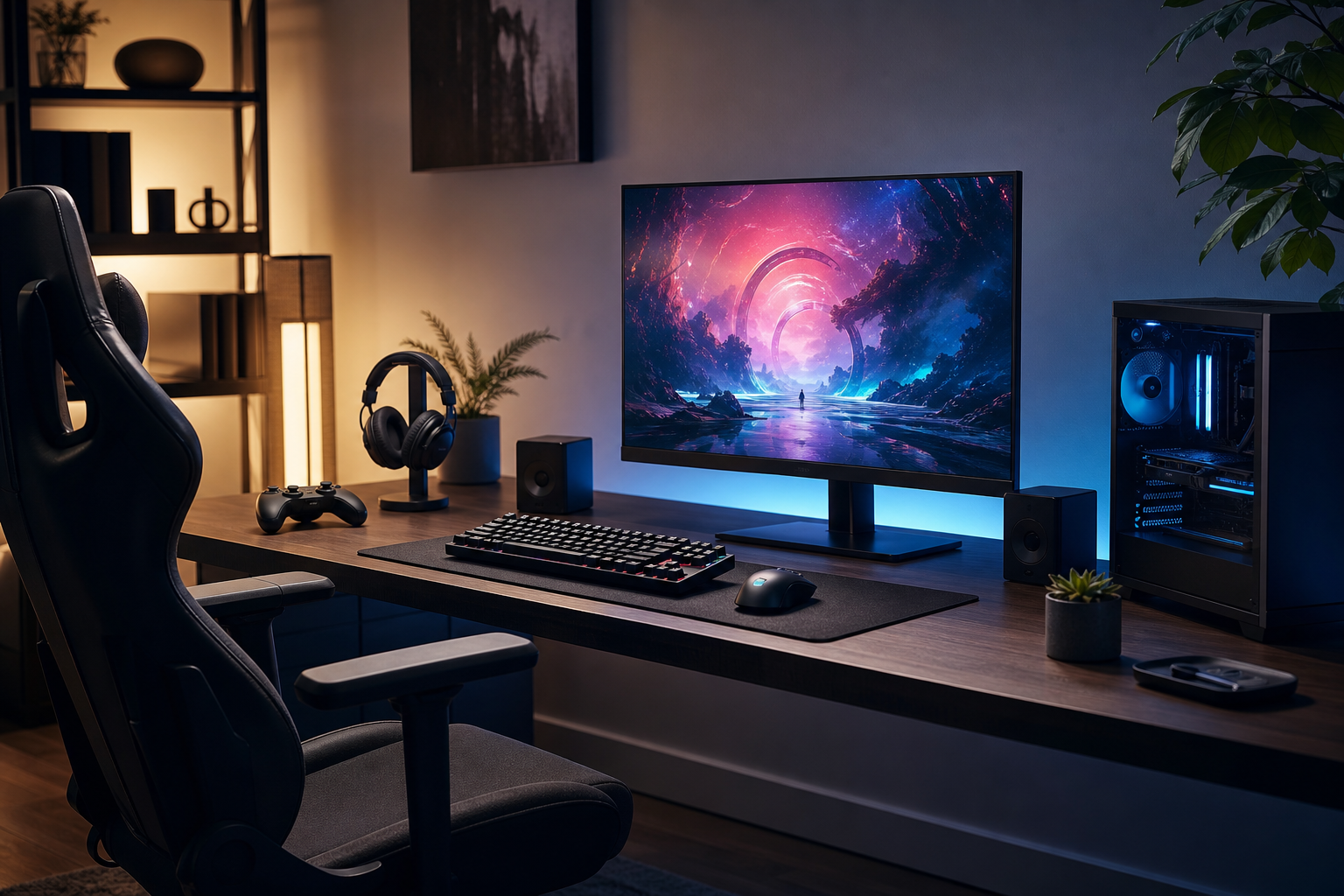
Gaming setup upgrades is worth understanding before your next technology purchase. A better gaming setup does not necessarily mean buying the most expensive graphics card, monitor or chair. For many players, the biggest improvements come from removing small frustrations: a display that feels poorly matched to the games you play, controls that introduce unnecessary clutter, audio that lacks clarity, or a desk arrangement that becomes uncomfortable after an hour.
That makes upgrading a gaming setup a matter of priorities rather than simply adding more equipment. Display quality and control are usually the most noticeable areas, while audio, storage and ergonomics can improve convenience and immersion over time. The right order depends on your current weak points, platform and the types of games you play.
Start with the part you notice most: the display
The screen is the main point of contact between you and a game, so it is often the most influential upgrade. A new display can improve motion clarity, image detail, contrast and comfort, but those benefits are only meaningful if the specification matches your hardware and preferences.
Choose for the games you actually play
- Fast competitive games: Prioritise responsive behaviour, clear motion and a refresh rate that your gaming hardware can use consistently.
- Single-player cinematic games: Strong contrast, resolution, colour quality and screen size may matter more than chasing the highest refresh rate.
- Mixed libraries: Look for a balanced display with useful adjustment options rather than optimising for one genre.
Adaptive synchronisation can help reduce visible tearing when frame delivery varies, while a good stand or monitor arm can make positioning easier. Resolution should also be considered alongside screen size and graphics performance. A sharper panel is valuable, but it may require more rendering power depending on the games and settings involved.
Panel technology is another area where buyers should compare trade-offs. Some displays emphasise fast response and motion handling, while others focus on contrast, viewing angles or colour consistency. Rather than treating one panel type as universally best, consider whether you play in a bright room, use the screen for creative or office work, and prefer vivid contrast or a more restrained image.
Controls can improve comfort and consistency
Controls are easy to overlook because they are often included with a console or purchased alongside a PC. Yet a controller, mouse and keyboard are used continuously, making their shape, layout and connection method important parts of the setup.
For PC players, a suitable mouse can make a greater practical difference than decorative accessories. Consider its shape, size, weight, button placement and whether the cable or wireless connection suits your desk. A mouse surface should provide enough room for the way you play, especially if you use broad movements at lower sensitivity.
Keyboard choice is similarly personal. Mechanical, magnetic and low-profile designs offer different combinations of key feel, sound, travel and adjustment. Features such as programmable keys, hot-swappable components and adjustable actuation can be useful, but they should not outweigh basic comfort and a sensible layout.
Console players may benefit from a controller with a comfortable grip, well-placed controls and reliable wireless performance. Extra buttons can be helpful in some genres, but additional features are not automatically better if they make the controller heavier or more complicated.
Audio upgrades add clarity without adding visual clutter
Good gaming audio helps you follow dialogue, music and environmental detail while keeping the desk manageable. The right choice depends on whether you play alone, share a room, communicate regularly or want one device for gaming and everyday listening.
- Headsets: A practical all-in-one option for multiplayer, especially when microphone quality and chat controls are important.
- Headphones with a separate microphone: Useful when listening quality and microphone flexibility are higher priorities.
- Desktop speakers: A better fit for relaxed single-player sessions, provided room acoustics and volume are not concerns.
Comfort should be assessed alongside sound. A headset that feels heavy, clamps too tightly or becomes warm can undermine an otherwise strong feature set. Wireless models can reduce cable clutter, but buyers should consider charging habits, connection compatibility and whether simultaneous game and chat audio are handled in a convenient way.
Virtual surround and spatial audio features can be useful, but their value varies with the game, platform and personal preference. Treat them as supporting features rather than a substitute for clear tuning, a comfortable fit and a dependable microphone.
Storage is a convenience upgrade with lasting value
Storage rarely creates the immediate visual impact of a new monitor, but it can improve how easily you use a gaming system. Larger modern games, downloadable content and captures can fill existing drives quickly. A storage upgrade may reduce the need to uninstall games and make the library easier to manage.
For PC shoppers, check the motherboard's available storage interfaces, physical space and cooling requirements before buying. On consoles, compatibility and expansion rules are especially important, so use the platform's supported storage types as the starting point.
Capacity should reflect your habits rather than a generic target. Players who regularly rotate through a small group of games may need less than those who keep a large installed library. It can also be worth separating games from personal files and recordings, making backups easier and reducing avoidable clutter.
Ergonomics can make every other upgrade more enjoyable
A well-arranged gaming station supports longer sessions without forcing you to constantly adjust your posture or reach around cables. Ergonomics is not about copying a particular influencer setup; it is about placing the screen, controls and chair in positions that feel natural for you.
High-impact adjustments
- Position the display so you can view it comfortably without repeatedly tilting your head.
- Keep the mouse, keyboard or controller within an easy reach zone.
- Use a chair with adjustable height and support that suits your desk.
- Leave enough surface area for broad mouse movements and everyday accessories.
- Manage power and signal cables so they do not pull on devices or interfere with movement.
A monitor arm can free desk space and make screen positioning easier, while a larger desk can solve several problems at once if the current surface is cramped. However, these upgrades should be matched to the room. Stability, weight limits and mounting compatibility matter more than appearance.
Lighting is another useful finishing touch. A soft, indirect light can reduce the stark contrast between a bright display and a dark room. Avoid placing strong lights where they reflect directly into the screen, and treat colourful accent lighting as optional rather than essential.
What to prioritise when the budget is limited
When funds do not stretch to a complete overhaul, identify the annoyance you encounter most often. A sensible order for many setups is:
- Fix the main bottleneck: Replace the display, controls or audio equipment that is actively limiting your experience.
- Improve the desk arrangement: Address cramped space, poor screen height and cable problems before adding accessories.
- Add storage: Expand capacity once convenience becomes a regular issue.
- Refine the setup: Consider lighting, a better microphone, a stand or cosmetic upgrades after the essentials are working well.
Compatibility deserves attention at every stage. Check ports, platform support, desk dimensions, wireless standards, mounting options and power requirements before ordering. A theoretically advanced accessory is not a useful upgrade if it cannot integrate cleanly with the rest of the setup.
The direction of gaming setups
Gaming hardware continues to move towards flexibility and personalisation. Displays increasingly serve several roles, controls offer more adjustment, wireless devices aim to reduce desktop clutter, and software is becoming a larger part of how lighting, audio and peripherals are configured. Buyers are also paying closer attention to repairability, firmware support and whether accessories work across more than one platform.
These trends make it tempting to buy for a long list of features. A better approach is to focus on features that solve a clear problem today while leaving room for future changes. A monitor with useful connectivity, a controller that works across your platforms, or a storage solution that can be expanded later may offer more practical value than a highly specialised product.
Conclusion: upgrade the friction, not just the look
The most worthwhile gaming setup upgrades are the ones you notice repeatedly: a clearer display, more comfortable controls, cleaner audio, easier storage or a desk that fits the way you play. Start by listing the frustrations that interrupt your sessions, then compare products against those specific needs.
A balanced setup does not have to be covered in accessories. When the core equipment is compatible, comfortable and suited to your games, even a modest upgrade can make the entire space feel more capable.
Explore more technology reviews, comparisons and buying guides on Compare2Shop.