
ASUS ROG Zephyrus G16 (2026) vs Razer Blade 16 (2026): Which Gaming Laptop Is Better?
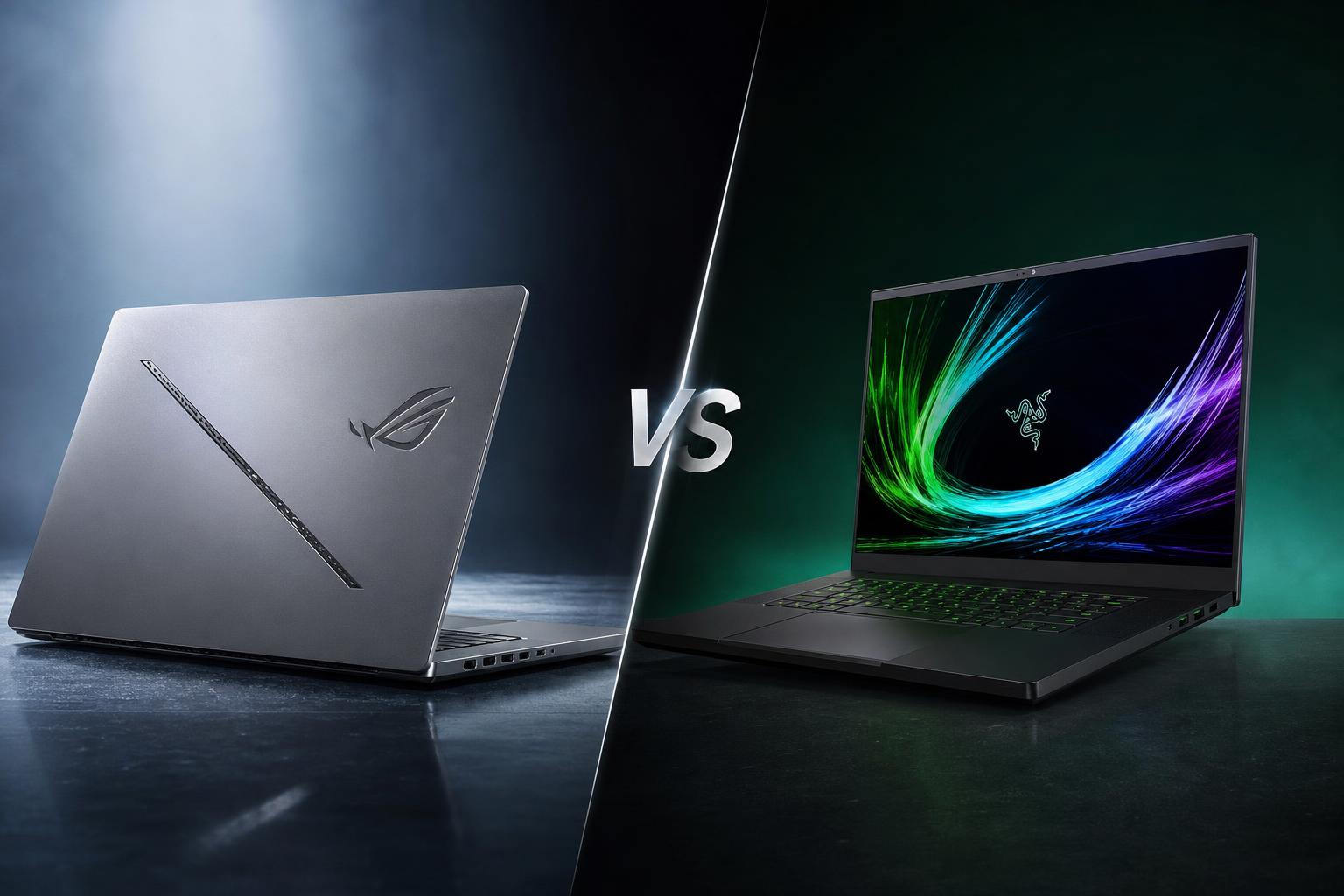
The ASUS ROG Zephyrus G16 (2026) and Razer Blade 16 (2026) are premium 16-inch gaming laptops built around Intel’s Core Ultra 9 386H processor and high-refresh OLED displays. Both combine a thin aluminium chassis with current-generation NVIDIA GeForce RTX graphics, but they target slightly different buyers.
ASUS places more emphasis on portability, battery life and a lower entry price. Razer goes further at the top end, offering an RTX 5090 Laptop GPU, up to 64GB of memory and a very slim unibody design. The right choice depends on whether you value maximum graphics performance or a more balanced gaming-and-productivity package.
This comparison uses the verified specifications, official pricing and independent test results supplied for both laptops. It does not treat every configuration as directly equivalent, because the Zephyrus G16’s starting price applies to an RTX 5070 Ti model, while the listed Blade 16 price is for an RTX 5090 configuration.
Quick verdict
The ASUS ROG Zephyrus G16 (2026) is the better all-round choice for most buyers who want a lighter laptop, longer measured web-browsing battery life, a verified infrared camera and a lower official starting price. Its 16-inch 240Hz OLED display is also highly specified, and the full-size UHS-II SD card reader is useful for creators.
The Razer Blade 16 (2026) is the better choice for buyers who want the strongest available graphics configuration. Its RTX 5090 Laptop GPU can run at up to 165W TGP, and comparative gaming results reported by PC Gamer put the tested RTX 5090 Blade ahead of the RTX 5080 Zephyrus G16 in the games tested. It also offers up to 64GB of faster LPDDR5X memory and Thunderbolt 5.
In short: choose the Zephyrus G16 for balance, portability and value; choose the Blade 16 for maximum gaming and GPU-intensive creative performance.
Key specifications comparison
| Feature | ASUS ROG Zephyrus G16 (2026) | Razer Blade 16 (2026) |
|---|---|---|
| Processor | Intel Core Ultra 9 386H, 16 cores and 16 threads | Intel Core Ultra 9 386H, 16 cores and 16 threads, up to 4.9GHz |
| Maximum GPU | NVIDIA GeForce RTX 5080 Laptop GPU | NVIDIA GeForce RTX 5090 Laptop GPU, up to 165W TGP |
| Display | 16-inch 2.5K OLED, 240Hz, 0.2ms, up to 1100 nits, 100% DCI-P3, HDR True Black 1000, G-SYNC | 16-inch QHD+ OLED, 2560 x 1600, 240Hz, 0.2ms, up to 1100 nits, 100% DCI-P3, HDR True Black 1000, G-SYNC |
| Memory and storage | Up to 32GB LPDDR5X-8533; up to 2TB PCIe 4.0 SSD; second M.2 slot | Up to 64GB soldered LPDDR5X-9600; listed model has 32GB and 2TB; two M.2 slots |
| Battery | 90Wh; ASUS specifies 0–50% in 30 minutes | Razer claims up to 13 hours Modern Office and up to 15 hours video playback |
| Independent battery result | 13 hours 45 minutes web browsing; 55 minutes PCMark 10 gaming test | 12 hours 36 minutes web browsing; 1 hour 41 minutes PCMark 10 gaming test |
| Operating system | Windows 11 Pro | Windows 11 Home |
| Weight | 4.3 pounds | Approximately 4.71 pounds |
| Thickness | 0.59–0.70 inches | 14.9mm / 0.59 inches |
| Official price supplied | Starting at US$3,699.99 | US$4,899.99 for RTX 5090, 32GB, 2TB configuration |
Design and build
Both laptops use premium aluminium construction, but their design priorities are different. The Zephyrus G16 has a CNC-machined aluminium chassis and weighs 4.3 pounds. That makes it lighter than the Blade 16, an important advantage for anyone who regularly carries a gaming laptop between home, work, school or travel.
ASUS also gives the G16 a more visibly gaming-focused identity through its 35-zone Slash Lighting system and single-zone RGB keyboard. The lighting can appeal to buyers who want customisable visual effects, although the overall chassis remains relatively thin at between 0.59 and 0.70 inches.
Razer takes a more understated approach with a CNC-milled aluminium unibody. The Blade 16 is approximately 4.71 pounds, so it is heavier than the Zephyrus, but it is only 14.9mm thick. That is a notable design achievement for a laptop available with an RTX 5090 Laptop GPU. Its black unibody design is suited to buyers who want a premium gaming laptop that does not look excessively decorated.
Portability therefore depends on what matters most. The ASUS is the lighter option, while the Razer is the thinner option. Neither should be treated as an ultraportable laptop in the conventional sense, because both are high-performance gaming systems and their performance hardware affects carrying weight and power requirements.
Ports and expansion
The Zephyrus G16 includes Thunderbolt 4, USB-C with DisplayPort 2.1 and Power Delivery, HDMI 2.1 and a full-size UHS-II SD card reader. It also has a second M.2 slot for storage expansion. That combination is particularly useful for photographers, video editors and other users who transfer data from full-size SD cards.
The Blade 16 offers Thunderbolt 5 as well as Thunderbolt 4, three USB 3.2 Gen 2 Type-A ports, HDMI 2.1 and a UHS-II SD card reader. It also has two M.2 SSD slots. Thunderbolt 5 gives the Razer a newer high-speed connectivity option, while both laptops provide useful storage expansion through additional M.2 slots.
Display
Display quality is a major strength of both laptops. Each uses a 16-inch OLED panel with a 240Hz refresh rate and a quoted 0.2ms response time. Both support NVIDIA G-SYNC and specify up to 1100 nits of brightness, 100% DCI-P3 coverage and VESA DisplayHDR True Black 1000 certification.
The Zephyrus G16 is specified with a 2.5K OLED display, while the Blade 16 uses a QHD+ 2560 x 1600 OLED panel. These are high-resolution screens intended to provide a sharp image for games, creative work and everyday applications. The 240Hz refresh rate is especially relevant to fast competitive games when the graphics hardware can produce sufficiently high frame rates.
Razer additionally lists Calman Verification for the Blade 16. ASUS lists G-SYNC compatibility, HDR certification, peak brightness and DCI-P3 coverage for the G16. On paper, both displays are strong choices for buyers who want OLED contrast, fast response and wide colour coverage rather than a conventional lower-refresh LCD panel.
There are still practical trade-offs. OLED displays can make games and media look more vivid, but the best experience will depend on the individual game, graphics settings and the laptop’s selected GPU configuration. The RTX 5090 option in the Razer is better positioned to take advantage of high refresh rates in demanding games, while the Zephyrus remains a compelling display-focused option in a lighter chassis.
Performance
Both laptops use Intel’s Core Ultra 9 386H with 16 cores and 16 threads. The Blade 16 lists a maximum clock speed of up to 4.9GHz, while both systems are paired with high-end RTX 50-series laptop graphics options. The largest performance difference comes from the GPU ceiling rather than the processor.
The Zephyrus G16 is available with up to an NVIDIA GeForce RTX 5080 Laptop GPU. The Blade 16 can be configured with an RTX 5090 Laptop GPU running at up to 165W TGP. In PC Gamer’s comparative gaming results, the tested RTX 5090 Blade 16 outperformed the tested RTX 5080 Zephyrus G16 in the games included in that comparison.
That does not make every Blade 16 configuration faster than every Zephyrus G16 configuration. Performance depends on the exact graphics chip, power limits, cooling configuration, memory, drivers and game settings. It does, however, establish a clear hierarchy at the maximum configuration level: the Razer offers more graphics headroom for demanding games, ray-traced workloads and GPU-accelerated creative applications.
The ASUS remains highly capable, especially for buyers who do not need the very highest frame rates or the largest available mobile GPU. Its thinner, lighter design makes the performance package easier to carry. Depending on the G16 SKU, ASUS also uses vapor-chamber cooling and a tri-fan design, while the supplied independent testing noted that the reviewed configuration used a heavy proprietary power brick.
Razer’s performance advantage comes with acoustic considerations. Independent testing reported that the Blade 16’s fans were very loud during gaming. Tom’s Guide also criticised the Zephyrus G16’s keyboard, so neither laptop is without compromises. Buyers who prioritise maximum performance should be prepared for gaming laptops to become noticeably louder under sustained load.
Camera and graphics features
ASUS explicitly confirms a Windows Hello infrared camera on the Zephyrus G16. That supports facial sign-in through Windows Hello and gives the ASUS a verified biometric camera feature. The cited official Razer sources did not verify the Blade 16’s webcam resolution, so it would be unsafe to draw a direct camera-quality conclusion between the two models.
For graphics, the Blade 16 has the more powerful maximum option: an RTX 5090 Laptop GPU with up to 165W TGP. It supports RTX 50-series features including DLSS 4.5 and Multi-Frame Generation. The Zephyrus G16 reaches an RTX 5080 Laptop GPU and supports NVIDIA DLSS 4 and Multi Frame Generation.
Both laptops can therefore benefit from NVIDIA’s upscaling and frame-generation technologies in supported games. The Razer’s more powerful GPU is the stronger choice for demanding graphics workloads, while the ASUS adds practical creator features such as NVIDIA Studio drivers and a full-size UHS-II SD card reader.
Battery and charging
The Zephyrus G16 has a 90Wh battery, and ASUS specifies charging from 0% to 50% in 30 minutes. In Tom’s Guide’s testing, it achieved 13 hours and 45 minutes of web browsing. However, the same testing recorded only 55 minutes in a PCMark 10 gaming battery test.
Razer claims up to 13 hours of Modern Office use and up to 15 hours of video playback under its stated test conditions. Tom’s Hardware measured 12 hours and 36 minutes of web browsing and 1 hour and 41 minutes in its PCMark 10 gaming battery test.
The independent web-browsing result gives the ASUS the advantage in this comparison, although the difference between the two laptops is not enormous. Razer’s official video and office claims are based on its own defined conditions, so they should not be treated as directly interchangeable with Tom’s Guide’s browsing result.
Neither laptop is intended for long gaming sessions away from a power outlet. The short gaming battery results demonstrate why demanding games are normally played while connected to mains power. Battery life is more relevant here to web use, office work, video playback and lighter tasks than to high-performance gaming.
Software and features
The Zephyrus G16 ships with Windows 11 Pro and includes ASUS Armoury Crate for system management. It also supports NVIDIA Studio drivers and RTX features, Wi-Fi 7 and a single-zone RGB keyboard. Its Slash Lighting system provides an additional customisation option on the chassis.
The Blade 16 ships with Windows 11 Home and uses Razer Synapse for system controls. It includes NVIDIA Studio drivers, Copilot+ PC features, THX Spatial Audio+, Wi-Fi 7 and Bluetooth 6.0. Its six-speaker audio system is another hardware feature listed for the Razer.
Windows 11 Pro may be more attractive to buyers who specifically need Pro-level Windows features, while Windows 11 Home is sufficient for many personal gaming systems. The Razer has the newer Thunderbolt 5 connection and Bluetooth 6.0, while the ASUS offers the convenience of a verified infrared camera and Windows Hello support.
Price and value
The ASUS ROG Zephyrus G16 (2026) starts at US$3,699.99 on the ASUS Store. The supplied research identifies this as an RTX 5070 Ti configuration, and the maximum graphics option is RTX 5080. The starting price therefore does not represent the same performance class as the tested or highest-end Razer configuration.
The listed Razer Blade 16 configuration costs US$4,899.99 and includes an RTX 5090 Laptop GPU, 32GB of RAM and a 2TB SSD. It is substantially more expensive than the Zephyrus G16’s official starting point, but it also includes the Razer’s most powerful graphics option.
For value, the ASUS has the clearer advantage if your budget is below the Blade 16’s listed price or if you do not need an RTX 5090. It provides a premium OLED display, a capable Core Ultra 9 processor, a lightweight chassis and strong measured web-browsing endurance.
The Blade 16 can justify its premium for buyers who will use the RTX 5090, up to 64GB of memory or Thunderbolt 5. However, its memory is soldered and cannot be upgraded, so the chosen RAM capacity matters at purchase. The Razer also has a higher price and greater weight.
ASUS ROG Zephyrus G16 (2026): pros and cons
Pros
- Lighter than the Razer Blade 16 at 4.3 pounds.
- Excellent measured web-browsing battery life of 13 hours and 45 minutes.
- Bright 2.5K OLED display with 240Hz refresh rate, HDR True Black 1000 and G-SYNC.
- Strong performance in a thin chassis, with graphics options up to RTX 5080.
- Verified infrared camera for Windows Hello.
- Full-size UHS-II SD card reader for creator workflows.
- Lower official starting price than the listed Blade 16 configuration.
Cons
- Maximum graphics configuration is RTX 5080 rather than RTX 5090.
- The starting price applies to an RTX 5070 Ti configuration and is high for that level of GPU.
- The reviewed configuration used a heavy proprietary power brick.
- Tom’s Guide criticised the keyboard.
- Gaming battery life was short in independent testing.
- Maximum listed memory is 32GB.
Razer Blade 16 (2026): pros and cons
Pros
- Higher maximum GPU performance with an RTX 5090 Laptop GPU option.
- Up to 64GB of faster LPDDR5X-9600 memory.
- Excellent 16-inch OLED display with 240Hz refresh and HDR True Black 1000 certification.
- Very thin CNC-milled aluminium unibody at approximately 14.9mm.
- Thunderbolt 5 connectivity.
- Strong independent gaming performance in the tested RTX 5090 configuration.
- Two M.2 SSD slots and a UHS-II SD card reader.
Cons
- Much more expensive in the listed RTX 5090 configuration.
- Heavier than the Zephyrus G16 at approximately 4.71 pounds.
- Independent testing found weaker multi-threaded performance than some thicker competitors.
- Fans were reported as very loud during gaming.
- Memory is soldered and cannot be upgraded.
- Webcam resolution was not verified from the cited official sources.
Which laptop is better for different buyers?
Choose the ASUS ROG Zephyrus G16 if you want the best balance
The Zephyrus G16 is the stronger all-round recommendation for buyers who want gaming performance without carrying quite as much weight. Its lower official starting price, lighter chassis and better measured web-browsing result make it more practical for mixed use. Windows 11 Pro, the infrared camera and full-size SD card reader also add useful everyday and creator features.
Choose the Razer Blade 16 for maximum gaming performance
The Blade 16 is the clear choice if your priority is the highest available graphics performance. The RTX 5090 option, up to 165W TGP and stronger comparative gaming results give it the edge for demanding games and GPU-heavy workloads. It is also the better fit if you need up to 64GB of memory, although that memory is soldered.
Choose the ASUS for battery-focused productivity
Tom’s Guide measured the Zephyrus G16 at 13 hours and 45 minutes of web browsing, compared with 12 hours and 36 minutes for the Blade 16 in Tom’s Hardware’s testing. Since these are separate tests, the figures are not perfectly identical, but the supplied comparison identifies ASUS as the battery-life winner for web browsing.
Choose the ASUS for creator convenience and camera features
The G16 has the clearer verified feature set for creators who use full-size SD cards or Windows Hello. Its UHS-II card reader, NVIDIA Studio support and infrared camera make it a well-rounded mobile workstation option. The Razer is preferable when the workload benefits more from the RTX 5090 or up to 64GB of memory.
Choose the Razer for a thin premium unibody
The Blade 16 is thinner and uses a CNC-milled aluminium unibody with a more understated design. Buyers who value a very slim premium chassis and Thunderbolt 5 may prefer it, provided they accept its higher weight, higher price and louder reported gaming acoustics.
Final verdict
The ASUS ROG Zephyrus G16 (2026) and Razer Blade 16 (2026) are both high-end gaming laptops, but they make different compromises. The ASUS is lighter, less expensive to enter, better in the supplied independent web-browsing comparison and better equipped for users who value an infrared camera and full-size SD card reader. It is the better overall recommendation for a balanced gaming, productivity and creator laptop.
The Razer Blade 16 earns its higher price through the option of an RTX 5090 Laptop GPU, higher maximum memory capacity and Thunderbolt 5. It is the better performance choice for buyers who want the most powerful graphics configuration and are willing to pay considerably more, carry a little extra weight and tolerate louder fans under gaming loads.
Overall winner for most buyers: ASUS ROG Zephyrus G16 (2026). Performance winner: Razer Blade 16 (2026), especially in its RTX 5090 configuration.
FAQs
Is the ASUS ROG Zephyrus G16 lighter than the Razer Blade 16?
Yes. The Zephyrus G16 weighs 4.3 pounds, while the Razer Blade 16 weighs approximately 4.71 pounds. The Razer is thinner at approximately 14.9mm, compared with the ASUS specification of 0.59–0.70 inches.
Which laptop has the better GPU?
The Razer Blade 16 has the stronger maximum GPU option because it can be configured with an NVIDIA GeForce RTX 5090 Laptop GPU at up to 165W TGP. The Zephyrus G16 reaches an RTX 5080 Laptop GPU. PC Gamer’s comparative gaming results showed the tested RTX 5090 Blade ahead of the tested RTX 5080 ASUS in the games tested.
Which laptop has better battery life?
The ASUS had the better supplied independent web-browsing result, at 13 hours and 45 minutes compared with 12 hours and 36 minutes for the Razer in separate Tom’s Guide and Tom’s Hardware tests. Neither laptop delivered long gaming battery life in the cited PCMark 10 gaming tests.
Do both laptops have OLED displays?
Yes. Both use 16-inch OLED displays with a 240Hz refresh rate, a quoted 0.2ms response time, up to 1100 nits brightness, 100% DCI-P3 coverage, VESA DisplayHDR True Black 1000 certification and NVIDIA G-SYNC support.
Which laptop is better for creators?
The ASUS has useful creator-oriented features including a full-size UHS-II SD card reader, NVIDIA Studio support, a lighter chassis and a verified infrared camera. The Razer may be the better option for GPU-intensive creator workloads because of its RTX 5090 option and support for up to 64GB of memory.