
Apple Watch Ultra 4 vs Ultra 3: Is It Worth Upgrading?
Apple Watch Ultra 4 vs Ultra 3: Is It Worth Upgrading?
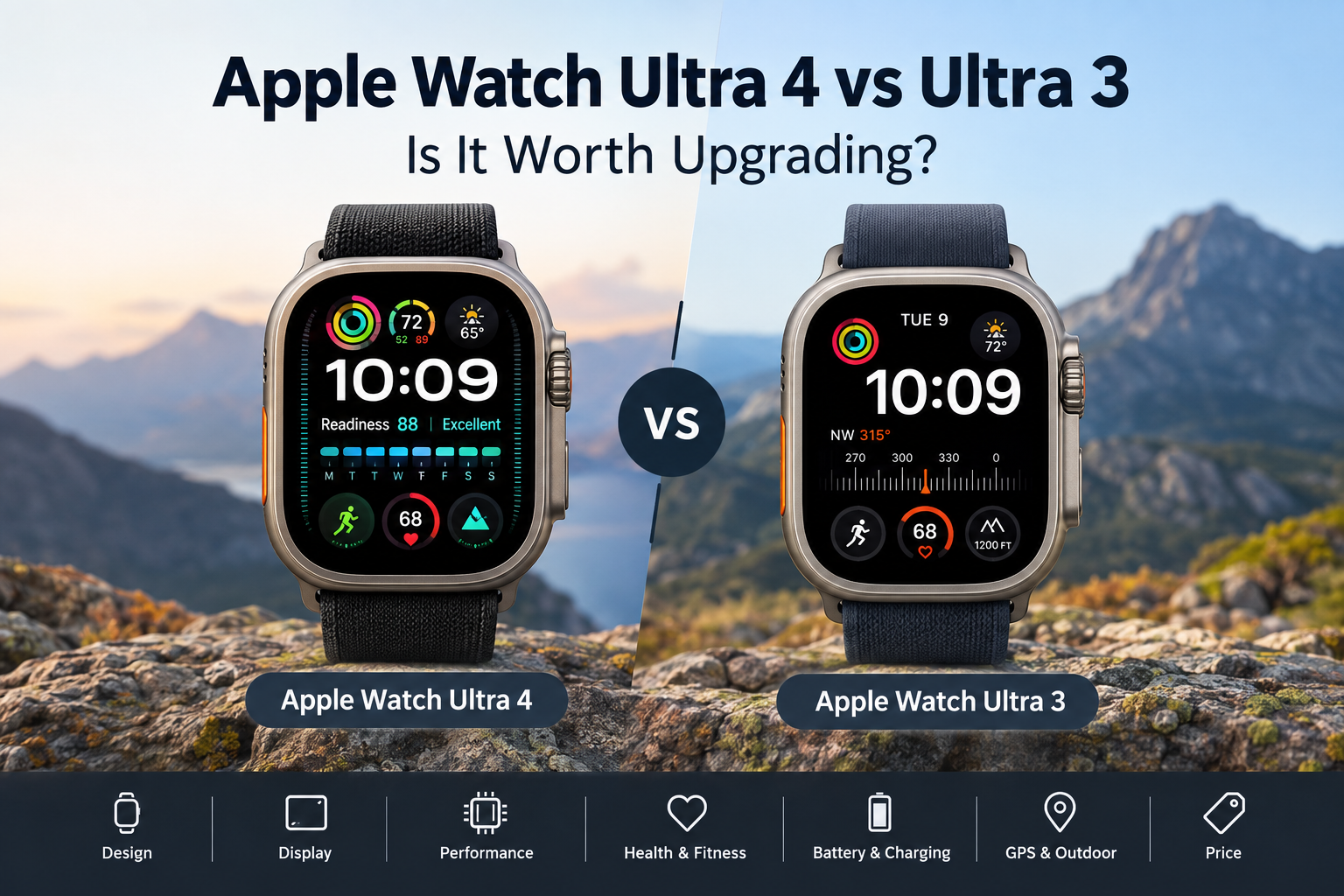
The Apple Watch Ultra 4 doesn't look dramatically different from the Ultra 3. Both watches have the same large 49mm case, titanium construction, bright display and the rugged design that has become the signature of Apple's Ultra lineup.
The differences are mainly inside the watch.
Apple has upgraded the Ultra 4 with a newer S11 chip, improved health sensing, longer battery life, faster charging and new fitness and health features. That makes the comparison more interesting for people who already own an Ultra 3.
If you have an Ultra 3, is there enough here to justify upgrading? And if you're buying an Ultra for the first time, is the newer model worth choosing over a discounted Ultra 3?
Let's look at the differences that actually matter.
Apple Watch Ultra 4 vs Ultra 3: Quick Comparison
| Feature | Apple Watch Ultra 4 | Apple Watch Ultra 3 |
|---|---|---|
| Case size | 49mm | 49mm |
| Material | Titanium | Titanium |
| Display | 49mm Always-On OLED | 49mm Always-On OLED |
| Resolution | 422 × 514 | 422 × 514 |
| Peak brightness | 3,000 nits | 3,000 nits |
| Processor | S11 SiP | S10 SiP |
| Storage | 64GB | 64GB |
| Battery life | Up to 50 hours | Up to 42 hours |
| Low Power Mode | Up to 84 hours | Up to 72 hours |
| Water resistance | 100m | 100m |
| Cellular | 5G | 5G |
| Health sensing | New Health Sensing System | Previous-generation system |
| Readiness | Yes | No |
| Recovery HRV | Yes | No |
| Health Age | Yes | No |
| Starting price | $799 | $799 launch price |
Apple's official specifications confirm the Ultra 3's 49mm case, 3,000-nit display, S10 chip, 64GB storage and up to 42 hours of battery life. The Ultra 4 keeps the same basic display and case while increasing the battery rating to up to 50 hours.
Design and Build
If you put the two watches next to each other, you probably won't notice much difference.
Both use a 49mm titanium case with the same general Ultra design. The Action button, Digital Crown and side button are all in familiar positions.
Apple hasn't tried to make the Ultra 4 look like a completely new watch. That's actually good news for people who like the current design. Existing Ultra bands and accessories also remain relevant.
The rugged construction is still aimed at people who spend time outdoors, train regularly or simply prefer a larger and tougher Apple Watch.
The main takeaway is simple: don't buy the Ultra 4 expecting a major design change.
Display
The display is another area where Ultra 3 owners won't see a huge difference.
Both watches use a 49mm Always-On LTPO3 OLED display with a resolution of 422 × 514 pixels and up to 3,000 nits of peak brightness.
That makes both watches easy to read outdoors, which is especially useful during running, cycling, hiking and other outdoor activities.
The screen is protected by sapphire crystal, and both models have the same basic Ultra display experience.
For someone upgrading from an Ultra 3, there isn't much reason to make the switch because of the display alone.
S11 vs S10: Does the New Chip Matter?
The Ultra 4 moves from Apple's S10 SiP to the newer S11 SiP.
A newer processor is always useful, but this isn't the sort of upgrade where you'll suddenly find the Ultra 3 slow.
The Ultra 3 already handles notifications, workouts, apps, calls, music and health tracking without much trouble.
The S11 becomes more interesting because Apple can use the newer hardware for additional health processing and newer software features.
In everyday use, both watches should feel fast. The Ultra 4's advantage is more about supporting newer features and keeping the watch current for longer.
Health Tracking
Health and fitness are where the Ultra 4 starts to separate itself from its predecessor.
Apple has introduced a new Health Sensing System for the Ultra 4. It allows the watch to collect heart-rate information more frequently and provides additional data that can be used for recovery and readiness insights.
The watch can also provide features such as:
Recovery HRV
Readiness information
Health Age
More frequent heart-rate measurements
More detailed overnight health information
These features are particularly interesting for people who train regularly.
For example, someone following a running or cycling program may find recovery information more useful than simply knowing how many calories they burned during a workout.
The Ultra 3 already offers a strong health feature set, including ECG, heart-rate notifications, sleep tracking and sleep apnea notifications. It isn't suddenly outdated.
The Ultra 4 simply gives users more data to work with.
Battery Life
Battery life is one of the easiest differences to understand.
Apple rates the Ultra 4 for up to 50 hours of normal use. The Ultra 3 is rated for up to 42 hours.
That is an eight-hour increase, which may not sound huge until you start using the watch for sleep tracking.
For example, if you normally charge your watch in the morning and wear it overnight for sleep tracking, those extra hours give you more flexibility. You may not need to worry about charging it immediately after a long day.
Low Power Mode also gets a boost. Ultra 4 can reach up to 84 hours, compared with up to 72 hours on Ultra 3.
For hikers, travelers and people who regularly spend long periods away from a charger, this is one of the more useful upgrades.
Charging Speed
Apple has also improved charging.
With the Ultra 4, a 15-minute charge can provide up to 18 hours of normal use. Ultra 3 can provide up to 12 hours from the same amount of charging time.
This is a small but practical improvement.
If you wake up and realize your watch is nearly empty before leaving for work or starting a workout, a short charge can give you considerably more usable time.
It's the kind of upgrade you might appreciate more after owning the watch for a few months than you would while reading the specification sheet.
GPS and Outdoor Tracking
Both watches are designed with outdoor activities in mind.
The Ultra 3 already includes advanced GPS, a compass, altimeter, depth gauge and water-temperature sensing. It also supports features such as Backtrack and offline maps.
The Ultra 4 improves positioning and offers longer endurance during extended workouts.
For someone who occasionally goes for a run around the neighborhood, these changes probably won't make much difference.
For trail runners, hikers, cyclists and endurance athletes who spend several hours outside, the longer battery life and improved tracking can be more useful.
Smart Features
The Ultra 4 also benefits from Apple's latest software features.
With watchOS 27, Apple has introduced additional intelligent features, including improvements to Siri and tools designed to make the watch more useful during everyday activities.
Some of these features are not exclusive to the Ultra 4 because they come through watchOS. That's worth keeping in mind before upgrading.
The Ultra 4's newer hardware does, however, give it a better position for future software updates and features that require additional processing power.
Price
The Apple Watch Ultra 4 starts at $799 in the US.
The Ultra 3 also launched at $799, but its current retail price can be lower now that the newer model is available.
This changes the buying decision.
If you can find an Ultra 3 at a significant discount, it remains a very capable smartwatch. The basic design, display, GPS features and many health functions are still there.
If the price difference is small, the Ultra 4 becomes easier to justify because you're getting longer battery life, faster charging and the newer health system.
Apple Watch Ultra 4 vs Ultra 3: What's Changed?
The most important changes are:
S11 instead of S10
New Health Sensing System
More frequent heart-rate measurements
Recovery HRV
Readiness insights
Health Age
Up to 50 hours of battery life
Up to 84 hours in Low Power Mode
Faster charging
Improved extended workout endurance
New software and intelligent features
At the same time, several important things remain unchanged:
49mm case
Titanium construction
3,000-nit display
422 × 514 resolution
64GB storage
100m water resistance
Action button
Overall Ultra design
That tells you quite a lot about the upgrade. Apple has focused on improving the internal experience rather than redesigning the watch.
Apple Watch Ultra 4: Pros and Cons
Pros
Longer battery life
Faster charging
New health sensing system
More detailed recovery information
Readiness and Health Age features
Newer S11 chip
Strong GPS and outdoor features
Same rugged titanium design
Cons
Looks almost identical to Ultra 3
Display specifications are largely unchanged
Most everyday tasks won't feel dramatically faster
Upgrade may not be worthwhile for every Ultra 3 owner
Apple Watch Ultra 3: Pros and Cons
Pros
Still excellent battery life
Bright 3,000-nit display
Strong health and fitness tracking
Advanced GPS and outdoor features
Titanium construction
S10 chip remains capable
Potentially much cheaper with current discounts
Cons
Shorter battery life than Ultra 4
Older health sensing system
Doesn't get the newest Ultra 4 health features
Slower charging
Should You Upgrade From Ultra 3 to Ultra 4?
If you already own an Ultra 3, there's no need to upgrade simply because a new model has arrived.
The Ultra 3 is still a very capable watch, and its display, battery, GPS and core health features remain strong.
The Ultra 4 is more interesting if you care about recovery tracking, Readiness, more frequent health measurements, longer battery life or faster charging.
For someone who wears the watch overnight and uses it for long workouts, the battery improvements alone could be worthwhile.
For someone who mainly uses the Ultra for notifications, basic workouts, calls and everyday activity tracking, the Ultra 3 can easily continue doing the job.
Should You Buy Ultra 4 or Ultra 3?
If you're buying your first Apple Watch Ultra, the Ultra 4 is the straightforward choice if the price difference is small.
You're getting the newest chip, the latest health system and better battery endurance.
But a discounted Ultra 3 can be a smart alternative. It still has the large titanium design, bright display, advanced GPS and many of the health features people buy an Ultra for in the first place.
The key is the price difference. If the Ultra 3 is only slightly cheaper, the Ultra 4 makes more sense. If you find a substantial discount, the older model becomes much more attractive.
Apple Watch Ultra 4 vs Ultra 3: Final Verdict
The Apple Watch Ultra 4 is an improvement rather than a complete redesign.
The biggest changes are battery life, charging, health sensing and recovery features. The physical design and display remain very similar to the Ultra 3.
For Ultra 3 owners, upgrading makes the most sense if you will actually use the new health and fitness features or want the extra battery life.
For new buyers, Ultra 4 is the better long-term option, while a heavily discounted Ultra 3 could offer better value.
If your Ultra 3 is still working well, there is no pressure to replace it. But if you're buying an Ultra for the first time, the Ultra 4 gives you the newest version of Apple's rugged smartwatch without changing the formula that made the Ultra popular.