
How to Choose Charging Accessories Safely and Sensibly
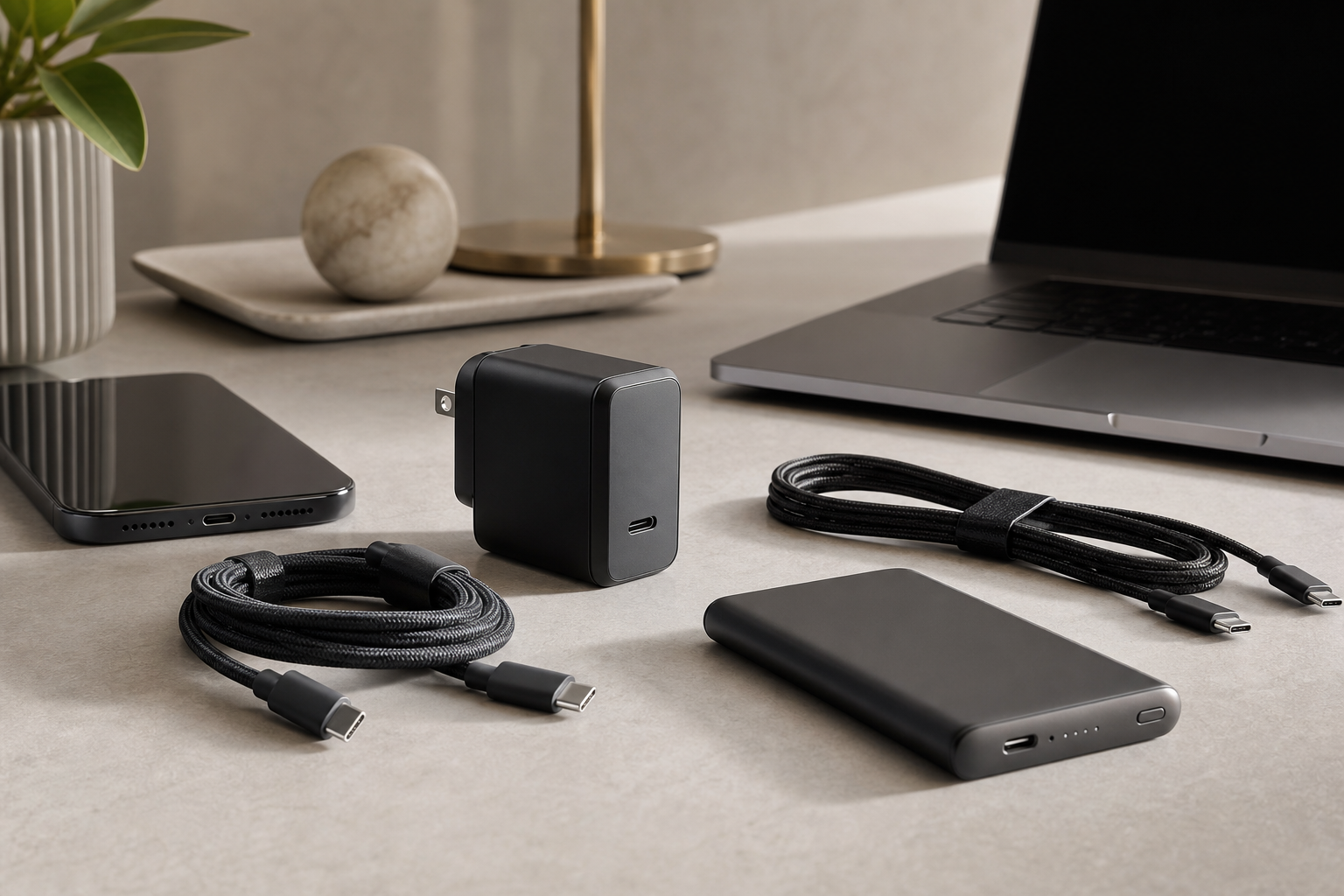
Choose charging accessories is worth understanding before your next technology purchase. Charging accessories are easy to underestimate. A compact charger can power several devices, the right cable can reduce clutter, and a suitable power bank can keep essential electronics running while travelling. But compatibility, charging speed and safety matter more than appearance or headline wattage.
The best setup depends on what you charge, where you use it and how much equipment you want to carry. Before buying, identify your devices’ requirements, check the charger and cable as a complete system, and treat unusually cheap accessories with caution.
Start with the devices you need to charge
Make a list of the devices that will share your charging accessories. A phone, tablet, laptop, wireless earbuds and smartwatch may all use different power levels and charging standards. You do not necessarily need a separate charger for each one, but you do need enough output and the right connections.
Check the specifications supplied by the device maker or printed on the existing charger. The most useful information is usually:
- Connector type: such as USB-C, USB-A or a device-specific plug.
- Charging standard: the device may support USB Power Delivery or another proprietary system.
- Maximum input power: usually expressed in watts.
- Included cable requirements: some higher-power devices need a cable rated for a particular power level.
A charger with a higher maximum wattage will not automatically force every device to accept that amount. Compatible devices generally draw the power they are designed to use. However, compatibility still matters: a high-output charger is not useful if it lacks the necessary port, protocol or cable.
Understand watts, ports and charging speed
Wattage is a useful starting point, but it is not the whole story. A charger’s total output may be shared between several ports. For example, a multi-port model may offer a high combined figure while reducing the output available when two or more devices are connected.
Consider how you will use the charger:
- One phone: a compact charger with suitable USB-C output is often enough.
- Phone and tablet: choose a model with enough total output to charge both without a major reduction in speed.
- Phone, tablet and laptop: prioritise a multi-port charger with a clear power-distribution specification.
- Travel or shared spaces: multiple ports can reduce the number of adapters you need to pack.
Look for clearly stated output profiles rather than relying only on a single headline wattage. A reputable manufacturer should explain how much power each port can deliver alone and when ports are used together.
Choose the right charger design
Charger design affects convenience, heat management and portability. A small single-port charger is practical for a bedside table or everyday bag. A larger multi-port model is more suitable for a desk, hotel room or shared household charging point.
Some modern chargers use gallium nitride, often shortened to GaN, to achieve a relatively compact design at higher power levels. This can be useful for laptop charging and travel, although a smaller charger is not automatically better. Check the port layout, output allocation and plug design before choosing one.
Useful features may include:
- Foldable or interchangeable mains pins for travel.
- Separate USB-C and USB-A ports for older and newer cables.
- A clear power-distribution table.
- Over-current, over-voltage, over-temperature and short-circuit protection.
- Appropriate electrical certification for the market where you will use it.
A charger that becomes warm during use is not necessarily faulty, but excessive heat, buzzing, a damaged casing or a burning smell are reasons to stop using it and replace it.
Do not overlook the cable
Cables are often the weakest link in a charging setup. Two cables can look identical while supporting very different power levels, data speeds and display capabilities.
For charging, check whether the cable is rated for the output you intend to use. Higher-power laptop charging may require a cable designed to handle that level rather than a basic phone cable. If you also transfer files, connect storage or use a monitor, check the data and video capabilities separately; a cable suitable for charging may not support fast data or display output.
Pay attention to construction rather than simply choosing the thickest cable. Strain relief around the connectors, a flexible outer jacket and reinforced plugs can help with everyday use. Braided coverings may improve durability, but they do not guarantee better electrical performance.
USB-C is a connector, not a promise
USB-C describes the physical connector shape, not every feature a cable or port supports. USB-C accessories can differ in charging power, data speed and video support. When buying, read the full specification and avoid listings that only say “USB-C fast charging” without explaining what that means.
For a simple phone setup, a reputable, appropriately rated cable is usually sufficient. For a laptop, dock or monitor, match the cable to the device’s power and data requirements before buying.
Pick a power bank by capacity and output
Power banks are best compared by considering both capacity and output. Capacity is commonly listed in milliamp-hours, while output is expressed in watts. A large capacity does not help much if the power bank cannot deliver enough output for the device.
Use these questions to narrow the choice:
- What are you charging? A phone needs less output than many laptops.
- How many charges do you need? A smaller bank is easier to carry, while a larger one may suit long trips.
- Will you charge more than one device? Check the combined output when multiple ports are active.
- Do you need pass-through charging? If so, confirm that the manufacturer supports it; it is not universal.
- Will you take it on a flight? Airlines and aviation authorities impose limits and packing rules for lithium batteries, so check the current requirements before travelling.
Real-world usable capacity is lower than the number printed on the box because energy is lost during voltage conversion and charging. Treat capacity figures as a comparison guide rather than a guarantee of a precise number of full device charges.
Think about portability and daily use
The ideal accessory is one you will actually carry. A high-output charger may be excellent at a desk but unnecessarily bulky for a short commute. Likewise, a very small power bank may be convenient but offer limited reserve capacity.
Consider where each item will live:
- Home: prioritise multiple ports, clear output allocation and cable organisation.
- Office: choose a compact charger that can handle your computer and phone if needed.
- Travel: look for a manageable size, suitable plug compatibility and a power bank that meets airline rules.
- Emergency bag: favour reliability, charge retention and a cable that matches your essential device.
Built-in cables can reduce clutter, but they are less convenient to replace if damaged. A power bank with a standard port offers more flexibility, provided you remember to pack the cable.
Shop safely and avoid misleading claims
Buy from a known retailer or a manufacturer with accessible specifications, support information and warranty details. Be cautious of products with unusually high wattage or capacity claims at implausibly low prices, vague safety information, poor-quality packaging or inconsistent technical details.
Inspect accessories when they arrive. Do not use a charger, cable or power bank with exposed wiring, cracked plastic, loose connectors, swelling or unusual heat. Keep power banks away from extreme heat and do not leave damaged lithium-battery products in use or unattended.
Wireless charging accessories also need sensible placement. Use a compatible charger and keep metal objects, cards and unnecessary cases away from the charging area if the manufacturer advises it. Alignment affects efficiency, so a charger that repeatedly starts and stops may need repositioning or replacement.
A simple buying checklist
Before ordering, confirm the following:
- The charger provides enough power for the most demanding device.
- Its port combination matches the cables you already own.
- Multi-port output is explained clearly.
- The cable supports the required charging power and, if relevant, data or video.
- The power bank has suitable output as well as enough capacity.
- The product includes credible safety information and a warranty.
- The size and weight make sense for how you will use it.
- Travel restrictions have been checked if a lithium-battery power bank is involved.
The practical conclusion
Choosing charging accessories sensibly means matching the complete setup: device, charger, cable and power source. Start with power requirements, then check compatibility, port sharing, portability and safety features. Paying a little more for clear specifications and dependable construction is often wiser than replacing a cheap accessory that cannot deliver what it promises.
You do not need the most powerful charger or the biggest power bank. You need accessories that meet your devices’ requirements, fit your routine and remain trustworthy over time.
Explore more technology reviews, comparisons and buying guides on Compare2Shop.